
AI and Human Creativity: How Designers Can Work Better Together
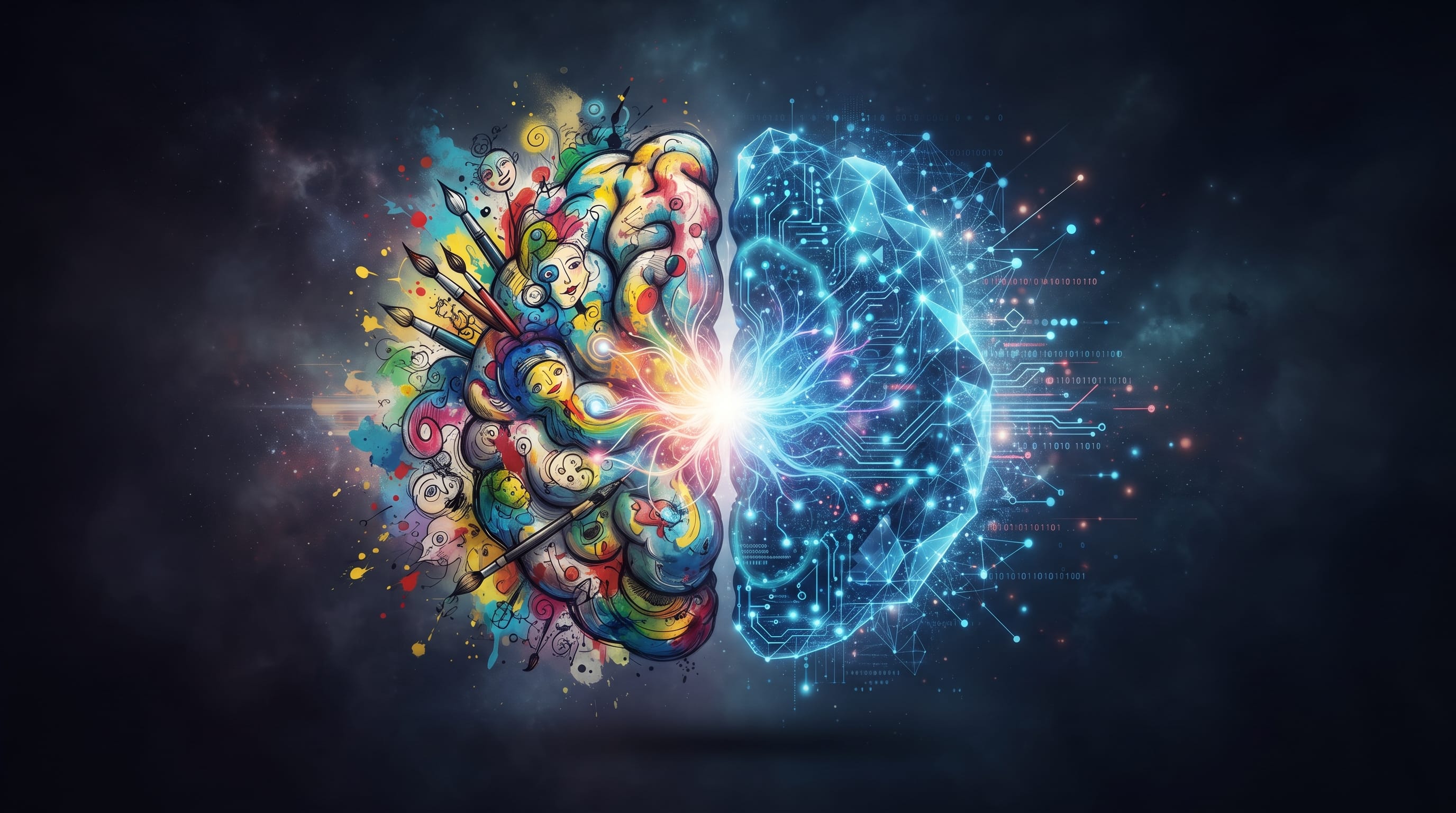
AI and human creativity are becoming increasingly connected in modern design. Artificial intelligence can generate images, suggest layouts, develop copy, produce variations, and accelerate repetitive tasks, while designers contribute context, taste, emotion, judgment, and original direction. The most useful question is therefore becoming less about whether AI can replace designers and more about how designers can use it without giving up the qualities that make creative work meaningful.
This distinction matters because faster production is not the same as better design.
AI can produce hundreds of possibilities in minutes, but someone still needs to determine which concept communicates the right message, fits the audience, supports the brand, and deserves further development.
Recent research supports this more collaborative picture. Adobe’s June 2026 study of creative professionals found evidence of creative work being redistributed rather than simply replaced. AI was particularly useful for brainstorming, first-pass variations, and production tasks, while designers continued to protect areas involving authenticity, emotional impact, ownership, and client understanding.
For designers, the opportunity is to build a workflow where machine speed and human judgment strengthen each other.
Understanding AI and Human Creativity
Human creativity involves much more than producing something visually new.
Designers work with:
- Context
- Culture
- Emotion
- Experience
- Intuition
- Communication
- Taste
- Constraints
A designer does not simply ask:
Can I create this?
They also ask:
Should I create it this way?
That second question is where human judgment becomes especially important.
AI systems are highly effective at generating possibilities based on patterns and instructions. They can explore many combinations rapidly.
Humans decide which possibilities matter.
That distinction is central to understanding AI and human creativity as complementary rather than identical capabilities.
AI Is Strong at Expanding Possibilities
The early stages of design often involve exploring many directions.
AI can accelerate this phase by helping designers generate:
- Moodboard ideas
- Color directions
- Image concepts
- Layout structures
- Naming ideas
- Headlines
- Visual themes
- Campaign concepts
For example, instead of manually creating ten rough directions for a music poster, a designer might use AI to explore:
- Brutalist typography
- Minimal editorial design
- Retro futurism
- Abstract photography
- Experimental collage
The designer can then identify the strongest direction and develop it manually.
This allows more exploration without requiring every concept to become a polished draft.
Adobe’s 2026 research found brainstorming and ideation among the areas where creative professionals felt most positively about AI.
Human Creativity Gives Ideas Meaning
Generating an unusual image does not automatically make it meaningful.
Human designers understand why an idea matters within a specific context.
Imagine designing a campaign for a local cultural festival.
AI might quickly generate:
- Colorful illustrations
- Traditional patterns
- Decorative typography
- Local architecture
But a designer needs to ask:
- Are these symbols culturally appropriate?
- Are they being used respectfully?
- Does the design actually reflect the event?
- Does it communicate to the intended community?
Creative work becomes meaningful when context is understood.
This is one of the biggest differences between AI and human creativity.
AI can provide possibilities.
Humans connect them to lived experience.
AI Can Make First Drafts Faster
Many creative projects begin with rough material.
Designers may need:
- Placeholder copy
- Initial layouts
- Storyboard concepts
- Thumbnail sketches
- Presentation text
AI can produce these quickly.
For example, a branding designer could use AI to create several early homepage headlines.
Instead of spending an hour writing variations, they might generate 20 options in minutes.
However, the designer should not assume the strongest sentence will automatically appear in the output.
The real creative task becomes:
- Selecting
- Rewriting
- Combining
- Removing
Adobe’s research describes a similar shift, with AI making first-pass work easier while greater value moves toward selection, direction, and evaluation.
Human Judgment Turns Options Into Design
Imagine AI generates 50 logo concepts.
That sounds productive.
But now someone must determine:
- Which concept is distinctive?
- Which one resembles a competitor?
- Which works at small sizes?
- Which fits the brand strategy?
- Which can become a complete identity system?
Having more options does not remove the need for judgment.
In fact, more options can make judgment more important.
This means the designer’s role may increasingly move from producing every raw possibility to directing and refining a larger creative space.
AI and Human Creativity in Graphic Design
Graphic design provides a strong example of collaboration between human and machine.
AI can assist with:
- Image generation
- Background removal
- Object replacement
- Image expansion
- Copy suggestions
- Visual variations
But designers still need traditional skills.
These include:
- Composition
- Typography
- Hierarchy
- Color
- Spacing
- Grid systems
- Branding
An AI-generated poster may contain impressive imagery while still having poor hierarchy.
A designer recognizes that the event title needs greater emphasis.
The machine creates possibilities.
The designer creates communication.
AI and Human Creativity in Branding
Branding involves even more strategic judgment.
AI can generate:
- Names
- Taglines
- Logo ideas
- Color palettes
- Moodboards
- Campaign concepts
However, a brand must remain distinctive over many years.
Designers need to consider:
- Audience
- Competition
- Positioning
- Culture
- Business strategy
- Personality
A generated visual may look attractive while being completely inappropriate for the company.
Therefore, AI and human creativity work best when AI assists exploration while people define the brand’s core direction.
Human Taste Is Becoming More Valuable
As generation becomes easier, simply being able to produce images becomes less unusual.
Taste becomes increasingly important.
Taste includes knowing:
- What to use
- What to reject
- What to simplify
- What feels dated
- What feels distinctive
- When a design is finished
Adobe’s 2026 Creators’ Toolkit report found that 81% of surveyed creators considered human judgment essential to creative taste, while 85% believed final creative decisions should remain with creators.
This suggests that AI proficiency alone is unlikely to define strong creative professionals.
Knowing when not to use an AI-generated result can be equally valuable.
Also Read: AI Assistants for Better Productivity and Time Management
AI Can Reduce Repetitive Creative Work
Not every part of a designer’s day requires deep creativity.
There are many repetitive tasks:
- Resizing graphics
- Creating variations
- Removing backgrounds
- Summarizing research
- Writing placeholder copy
- Organizing files
- Creating asset lists
These are good areas for automation.
If AI saves an hour of repetitive production, the designer can spend that hour on:
- Concept development
- Typography
- Client strategy
- Illustration
- Art direction
This may be one of the healthiest ways to think about AI and human creativity.
Use automation to protect time for higher-value thinking.
Creativity Still Needs Friction
Speed is useful, but creative work sometimes improves because it is difficult.
Sketching a hundred rough ideas by hand can reveal unexpected directions.
Experimenting with typography can lead to discoveries that would never appear in a prompt.
Making mistakes can produce new concepts.
If every creative decision becomes instant, designers may lose some of that productive friction.
This means efficiency should not become the only objective.
Sometimes the slower method produces more original thinking.
Use AI After Creating Your Own Ideas
One interesting workflow is to begin without AI.
First:
- Sketch concepts
- Write headlines
- Build references
- Explore layouts
Then use AI.
Ask it for alternative directions.
Compare its results against your own ideas.
This can prevent the tool from defining the creative starting point.
Adobe found examples of working creatives deliberately comparing their own concepts against AI-generated ideas as a way of questioning whether their direction felt sufficiently original.
For designers worried about sameness, this can be a useful technique.
AI Can Challenge Creative Assumptions
AI does not only need to provide finished ideas.
It can also challenge thinking.
For example, ask:
“What are five predictable approaches to a sustainable packaging design?”
Then:
“Suggest five approaches that avoid those conventions.”
The first response identifies cliches.
The second helps push exploration somewhere less familiar.
This makes AI a brainstorming partner rather than a design generator.
Human Creativity Understands Emotion
A designer often needs to understand what someone should feel.
A memorial project should not feel like a product advertisement.
A children’s brand should not feel intimidating.
A luxury hotel should not feel cheap or generic.
These decisions involve emotional sensitivity.
AI can simulate emotional styles, but designers interpret them within real relationships and cultural contexts.
Client conversations are especially important.
Designers hear:
- Hesitation
- Enthusiasm
- Personal history
- Unspoken concerns
These details often shape the final creative direction.
Adobe’s research found that creative professionals were particularly reluctant to automate areas such as empathy with clients.
AI and Human Creativity Need Clear Boundaries
Designers do not need to use AI for every part of every project.
Create personal boundaries.
Good AI Tasks
- Brainstorming
- Research organization
- Rough variations
- Background cleanup
- Asset adaptation
Human-Led Tasks
- Brand strategy
- Final art direction
- Cultural interpretation
- Client relationships
- Final approval
Your boundaries may differ.
The important point is to define them intentionally.
Use AI Without Losing Your Visual Voice
One risk of widespread AI use is visual sameness.
If millions of people use similar prompts and models, familiar patterns can become more common.
Designers can reduce this by bringing their own inputs.
Use:
- Original sketches
- Custom photography
- Hand lettering
- Personal references
- Unique typography
- Physical textures
AI can then become one layer of the process instead of the entire process.
The World Economic Forum has similarly argued that increasing AI adoption makes distinctly human creativity and unexpected ideas more valuable, particularly as algorithmic outputs risk producing sameness.
Learn to Art Direct AI
Prompt writing is useful, but art direction is more important.
Instead of:
“Make a cool poster.”
provide meaningful constraints:
“Create an editorial fashion poster concept using a low-angle portrait, strong negative space on the left, monochrome photography, one red accent, and dramatic directional lighting.”
Then evaluate the result.
Ask:
- Is the composition right?
- Is the mood correct?
- Is there enough negative space?
- Is the image too generic?
Art direction turns AI generation into a controlled creative process.
Also Read: AI Content Creation Tools Every Creator Should Try
Do Not Confuse Productivity With Originality
AI makes it possible to produce more content.
But more output does not guarantee more originality.
Adobe’s 2026 creator survey found that 93% of surveyed creators said creative AI helped them produce content faster, yet 57% also said AI-generated outputs typically required moderate or extensive editing before publication.
That distinction matters.
AI may accelerate production.
Human refinement makes the work ready.
Designers Need Stronger Fundamentals, Not Weaker Ones
When tools become easier, design fundamentals become more important.
Designers should continue developing:
- Typography
- Composition
- Color
- Storytelling
- Research
- Art direction
- Writing
- Presentation
Without these skills, it becomes difficult to evaluate AI output.
How can you identify weak typography if you never learned typography?
How can you judge hierarchy if you do not understand hierarchy?
AI increases the importance of being able to recognize good work.
Figma’s 2026 research similarly emphasizes skills such as systems thinking, collaboration, storytelling, taste, and judgment as designers adapt to AI-assisted workflows.
A Practical AI and Human Creativity Workflow
Designers can create a balanced process.
1. Understand the Problem
Research the audience and define the goal.
2. Develop Human Ideas
Sketch several concepts independently.
3. Use AI to Expand Possibilities
Generate alternatives and unexpected directions.
4. Compare
Identify what each approach does well.
5. Select a Direction
Use strategy and taste.
6. Refine Manually
Improve typography, composition, color, and details.
7. Use AI for Repetitive Tasks
Create variations and supporting assets.
8. Review the Final Work
Check originality, communication, accuracy, and quality.
This approach gives both AI and human creativity a clear role.
Questions Designers Should Ask Before Using AI
Before generating something, ask:
- Why am I using AI here?
- What problem will it solve?
- Could I create a stronger idea manually?
- Will AI make this faster?
- Will the output still feel original?
- Am I comfortable showing how this was created?
- Does the client permit AI-assisted work?
- Am I still making the important creative decisions?
If there is no clear advantage, AI may not be necessary.
Common AI and Human Creativity Mistakes
Asking AI to Do Everything
Keep important decisions human-led.
Accepting the First Output
Explore and refine.
Losing Your Own Style
Use personal references and original assets.
Skipping Fundamentals
Keep practicing design skills.
Confusing Speed With Quality
Fast does not automatically mean good.
Ignoring Context
Understand culture and audience.
Producing Too Many Options
Curate aggressively.
Copying AI Output Directly
Transform and refine it.
Removing All Creative Friction
Make room for experimentation.
Skills Designers Should Strengthen in the AI Era
As AI capabilities grow, several human skills may become even more important.
Taste
Recognize what deserves development.
Art Direction
Give ideas visual purpose.
Communication
Explain why a direction works.
Strategy
Connect design to business goals.
Empathy
Understand clients and users.
Storytelling
Make ideas emotionally meaningful.
Curiosity
Explore beyond predictable solutions.
Craft
Know how to refine details.
These skills help designers use AI rather than simply follow it.
AI and Human Creativity Checklist
Before finalizing AI-assisted creative work, ask:
- Is the core idea meaningful?
- Does it solve the design problem?
- Can I explain why I chose this direction?
- Does it feel distinctive?
- Is the concept culturally appropriate?
- Have I refined AI-generated details?
- Is typography professionally handled?
- Is the visual hierarchy clear?
- Did I add original thinking?
- Does the work reflect my creative voice?
- Did AI actually improve the process?
- Would the project be stronger with less AI?
- Have important facts been verified?
- Am I comfortable taking responsibility for the final result?
The final point matters most.
The designer remains accountable for the work.
Also Read: AI in Education for Better Learning and Teaching Today
Final Thoughts on AI and Human Creativity
The relationship between AI and human creativity does not need to be treated as a competition.
AI is already becoming useful for brainstorming, variation, research assistance, image generation, editing, and repetitive production. Recent research suggests creative professionals are increasingly integrating AI selectively rather than handing over every part of the creative process.
Human creativity contributes something different.
People understand context, make subjective judgments, develop taste, communicate with clients, recognize cultural meaning, and decide what deserves to exist.
These abilities become more valuable when generating content becomes easier.
The future designer may therefore spend less time creating every first draft manually and more time directing, choosing, refining, and connecting ideas.
That does not make creativity less important.
It makes creative judgment more visible.
The healthiest relationship between AI and human creativity is one where each contributes what it does best.
Use AI to explore faster.
Use human experience to give the exploration direction.
Use AI to create variations.
Use human taste to select them.
Use AI to remove repetitive work.
Use the time you gain to think, draw, experiment, communicate, and develop stronger ideas.
When designers approach AI this way, the technology does not have to reduce creativity.
It can create more space for the parts of creativity that remain most human, curiosity, judgment, emotion, imagination, and the ability to give an idea meaning.

For high-quality fonts to boost your income, check out DM Letter Studio. Our professional fonts are perfect for branding, marketing, and content creation. So, don’t miss this opportunity.