
AI Character Design Tutorial for Better Concepts, Poses, and Styles
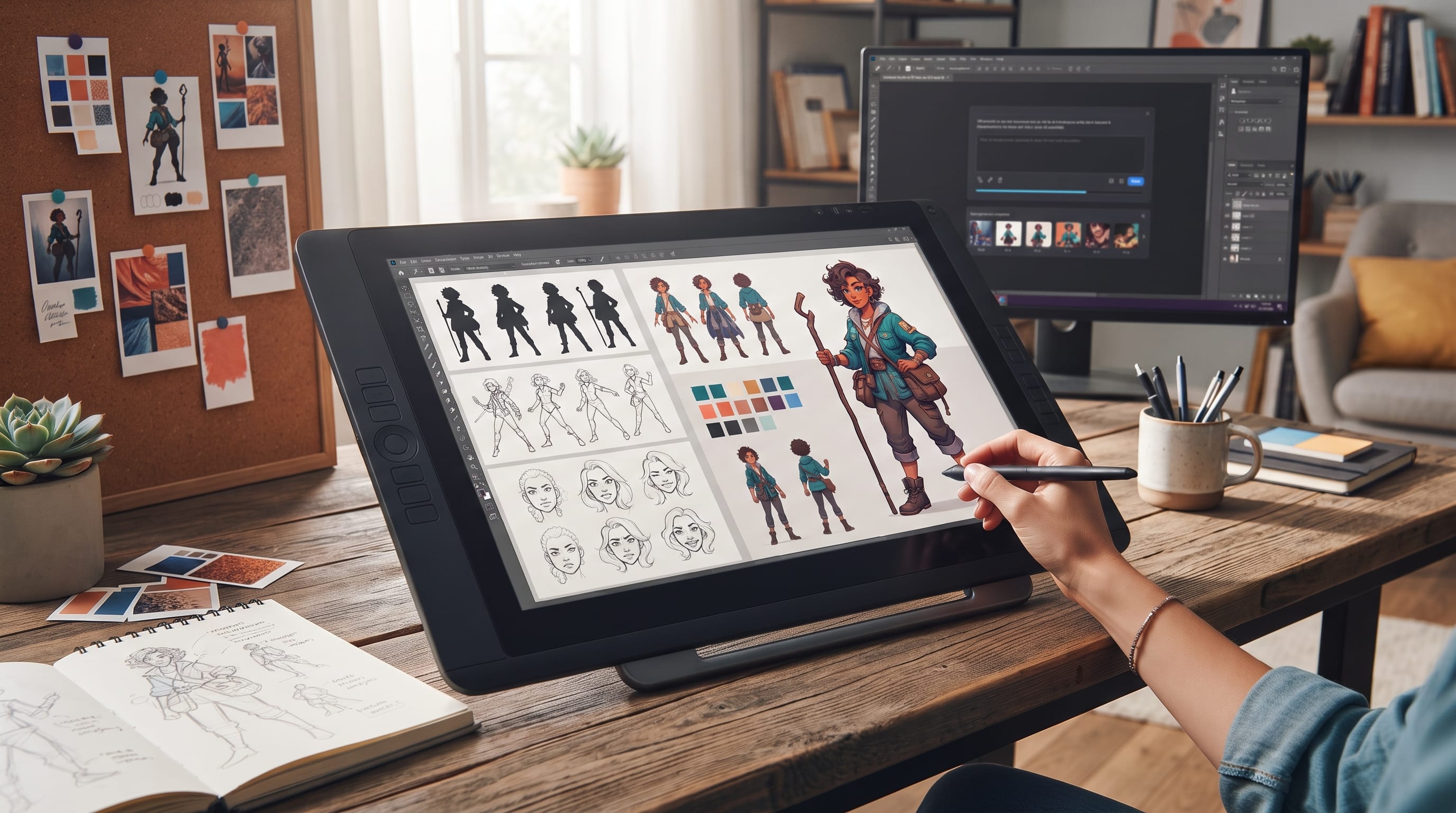
A practical AI character design tutorial can help illustrators use artificial intelligence as a creative assistant without giving up the thinking that makes a character feel original. AI tools can quickly generate silhouettes, outfits, expressions, poses, and visual directions, but strong character design still depends on clear ideas, intentional shapes, readable personality, and consistent artistic decisions.
The best results usually start before generating an image.
You need to know who the character is, what role they play, how they move, what they wear, and what emotions they should communicate.
Without that foundation, AI may produce visually attractive characters that feel generic or inconsistent.
This AI character design tutorial walks through a practical process from early concept development to pose exploration, style consistency, reference sheets, and final refinement.
Why an AI Character Design Tutorial Should Start With a Brief
Character design is more than appearance.
A useful character brief explains who the person or creature is and why they look the way they do.
Start with a few basic questions:
- Who is the character?
- What is their role?
- How old are they?
- What is their personality?
- Where do they live?
- What do they do?
- What should viewers notice first?
For example, imagine a young forest engineer who repairs magical machines.
That brief already suggests possible visual ideas:
- Practical clothing
- Tool belt
- Natural colors
- Mechanical accessories
- Curious expression
A clear brief gives your AI character design tutorial process a stronger foundation than simply asking for “a cool fantasy character.”
1. Define the Character Personality
Personality should influence visual design.
Choose three to five traits.
For example:
Curious, resourceful, energetic, slightly messy
Now ask how those traits might appear visually.
An energetic character might have:
- Open poses
- Strong gestures
- Bright accents
A reserved character could use:
- Closed posture
- Controlled shapes
- Muted colors
This connection between personality and appearance helps the design feel intentional.
2. Build Strong Character Silhouettes
Silhouette is one of the most important parts of character design.
A good character should remain recognizable even without facial details or color.
Explore:
- Tall vs short
- Wide vs narrow
- Angular vs rounded
- Symmetrical vs asymmetrical
For example, a powerful warrior may use:
- Broad shoulders
- Strong triangular shapes
- Heavy boots
A playful inventor might use:
- Uneven accessories
- Oversized sleeves
- Rounded forms
In an AI character design tutorial, silhouette exploration is especially useful because AI tools can quickly generate many rough shape directions.
3. Use Shape Language for Better Character Concepts
Shapes communicate personality.
Circles
Often feel:
- Friendly
- Soft
- Approachable
Squares
Can feel:
- Stable
- Strong
- Reliable
Triangles
Can suggest:
- Speed
- Danger
- Energy
You do not need to build a character entirely from one shape.
Instead, use one dominant shape language.
For example, a friendly chef could use rounded body proportions, rounded buttons, and circular accessories.
Shape repetition helps create visual unity.
4. Write Better AI Character Design Prompts
Prompt quality influences the usefulness of generated concepts.
A simple formula is:
Character role + personality + body type + clothing + accessories + pose + style + lighting + background
For example:
“Original young fantasy mechanic, curious and energetic personality, slim athletic build, short messy hair, layered work jacket, utility belt with small tools, asymmetrical boots, standing in a confident three-quarter pose, stylized editorial character illustration, clean shapes, warm natural colors, simple neutral background.”
This type of prompt is more useful than:
“Create a fantasy mechanic.”
Strong prompts make the AI character design tutorial process more controlled.
5. Generate Several Concept Directions
Do not stop at the first good image.
Generate several directions.
Try changing:
- Silhouette
- Outfit
- Age
- Accessories
- Proportions
- Color palette
Then compare the results.
Ask:
- Which silhouette is strongest?
- Which design communicates personality?
- Which outfit supports the role?
- Which concept feels less generic?
Instead of selecting one AI generation as the final design, combine the strongest ideas from several versions.
6. Design Better Character Faces
Faces communicate emotion quickly.
Important decisions include:
- Eye shape
- Brow shape
- Nose
- Mouth
- Jaw
- Hairstyle
Avoid making every feature highly detailed.
Choose one or two distinctive traits.
For example:
- Wide expressive eyes
- Heavy eyebrows
- Long angular face
- Short uneven fringe
These features make the character easier to recognize.
Create Expression Studies
Generate or draw expressions such as:
- Happy
- Angry
- Confused
- Excited
- Tired
- Surprised
This is an important stage of an AI character design tutorial because a character should remain recognizable even when the expression changes.
Also Read: AI Tutorial for Beginners: Everything You Need to Know
7. Develop Character Outfits With Purpose
Clothing should tell part of the character’s story.
Think about:
- Occupation
- Environment
- Personality
- Culture
- Practical needs
A desert explorer might need:
- Layered fabric
- Protective headwear
- Lightweight equipment
A futuristic courier might use:
- Compact backpack
- Flexible clothing
- Protective panels
Avoid adding random belts, pockets, and accessories simply because they look interesting.
Each major element should support the concept.
8. Use Accessories to Strengthen Personality
Accessories can make a design more specific.
Examples include:
- Glasses
- Bags
- Tools
- Jewelry
- Weapons
- Books
- Technology
A botanist might carry:
- Small specimen case
- Notebook
- Magnifying lens
A street musician may have:
- Instrument
- Stickers
- Headphones
- Worn backpack
Accessories are most effective when they reveal something about the character.
9. Build a Controlled Color Palette
Too many colors can weaken a design.
A simple system might use:
Primary Color
Dominant clothing color.
Secondary Color
Supporting color.
Accent Color
Used for small details.
Neutral
For balance.
For example:
Deep teal + warm beige + orange accent + charcoal
This creates enough variety without becoming chaotic.
A controlled palette also makes the character easier to reproduce consistently.
10. AI Character Design Tutorial for Better Poses
Poses should communicate personality and action.
Avoid relying only on front-facing standing poses.
Explore:
- Walking
- Running
- Sitting
- Reaching
- Leaning
- Jumping
- Holding objects
A confident character might stand with:
- Open chest
- Stable stance
- Strong eye direction
A nervous character may use:
- Closed shoulders
- Uneven posture
- Hands close to the body
Strong posing adds life to the design.
11. Create Dynamic Pose Prompts
When generating pose ideas, describe the action clearly.
Instead of:
“Character running”
try:
“Full-body character sprinting forward, torso leaning slightly ahead, one arm driving backward, opposite knee raised, coat and hair moving with momentum, energetic gesture, clear silhouette.”
This gives the AI more useful structural information.
Pose prompts are one of the most valuable parts of an AI character design tutorial for illustrators who need quick gesture exploration.
12. Keep Character Proportions Consistent
AI-generated characters may change proportions between images.
Common problems include:
- Different height
- Changing face shape
- Different hair length
- Changing clothing details
Create a reference sheet early.
Include:
- Front view
- Side view
- Back view
- Three-quarter view
Also record important proportions.
For example:
- Head-to-body ratio
- Shoulder width
- Leg length
- Hand size
This gives you a visual standard for future illustrations.
13. Create an AI Character Reference Sheet
A reference sheet helps maintain consistency.
Include:
Full-Body View
Shows overall proportions.
Head Views
Front and profile.
Expressions
Several emotions.
Color Palette
Main colors.
Outfit Details
Shoes, accessories, patterns.
Important Notes
Distinctive features that should not change.
A good reference sheet becomes especially valuable if the character will appear in comics, games, animation, or a series of illustrations.
Also Read: YouTube Video Editing Tutorial for Beginners and New Creators
14. Maintain Style Consistency
A strong character may look inconsistent if the rendering style changes constantly.
Define visual rules such as:
- Line weight
- Shading
- Texture
- Edge softness
- Color saturation
For example:
Clean outlines + flat color + subtle shadow + limited texture is clearer than simply asking for “stylized art.”
The more specific the visual rules, the easier it becomes to maintain consistency.
15. Explore Different Character Styles Carefully
AI tools make it easy to explore styles.
You might test:
- Editorial illustration
- Cartoon
- Fantasy
- Graphic novel
- Flat vector
- Painterly
However, avoid chasing styles before the character concept is strong.
Silhouette, personality, and proportions should work before adding complex rendering.
A useful AI character design tutorial separates character design from surface decoration.
16. Use AI for Costume Variations
Once the core character is established, AI can help explore alternative costumes.
For example:
- Casual outfit
- Work uniform
- Formal clothing
- Adventure gear
- Seasonal version
Keep important identity features consistent.
If the character always has:
- Orange scarf
- Round glasses
- Specific hairstyle
retain those details across variations.
This prevents the costume change from creating an entirely different character.
17. Refine AI-Generated Character Artwork
AI output should usually be treated as a draft.
Look carefully for:
- Hands
- Clothing construction
- Accessories
- Anatomy
- Perspective
- Repeated details
Redraw weak areas manually.
You may also need to refine:
- Silhouette
- Facial features
- Color
- Line quality
This step turns generated material into more intentional artwork.
18. Make the Character More Original
Generic character design often comes from predictable combinations.
For example:
“Fantasy warrior + armor + sword” is extremely broad.
Add specific constraints.
Maybe the warrior:
- Repairs clocks
- Lives in a floating city
- Uses ceramic armor
- Carries maps instead of a shield
These unusual combinations can produce more distinctive concepts.
Originality comes from specific creative decisions, not simply adding more decoration.
Common AI Character Design Mistakes
Avoid several problems during the process.
Starting Without a Brief
The character may become visually attractive but meaningless.
Accepting the First Generation
Explore several directions.
Adding Too Many Accessories
Let major details remain readable.
Ignoring Silhouette
Strong shape comes before small decoration.
Changing Style Constantly
Define visual rules early.
Depending Completely on AI
Use human judgment to select, combine, and refine ideas.
A Simple AI Character Design Tutorial Workflow
Use this process for a complete project:
- Write the character brief.
- Define personality.
- Explore silhouettes.
- Choose shape language.
- Write the first prompt.
- Generate several concepts.
- Select strong features.
- Refine the face.
- Develop the outfit.
- Choose accessories.
- Build the color palette.
- Explore poses.
- Create expression studies.
- Build a reference sheet.
- Establish style rules.
- Refine the final illustration.
This structured AI character design tutorial keeps the creative process organized while leaving room for experimentation.
How Illustrators Can Use AI Without Losing Their Style
AI works best as part of the workflow rather than as the entire workflow.
Illustrators can use it for:
- Rapid brainstorming
- Pose exploration
- Costume ideas
- Color variations
- Early thumbnails
Then bring the work back into their own drawing process.
Redraw shapes.
Adjust proportions.
Change details.
Apply your own line work and rendering.
The final design should reflect deliberate creative choices.
Also Read: Easy Procreate Tutorial for Drawing Beautiful Digital Illustrations
Final Thoughts on AI Character Design Tutorial
A strong AI character design tutorial should help illustrators use technology to explore ideas faster while keeping creative direction in human hands.
Begin with a character brief.
Define personality, role, silhouette, and shape language before worrying about rendering.
Then use AI to explore facial features, outfits, accessories, poses, expressions, and color variations.
Create reference sheets early so important proportions and details remain consistent.
Most importantly, treat AI-generated artwork as material to evaluate and refine.
The strongest character is rarely the first generated image.
It emerges through selection, editing, redrawing, and repeated creative decisions.
When concept development, clear prompting, strong poses, consistent styling, and manual refinement work together, an AI character design tutorial becomes more than a way to generate pictures. It becomes a practical workflow for building characters that feel recognizable, expressive, intentional, and ready for larger illustration projects.

For high-quality fonts to boost your income, check out DM Letter Studio. Our professional fonts are perfect for branding, marketing, and content creation. So, don’t miss this opportunity.