
AI Design Tools for Faster Ideas and Better Content
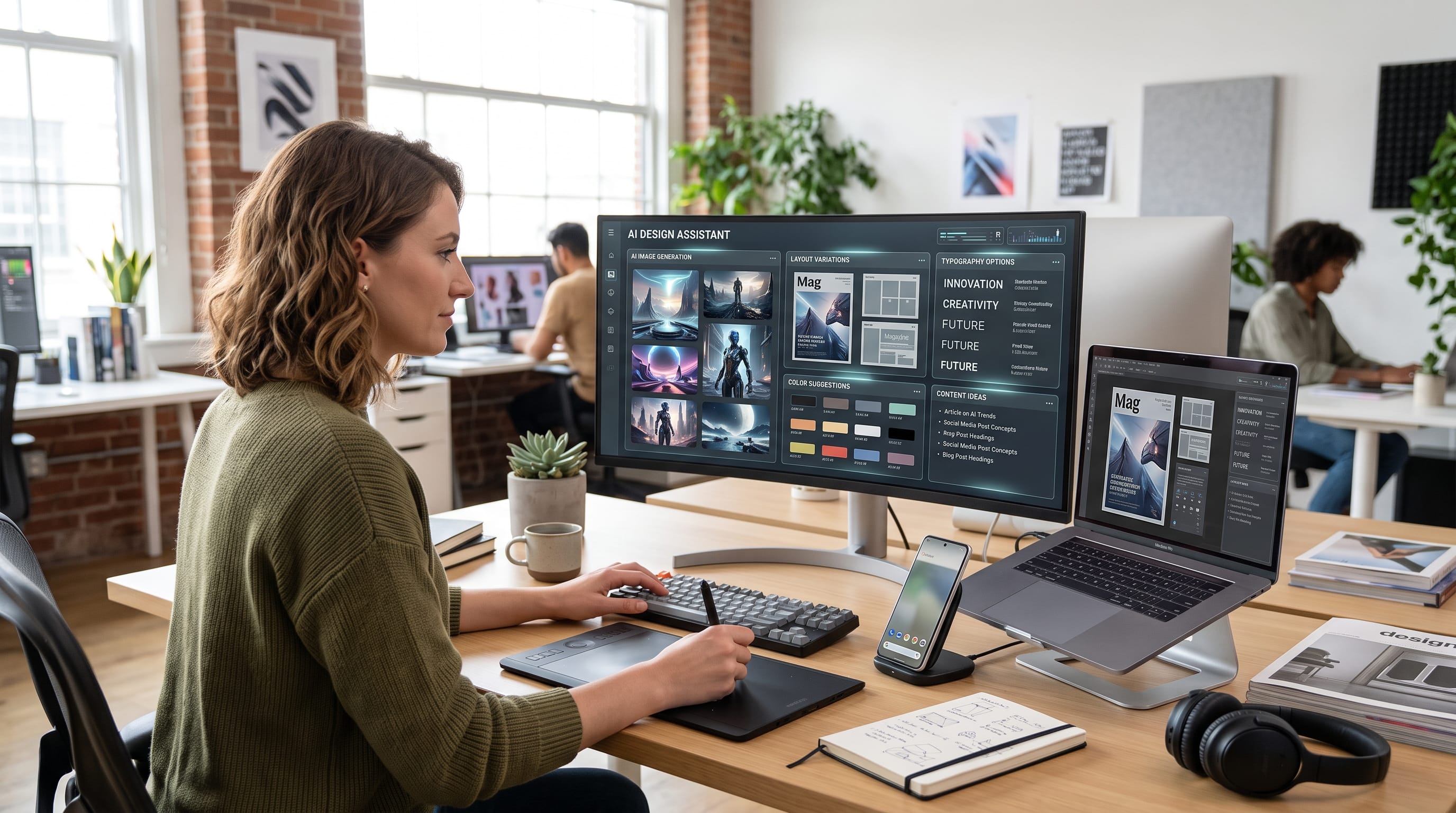
AI design tools are changing how designers move from an early idea to finished creative work. Instead of replacing traditional design skills, many of these tools can reduce repetitive tasks, speed up concept development, generate visual directions, edit images, build layouts, create prototypes, and help teams produce more content with fewer manual steps.
In 2026, AI is increasingly built directly into major design platforms rather than existing only as separate image generators. Canva AI 2.0, for example, can generate layered and editable designs from conversational instructions, while Figma now includes an AI design agent, AI-assisted prototyping, image tools, and prompt-driven design features.
For designers, the biggest advantage is speed.
A concept that once required several hours of research, sketching, asset creation, and experimentation can now reach a usable first draft much faster. However, strong creative direction, typography, hierarchy, branding, and human judgment remain essential.
Below are some of the most useful AI design tools and practical ways to integrate them into a professional workflow.
Why AI Design Tools Matter for Modern Designers
Designers frequently spend time on tasks that are necessary but not always highly creative.
Examples include:
- Removing backgrounds
- Searching for visual references
- Resizing designs
- Creating image variations
- Writing placeholder copy
- Renaming layers
- Generating presentation drafts
- Producing social media versions
- Exploring layout alternatives
AI can handle or accelerate many of these tasks.
That gives designers more time for higher-value decisions such as:
- Brand strategy
- Art direction
- Typography
- Composition
- User experience
- Storytelling
- Final refinement
The best AI design tools should support creative judgment rather than eliminate it.
1. Canva AI for Fast Visual Content
Canva is particularly useful for social content, marketing graphics, presentations, simple videos, advertising, and branded campaigns.
Canva AI 2.0 represents a major shift toward conversational design. Users can describe an idea or campaign and receive fully layered, editable output rather than only a flattened image. Canva also says the system can work with brand information, scheduling, web research, Sheets AI, and interactive Canva Code workflows.
This can help creators produce:
- Social posts
- Presentations
- Marketing campaigns
- Advertisements
- Infographics
- Posters
- Simple websites
- Content series
Best Use of Canva AI Design Tools
Canva is especially practical when you need volume.
For example, a social media manager could create one campaign concept and adapt it into:
The editable design structure means the designer can still adjust fonts, images, colors, and layout after AI generates the starting point.
2. Adobe Firefly for Professional Creative Work
Adobe Firefly is one of the strongest AI design tools for designers already using Photoshop, Illustrator, and other Adobe applications.
Firefly supports capabilities such as:
- Text-to-image generation
- Generative Fill
- Generative Expand
- Vector generation
- Image editing
- Typography effects
- Video generation
Figma’s 2026 overview of AI design platforms highlights Firefly’s integration with Adobe’s wider creative ecosystem as a major advantage, particularly for moving generated assets into Photoshop, Illustrator, or Express for further refinement.
When Adobe Firefly Works Best
Use Firefly when you need AI-generated material that will continue into a more advanced professional workflow.
For example:
- Generate a visual concept.
- Bring it into Photoshop.
- Adjust the composition.
- Add real typography.
- Correct color and lighting.
- Prepare final output.
This approach gives designers more control than treating generated images as finished artwork.
3. Figma AI for UI and Product Design
Figma has become an increasingly powerful example of AI integrated directly into the design canvas.
Current Figma AI capabilities include tools for:
- Finding designs and assets
- Replacing placeholder content
- Adding prototype interactions
- Renaming layers
- Removing backgrounds
- Isolating or erasing objects
- Vectorizing images
- Generating first drafts
Figma also introduced its design agent in 2026, allowing designers to work conversationally with AI directly inside their design files.
AI Design Tools for UI Exploration
One of Figma’s useful AI features is First Draft.
It can transform an idea into editable wireframes or interface designs, giving designers a faster starting point for exploration.
Instead of spending an hour building a basic layout manually, you might prompt:
Create a clean mobile dashboard for a personal finance app with spending categories, monthly totals, and recent transactions.
The generated result should still be treated as a starting point.
Designers should refine:
- Spacing
- Typography
- Component consistency
- Accessibility
- Interaction
- Brand styling
4. Figma Design Agent for Faster Iteration
The newer Figma design agent goes beyond simple generation.
Figma says designers can use the agent to generate and remix designs, automate repetitive tasks, and get design feedback. Its 2026 updates also introduced support for custom tools, additional contextual information, and broader design workflows.
Figma has also added web search directly inside the design agent, allowing designers to bring current information into design files without leaving the canvas.
This can be useful for:
- Competitive research
- Landing page concepts
- Dashboard ideas
- Product research
- Interface copy
- Content-driven prototypes
These capabilities make Figma one of the most relevant AI design tools for product and UX designers.
5. Midjourney for Creative Visual Exploration
Midjourney remains useful for concept development and artistic visual generation.
It is particularly strong for:
- Moodboards
- Campaign concepts
- Art direction
- Editorial imagery
- Fantasy concepts
- Visual experimentation
- Style exploration
Designers can use Midjourney during the early stages of a project to explore ideas before committing to a final direction.
For example, a designer creating branding for a futuristic coffee company might generate several visual directions:
- Minimal metallic
- Retro-futurist
- Neon urban
- Organic sci-fi
The strongest direction can then guide typography, packaging, photography, and layout decisions.
6. Runway for AI Video Design
Video is becoming increasingly important for designers working on social content, advertising, digital campaigns, and motion branding.
Runway provides AI-assisted video and image capabilities such as:
- Generative video
- Image animation
- Video editing
- Background changes
- Motion effects
- Visual experimentation
Figma’s current AI design tool guide lists Runway among notable tools for AI video and image editing.
For designers, Runway can help create:
- Campaign teasers
- Motion backgrounds
- Social advertisements
- Product concepts
- Short promotional visuals
However, generated footage should still be reviewed carefully for visual inconsistencies.
Also Read: Top AI Tools for Typography to Create Better Type Designs
7. Uizard for Fast UI Concepts
Uizard focuses on quick interface and prototype creation.
It can be particularly useful for:
- Early wireframes
- App concepts
- Website ideas
- Sketch-to-interface workflows
Figma’s AI design tools guide identifies Uizard as useful for turning rough sketches into prototypes and exploring UI themes.
For beginners, this can reduce the technical barrier to converting an idea into something visual.
Professional designers may use it mainly during early exploration rather than for final production.
8. Microsoft Designer for Marketing Graphics
Microsoft Designer can be useful for quick branded graphics, social content, and marketing materials.
Its AI capabilities can assist with:
- Image creation
- Copy suggestions
- Layout generation
- Promotional visuals
This type of tool is particularly useful for:
- Entrepreneurs
- Marketing teams
- Social media managers
- Creators
who need professional-looking content without building every design manually.
9. AI Design Tools for Image Editing
You do not always need AI to create an entirely new image.
AI editing can sometimes be more useful.
Common AI editing tasks include:
- Background removal
- Object removal
- Generative expansion
- Image cleanup
- Upscaling
- Relighting
- Reframing
For example, imagine a product photograph that works well but has too little space for a headline.
Instead of shooting a new photograph, an AI expansion tool might extend the background.
The designer can then place typography in the new negative space.
This type of workflow saves time while preserving the original creative material.
10. AI Design Tools for Brand Exploration
AI can also help during early branding stages.
You might use it to explore:
- Moodboards
- Color directions
- Packaging concepts
- Photography styles
- Campaign ideas
- Brand environments
However, avoid treating AI-generated logos as complete brand identity systems.
A strong identity still requires careful decisions about:
- Typography
- Logo construction
- Color systems
- Accessibility
- Scalability
- Distinctiveness
- Brand strategy
AI should generate possibilities, not make every branding decision.
11. AI Design Tools for Social Media Content
Social content often requires many visual variations.
Designers may need:
- Feed posts
- Carousels
- Stories
- Ads
- Pinterest graphics
- Thumbnails
AI can help create initial compositions, copy variations, background imagery, and campaign directions.
Tools such as Canva are particularly valuable here because layouts can remain editable while a broader campaign is generated.
Create a reusable visual system so AI-generated content still feels connected to the brand.
12. AI Design Tools for Presentation Design
Presentations often require a combination of:
- Research
- Copy
- Layout
- Charts
- Images
- Branding
AI can speed up the first draft.
For example, you might provide:
Topic: New sustainable packaging strategy
and ask the system to build sections for:
- Market problem
- Customer expectations
- Design direction
- Packaging examples
- Implementation plan
The designer can then refine the hierarchy, copy, data, and visual storytelling.
Never assume AI-generated presentation content is factually correct without verification.
13. AI Design Tools for Typography
AI can help designers explore typography treatments, but actual font selection should still receive human attention.
You can use AI to test:
- Headline placement
- Type scale
- Visual contrast
- Text effects
- Layout combinations
Adobe Firefly, for example, includes AI-supported typography and creative effects as part of its broader generative ecosystem.
Avoid relying on AI-generated text inside images when accurate wording is essential.
Generate the imagery first, then add real typography inside professional design software.
Also Read: AI Content Creation Tools Every Creator Should Try
14. AI Design Tools for Vector Graphics
Vector workflows are another area where AI can save time.
AI-assisted tools can generate or convert:
- Icons
- Illustrations
- Simple logos
- Decorative elements
- Patterns
Figma currently includes image vectorization as part of its AI toolkit.
Designers should still inspect generated vector paths.
Simplify unnecessary anchor points and correct shapes before final production.
15. Use AI for Multiple Design Variations
One major advantage of AI design tools is rapid iteration.
Instead of creating one idea, generate several.
For example:
- Concept A: Minimal editorial
- Concept B: Bold geometric
- Concept C: Retro typography
- Concept D: Futuristic gradient
- Concept E: Warm handmade
Then compare the options.
Ask:
- Which fits the audience?
- Which communicates the message fastest?
- Which feels most distinctive?
- Which can scale across formats?
AI makes exploration cheaper, but human judgment should determine the final direction.
Build a Better AI Design Workflow
A strong workflow could look like this:
Define the Brief
Clarify:
- Audience
- Objective
- Message
- Brand personality
- Required formats
Generate Concepts
Use AI to explore several visual directions.
Select a Direction
Do not automatically choose the first generated option.
Refine Manually
Improve:
- Layout
- Typography
- Color
- Spacing
- Composition
Create Variations
Adapt the design for different platforms.
Review
Check quality, originality, consistency, accessibility, and accuracy.
Export
Prepare final files using the correct dimensions and formats.
This workflow keeps the designer in control.
AI Design Tools Should Not Replace Design Fundamentals
AI can create visually attractive results quickly.
However, it does not remove the need to understand:
- Typography
- Contrast
- Visual hierarchy
- Color theory
- Grid systems
- Composition
- Branding
- Accessibility
A poorly directed AI tool can generate attractive but ineffective design.
For example, a landing page may look visually impressive but still have:
- Weak CTA hierarchy
- Small text
- Poor contrast
- Confusing navigation
Design fundamentals remain essential.
Avoid Common AI Design Mistakes
Using the First Result
Generate and compare alternatives.
Accepting Incorrect Text
Always proofread generated content.
Ignoring Brand Consistency
Apply your real colors, fonts, and design system.
Overusing AI Effects
Not every image needs a dramatic generative treatment.
Copying a Style Too Closely
Create original visual direction rather than imitating another creator.
Ignoring Accessibility
Check contrast and readability manually.
Using AI Without a Brief
Specific creative direction usually produces better results.
How to Choose the Best AI Design Tools
Do not subscribe to every platform.
Choose tools based on your workflow.
For Social Media
Consider Canva.
For Professional Image Editing
Consider Adobe Firefly with Adobe Creative Cloud.
For UI and UX Design
Consider Figma AI.
For Artistic Concept Generation
Consider Midjourney.
For Video
Consider Runway.
For Fast Prototypes
One designer may only need two or three core tools.
AI Design Tools Checklist
Before using AI in a professional project, check:
- Does the tool solve a real problem?
- Is the generated content editable?
- Does it fit the brand?
- Is typography accurate?
- Are images visually consistent?
- Have factual claims been verified?
- Is the output accessible?
- Does the design work across formats?
- Are licensing terms suitable?
- Has a designer reviewed the final output?
These checks become especially important when AI-generated content will be used commercially.
Also Read: 25 Best AI Tools to Boost Productivity in 2026
Final Thoughts on AI Design Tools
The best AI design tools help designers move faster without removing creative control.
In 2026, platforms such as Canva, Adobe Firefly, and Figma are increasingly bringing AI directly into everyday creative workflows. Canva AI 2.0 can generate layered, editable designs and connected campaign content, while Figma’s AI system now includes design generation, editing, prototyping, asset search, vectorization, and an integrated design agent.
Other tools such as Midjourney, Runway, Uizard, and Microsoft Designer can support specialized tasks including concept generation, video creation, interface exploration, and marketing content.
However, faster production should not become the only goal.
Design still requires strategy.
Use AI design tools to explore more ideas, automate repetitive work, create starting points, and speed up technical tasks. Then apply human judgment to typography, composition, hierarchy, branding, accessibility, and final quality.
A useful approach is:
AI for speed.
Designers for direction.
When that balance is maintained, AI design tools can help creative professionals produce more ideas, test more possibilities, and build better content without sacrificing the thoughtful decisions that make design effective.

For high-quality fonts to boost your income, check out DM Letter Studio. Our professional fonts are perfect for branding, marketing, and content creation. So, don’t miss this opportunity.