
AI Poster Design: How Designers Can Create Better Posters
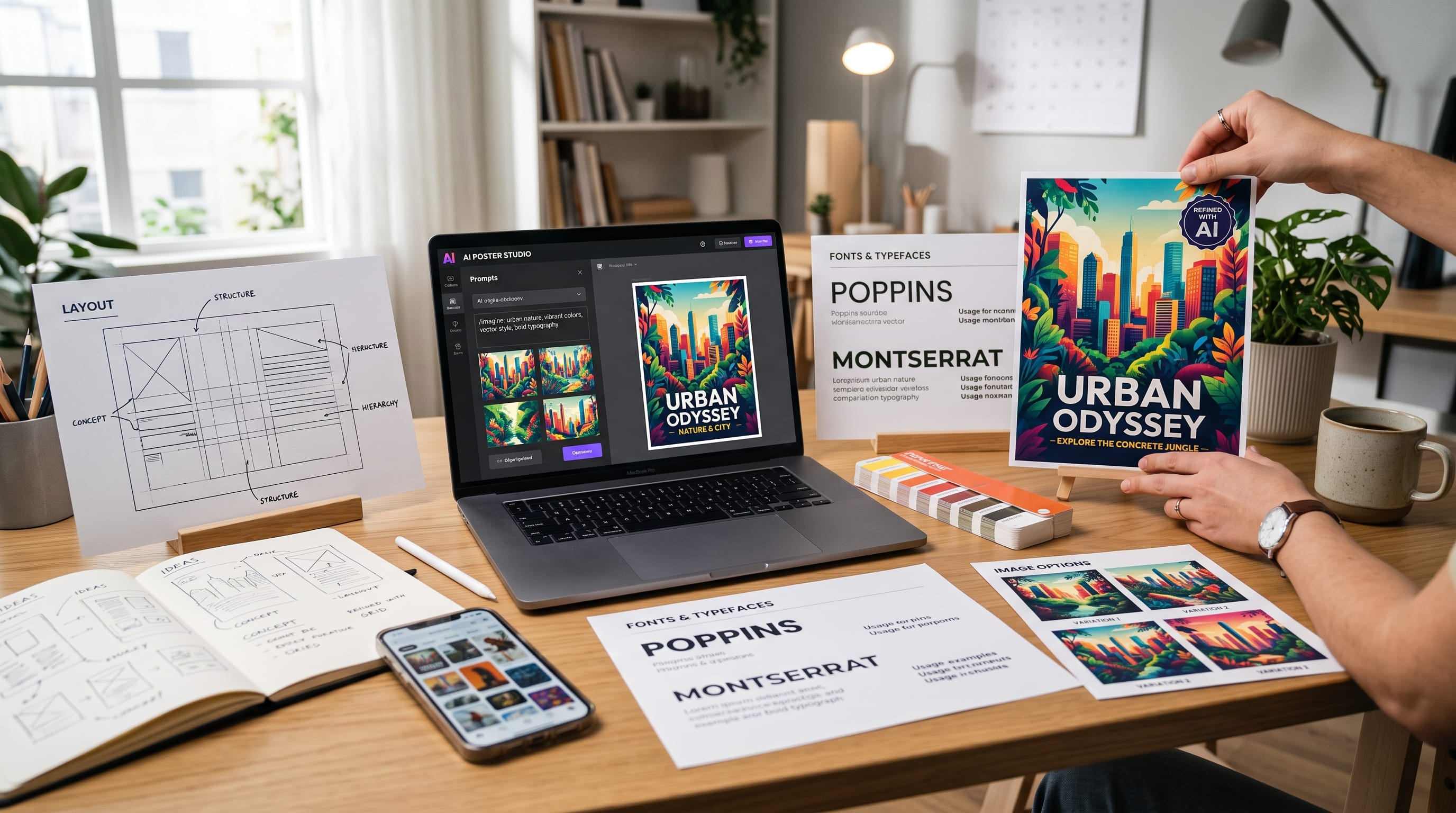
AI poster design gives graphic designers a faster way to explore concepts, visual styles, compositions, imagery, and campaign directions before committing to a final layout. Instead of replacing traditional design skills, AI can act as an ideation and production assistant that helps designers generate more possibilities in less time.
A poster still needs the fundamentals of graphic design, hierarchy, typography, composition, contrast, spacing, color, and a clear message. AI cannot automatically decide which concept is most appropriate for the audience or which visual direction best supports the communication goal.
The strongest results come when designers use AI to expand possibilities and then apply human judgment to refine them.
Modern tools are also becoming easier to edit. Canva AI 2.0, for example, can generate layered, editable designs rather than only flattened images, while Adobe Firefly includes generative editing tools for adding, removing, expanding, and refining visual elements.
This guide explains how to build a practical AI poster design workflow from the initial brief to the final artwork.
Start AI Poster Design With a Clear Brief
Do not begin by immediately asking AI to create a poster.
Start with the design problem.
Define:
- Poster purpose
- Target audience
- Main message
- Required text
- Visual mood
- Format
- Brand requirements
- Distribution channel
For example:
- Purpose: Promote a contemporary jazz festival
- Audience: Young urban music fans
- Mood: Sophisticated, energetic, experimental
- Format: A2 print poster
- Main message: Festival title, date, venue, ticket URL
This gives the project direction.
Without a brief, AI may generate visually interesting artwork that does not communicate effectively.
A good AI poster design process begins with strategy before generation.
Use AI for Poster Concept Development
One of the best uses of AI is brainstorming.
Instead of asking for a finished poster, ask for creative directions.
For example:
“Generate ten visual concepts for a modern jazz festival poster. Avoid generic musical notes. Explore editorial typography, abstract geometry, motion, and nighttime city energy.”
AI may suggest directions such as:
- Distorted typography
- Abstract sound waves
- Geometric instruments
- Neon city photography
- Minimal black-and-white layout
You can then select the most promising idea.
This is often more useful than generating random finished designs.
Create Multiple AI Poster Design Directions
Professional designers rarely settle on the first idea.
Create several visual territories.
For example:
Direction 1 – Minimal Editorial
Large typography
Black and cream
One abstract shape
Direction 2 – Experimental
Distorted text
Layered photography
High contrast
Direction 3 – Retro Futurism
Chrome typography
Gradient backgrounds
Geometric illustrations
Direction 4 – Photographic
Large portrait
Minimal type
Strong crop
AI makes it easier to test these directions quickly.
However, the designer should compare them based on the brief rather than choosing whichever output looks most dramatic.
Use AI to Generate Poster Imagery
Custom imagery is one of the most useful parts of AI poster design.
Designers can generate:
- Portraits
- Abstract art
- Textures
- Conceptual photography
- Landscapes
- Product scenes
- Surreal compositions
A useful prompt structure is:
Subject + Environment + Composition + Lighting + Style + Mood + Poster Purpose
For example:
“Editorial portrait of an electronic musician standing inside a futuristic concrete tunnel, dramatic blue and white lighting, centered composition, strong negative space above the subject for poster typography, high-fashion music campaign aesthetic.”
Notice that the prompt includes space for text.
That is important.
AI imagery should support the final layout rather than fill every part of the composition.
Write Better AI Poster Prompts
Vague prompts often produce generic results.
Instead of:
“Create a cool poster image.”
try:
“Create an abstract fashion campaign image with translucent fabric moving around a sculptural human silhouette, deep burgundy background, directional studio lighting, strong negative space in the upper third for a headline, elegant editorial composition.”
Strong prompts describe:
- Subject
- Camera angle
- Composition
- Lighting
- Palette
- Texture
- Mood
- Intended layout
The more clearly you describe the visual system, the easier it becomes to integrate the generated image into professional design work.
Use Negative Space Intentionally
One common problem with generated images is excessive detail.
AI often tries to make every area visually interesting.
Posters need areas where text can breathe.
Ask for:
- Empty background
- Open sky
- Clean wall
- Dark negative space
- Large flat color area
For example:
“Place the subject in the lower-right third with a large clean cream background on the left for typography.”
This creates a more usable result.
Strong AI poster design depends on thinking about layout before generating the image.
Use AI for Background Removal and Expansion
Sometimes the generated visual is strong, but the composition does not match the poster format.
AI editing can help.
Adobe Firefly currently provides tools such as Generative Remove, Generative Expand, Generative Fill, background removal, and generative upscaling.
These tools can help designers:
- Extend backgrounds
- Remove distracting objects
- Create extra space for typography
- Adapt horizontal images to vertical posters
- Replace unwanted details
For example, you might generate a strong portrait but need more empty space above the head.
Generative Expand can help extend the composition rather than forcing you to crop the subject too closely.
Use AI Poster Design for Typography Exploration
Typography is often the strongest element in poster design.
AI can help brainstorm typographic directions.
Ask for ideas such as:
- Condensed display type
- Experimental letterforms
- Oversized serif headlines
- Layered typography
- Distorted lettering
- Vertical text
- Repeated words
However, designers should be careful with typography generated directly inside AI images.
AI-generated lettering can still produce spelling errors or inconsistent letterforms.
For important text such as:
- Event title
- Dates
- Brand names
- Venue
- Pricing
create the typography manually in your design software.
Use AI to inspire the style, not necessarily to create final production text.
Create Strong Typography Hierarchy
A professional poster should tell viewers where to look first.
A common hierarchy is:
- Main headline
- Supporting image
- Date or key information
- Supporting details
- Call to action
For example:
DESIGN FUTURES
August 28, 2026
Jakarta Creative Hall
Tickets at designfutures.com
The main title should dominate.
Do not let AI-generated imagery become so detailed that it competes with the headline.
This is one of the most important principles in AI poster design.
Also Read: Product Photography Tutorial for Better Ecommerce Images
Use Canva AI for Editable Poster Concepts
Canva AI 2.0 can generate layered, editable designs from a prompt and allows the user to continue refining the individual elements rather than receiving only a flat image. It can also apply brand fonts, colors, and style through Brand Intelligence.
This can be useful for:
- Fast concept layouts
- Social poster versions
- Event posters
- Promotional graphics
- Client presentations
For example, you could ask:
“Create a modern poster for a creative conference using bold typography, black and orange, geometric shapes, and a clean editorial layout.”
Then manually refine:
- Font size
- Spacing
- Alignment
- Copy
- Imagery
Editable AI output is more useful to designers than a static design because it allows professional refinement.
Use Adobe Firefly for Poster Image Development
Adobe Firefly can support designers who prefer a more controlled image workflow.
It can be useful for:
- Creating concept art
- Replacing backgrounds
- Adding objects
- Removing distractions
- Extending images
- Generating variations
Its image-editing workflow makes it easier to move from generation into refinement.
A designer might use Firefly to create a conceptual visual, then complete the poster in:
This gives AI a defined role within an established professional workflow.
Use AI to Explore Color Palettes
Color affects mood immediately.
AI can help generate palette directions based on the poster concept.
For example:
“Suggest five color palettes for an experimental architecture exhibition poster. Each palette should include one dominant color, one neutral, and one accent.”
Possible directions might include:
- Industrial
Concrete gray + black + safety orange - Futuristic
Midnight blue + silver + electric cyan - Editorial
Cream + charcoal + muted red - Experimental
Purple + acid green + black
Then test the palette in the actual layout.
Do not choose colors based only on descriptive words.
Evaluate contrast and readability.
Use AI for Poster Layout Variations
AI can help generate ideas for alternative compositions.
Ask for:
- Centered layout
- Asymmetrical grid
- Swiss-inspired grid
- Editorial layout
- Full-bleed photography
- Large type with minimal imagery
For example:
“Give me five poster layout structures for a modern design conference using one large headline, one image, date, venue, and URL.”
This turns AI into a layout brainstorming partner.
The final arrangement should still be refined manually.
Build a Grid Before Finalizing the Poster
A grid brings control to generated ideas.
For a simple poster, try:
- 6-column grid
- 8-column grid
- Modular grid
Use it to align:
- Headline
- Image
- Body copy
- Date
- Logo
- CTA
AI-generated concepts may contain interesting visual relationships but inconsistent spacing.
A grid helps transform an expressive concept into a professional layout.
Combine AI Imagery With Manual Graphic Elements
You do not need to generate the entire design with AI.
Often, stronger posters combine:
AI image + manually designed typography + geometric shapes + brand elements
For example:
- Generate surreal portrait
- Add custom headline
- Add brand pattern
- Apply grid
- Add event information
This hybrid approach gives designers much greater control.
It also reduces the risk of the final poster feeling generic.
Use AI to Create Textures and Graphic Assets
AI can generate supporting elements such as:
- Grain
- Paper texture
- Smoke
- Abstract shapes
- Ink
- Fabric
- Liquid forms
- Light effects
These can become background layers.
For example:
“Create a monochrome photocopy texture with rough grain, torn paper edges, black ink marks, high contrast, isolated background.”
Use these assets selectively.
Too many textures can make the poster difficult to read.
Use AI Poster Design for Style Exploration
AI is especially useful when you want to understand how one concept might look across different visual styles.
Try generating the same subject as:
- Minimalist
- Brutalist
- Retro
- Art Deco
- Futuristic
- Swiss
- Collage
- Editorial
- Grunge
This can help designers compare directions quickly.
However, avoid copying identifiable living artists too closely.
It is better to describe visual characteristics such as:
“high-contrast editorial collage with rough paper texture and oversized typography”
rather than depending entirely on a particular artist’s name.
Animate Poster Designs for Digital Campaigns
Posters are no longer always static.
A digital poster can be adapted into:
- Instagram Reel
- Story
- Event screen
- Website animation
Runway Gen-4.5 currently supports text-to-video and image-to-video generation, allowing designers to use an existing poster image as a visual starting point and describe the motion they want.
For example:
“Slowly move the abstract fabric while the camera remains fixed. Add subtle light movement and keep the central composition stable.”
This can turn a static campaign visual into short promotional motion.
Keep motion subtle so it does not damage the original composition.
Also Read: Packaging Design Tutorial: Create Professional Packaging
Adapt One AI Poster Design Across Platforms
A campaign may need multiple formats.
For example:
- Print
A2 poster - Instagram
1080 × 1350 - Story
1080 × 1920 - Website Banner
Horizontal format
Do not simply crop the same design.
Rebuild the composition.
Move typography and imagery so the hierarchy remains clear in every format.
AI expansion tools can help create additional background area where necessary.
Use AI for Poster Copywriting
Poster copy should usually be concise.
AI can help generate:
- Headlines
- Taglines
- CTAs
- Event descriptions
For example:
“Write ten short headlines for an experimental typography exhibition. Maximum five words. Tone: provocative and contemporary.”
You might receive ideas such as:
- Type Without Rules
- Letters in Motion
- Break the Grid
- Beyond the Alphabet
Then select or rewrite the strongest option.
Keep the designer in control of tone.
Build AI Poster Design Around Brand Consistency
If the poster belongs to an existing brand, define:
- Brand fonts
- Color palette
- Logo usage
- Photography direction
- Graphic system
Do not let AI introduce unrelated visual styles simply because they look impressive.
Canva AI 2.0 now includes Brand Intelligence designed to apply fonts, colors, and brand styling to generated designs.
Even with automated brand tools, the designer should still verify the result.
Consistency matters more than novelty.
Check Poster Readability From a Distance
A poster may be viewed from several meters away.
Zoom out.
Ask:
- Can I read the headline?
- Is the main idea obvious?
- Is the image recognizable?
- Does the CTA remain visible?
If the poster only works when viewed closely, the hierarchy may be too weak.
This is especially important when AI poster design produces highly detailed imagery.
Reduce unnecessary visual competition.
Prepare AI Poster Design for Printing
Generated artwork still needs traditional print preparation.
Before exporting, check:
- Final dimensions
- Bleed
- Safe area
- Image resolution
- CMYK conversion if required
- Embedded fonts
- Linked files
- Print specifications
Do not assume AI imagery is automatically high enough resolution for large-format printing.
Upscale carefully when required.
Then inspect details at full print size.
Review AI-Generated Details Carefully
AI images may contain visual errors such as:
- Distorted hands
- Strange objects
- Broken architecture
- Repeated patterns
- Incorrect text
- Inconsistent shadows
Examine the image closely.
Remove or correct distracting errors before publication.
Professional AI poster design requires the same attention to detail as traditional graphic design.
Common AI Poster Design Mistakes
Generating the Entire Poster in One Prompt
Separate concept generation from final design.
Keeping AI-Generated Text
Rebuild important typography manually.
Using Too Much Detail
Create negative space.
Ignoring Hierarchy
Make the message clear first.
Accepting the First Result
Generate multiple directions.
Forgetting the Brand
Follow existing visual rules.
Ignoring Print Requirements
Prepare production files correctly.
Using Generic Prompts
Add composition, mood, lighting, and purpose.
Depending Only on AI
Apply design judgment.
Overusing Effects
Remove unnecessary visual noise.
AI Poster Design Workflow for Designers
A practical workflow could look like this:
1. Write the Brief
Define audience, message, and format.
2. Generate Concepts
Use AI to explore five to ten visual directions.
3. Select a Direction
Choose based on communication goals.
4. Generate Imagery
Create several images with intentional negative space.
5. Build the Grid
Create structure manually.
6. Add Typography
Use professional typefaces and strong hierarchy.
7. Refine the Image
Remove errors and adjust composition.
8. Add Brand Elements
Apply logo, colors, and graphic assets.
9. Test Variations
Compare colors, crops, and hierarchy.
10. Prepare Final Output
Export for print and digital formats.
This workflow keeps AI inside the design process without allowing it to control the entire project.
AI Poster Design Checklist
Before publishing, ask:
- Is the poster objective clear?
- Does the concept fit the audience?
- Is the main message readable?
- Does the image support the message?
- Is there enough negative space?
- Is typography created correctly?
- Is hierarchy strong?
- Are colors appropriate?
- Does the layout follow a clear structure?
- Does the design fit the brand?
- Have AI-generated errors been corrected?
- Is the poster readable from a distance?
- Does it work at social-media size?
- Is the image resolution sufficient?
- Is the print file prepared correctly?
- Have several alternatives been tested?
If the AI output looks impressive but the message is unclear, the design still needs work.
Also Read: Video Editing Tutorial: How to Edit Videos Like a Professional
Final Thoughts on AI Poster Design
The best AI poster design workflows combine machine-generated speed with human visual judgment.
AI can help designers explore more ideas, generate custom imagery, experiment with different styles, extend backgrounds, create visual assets, develop color directions, and adapt posters into motion content.
However, the fundamentals remain unchanged.
A successful poster still needs:
- Clear hierarchy
- Strong typography
- Good composition
- Appropriate color
- Effective contrast
- Consistent branding
Tools such as Canva AI 2.0 and Adobe Firefly are increasingly giving designers editable outputs and more control instead of treating generation as the final step. Runway also makes it possible to extend static visual campaigns into motion when appropriate.
The designer’s role therefore becomes even more important.
AI can produce hundreds of options.
The designer decides which one deserves attention.
AI can create an image.
The designer decides how that image should interact with typography.
AI can suggest a layout.
The designer determines whether the composition actually communicates.
That is the most effective way to approach AI poster design.
Use AI to accelerate exploration and production, but keep concept, hierarchy, taste, typography, and final quality under human control.
When these strengths work together, designers can create posters faster without sacrificing the strategic thinking and visual clarity that make great graphic design memorable.

For high-quality fonts to boost your income, check out DM Letter Studio. Our professional fonts are perfect for branding, marketing, and content creation. So, don’t miss this opportunity.