
Complete Website Tutorial for Beginners and Business Owners
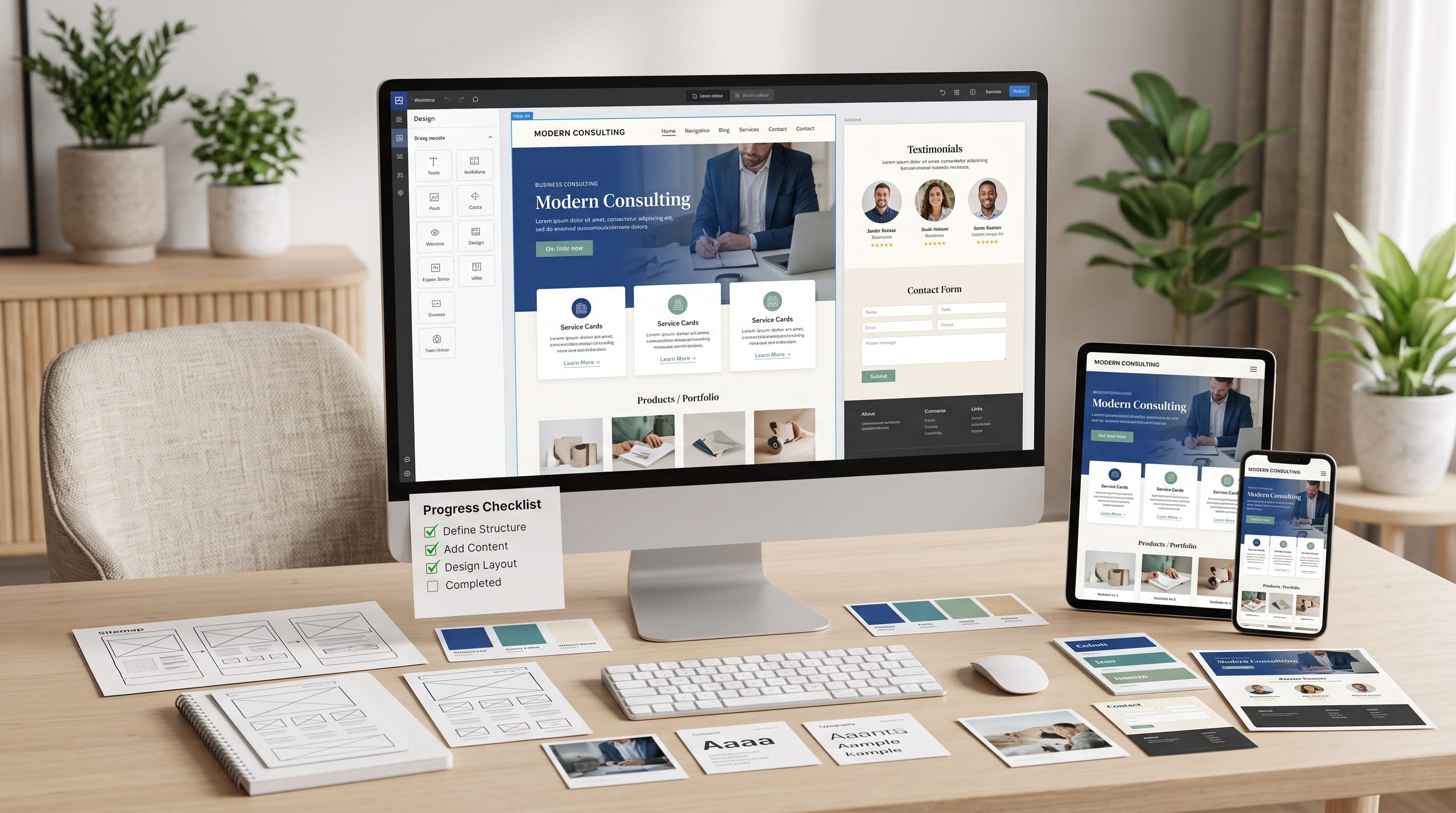
This complete website tutorial explains how beginners and business owners can plan, build, optimize, and launch a professional website without advanced technical knowledge. Modern website builders, content management systems, and visual editors make it possible to create a functional online presence without manually programming every page.
However, a professional website requires more than choosing an attractive template. You also need a clear purpose, reliable hosting, organized navigation, useful content, consistent branding, mobile-friendly layouts, search optimization, and appropriate security.
A business website should help visitors understand what you offer and what they should do next. Depending on your goals, that action might be contacting your company, requesting a quote, booking an appointment, purchasing a product, subscribing to an email list, or reading more content.
This complete website tutorial takes you through the entire process, from defining your goals and choosing a domain to designing pages, improving performance, testing important features, and maintaining the website after launch.
Why Follow a Complete Website Tutorial?
Building a website without a plan can lead to confusing navigation, inconsistent pages, unnecessary features, and additional expenses.
A structured process can help you:
- Choose the right website platform
- Avoid unnecessary technical complexity
- Create consistent branding
- Organize essential pages
- Improve the mobile experience
- Build customer trust
- Support search visibility
- Prepare the site for future growth
- Reduce redesign costs
- Launch with greater confidence
The goal is not to add every possible feature. The goal is to create a website that supports your audience and business objectives.
1. Define the Website’s Main Goal
The first step in this complete website tutorial is defining what the website should accomplish.
Common website goals include:
- Generating customer inquiries
- Selling physical products
- Offering digital downloads
- Publishing educational articles
- Displaying a portfolio
- Accepting appointments
- Promoting a local business
- Building an email list
- Sharing company information
- Establishing professional credibility
Choose one primary goal and several supporting goals.
For example, a consultant’s primary goal may be generating consultation requests. Supporting goals could include publishing useful articles and building an email audience.
A local restaurant may prioritize reservations, while also displaying its menu, location, opening hours, and customer reviews.
Every important design decision should support the main goal.
2. Identify Your Target Audience
A website should be designed for its visitors, not only for the business owner.
Define your audience by considering:
- Age range
- Location
- Interests
- Problems
- Purchasing priorities
- Technical confidence
- Preferred devices
- Questions
- Objections
- Expected outcomes
A website for first-time homeowners may need simple explanations and visible contact information. A creative agency website may need a strong portfolio and detailed case studies.
Understanding the audience helps you choose the right language, images, colors, page structure, and calls to action.
Ask what visitors need to know before they can trust the business and take the next step.
3. Choose a Memorable Domain Name
A domain name is the address people use to visit your website.
A strong domain should be:
- Short
- Easy to spell
- Easy to pronounce
- Connected to the brand
- Free from unnecessary numbers
- Flexible enough for growth
- Easy to type on mobile devices
Whenever possible, use your business or brand name.
Avoid long combinations created only to include keywords. A simple, recognizable domain is usually more valuable than an awkward keyword-heavy address.
Before registering the domain, check:
- Business-name availability
- Trademark conflicts
- Similar websites
- Social media usernames
- Common spelling variations
- Possible unintended meanings
Register the domain through a reputable domain provider or website platform. Enable automatic renewal when appropriate so the registration does not expire accidentally.
4. Select the Right Website Platform
The next step in this complete website tutorial is choosing the system that will power the website.
Hosted Website Builders
Hosted builders combine design tools, hosting, templates, security, and maintenance in one service.
They are often suitable for:
- Beginners
- Small service businesses
- Portfolios
- Landing pages
- Simple online stores
They are convenient, but customization and migration options may be limited.
Content Management Systems
A content management system is useful for blogs, magazines, company websites, and content-heavy projects.
It may offer:
- Themes
- Plugins
- Categories
- User accounts
- Publishing tools
- Greater structural control
Some systems require separate hosting and ongoing software maintenance.
Ecommerce Platforms
Ecommerce platforms are designed for online selling.
Common features include:
- Product pages
- Shopping carts
- Payment processing
- Inventory management
- Shipping settings
- Discounts
- Customer accounts
- Order notifications
Choose the platform based on what you need today and what you may need as the business grows.
5. Choose Reliable Website Hosting
Hosting stores the website and makes it accessible online.
Some website platforms include hosting. Other systems require a separate hosting plan.
Review these factors:
- Reliability
- Speed
- Storage
- Security
- Backups
- Customer support
- Server location
- Scalability
- Renewal price
- Control-panel usability
Do not select a hosting provider based only on a low introductory price. Review the long-term cost and included resources.
A new business website usually does not need an expensive enterprise plan. It needs a reliable service that provides enough resources for expected traffic.
6. Plan the Website Structure
A page structure helps visitors find information without confusion.
Most small business websites need:
- Home
- About
- Services or Products
- Blog or Resources
- Contact
Depending on the website, you may also need:
- Portfolio
- Testimonials
- Pricing
- Frequently Asked Questions
- Team
- Booking
- Locations
- Shipping Policy
- Return Policy
- Privacy Policy
- Terms of Service
- Disclaimer
- Sitemap
Create a simple page map before designing.
This prevents important information from being forgotten and helps you organize the navigation logically.
7. Create Clear Website Navigation
Navigation should use familiar and descriptive labels.
A simple menu might include:
- Home
- Services
- Portfolio
- Blog
- About
- Contact
Avoid confusing labels such as “Discover,” “Experience,” or “Journey” when a clearer word is available.
Keep the most important pages in the main menu. Legal pages and secondary resources can appear in the footer.
For websites with many products or categories, use organized dropdown menus rather than adding every link to the main navigation bar.
Test whether visitors can reach important information within a few clicks.
8. Choose a Professional Website Template
Templates provide a visual starting point for the website.
Choose a template based on structure and usability rather than demo photography.
Look for:
- Responsive layouts
- Readable typography
- Clear navigation
- Flexible page sections
- Strong mobile design
- Customizable colors
- Professional article pages
- Simple contact forms
- Fast loading
Preview more than the homepage. Review service pages, blog posts, category archives, search results, and mobile layouts.
A visually impressive homepage is not enough if the remaining pages look unfinished.
A simple template is often easier to customize consistently.
9. Develop a Consistent Brand Style
A visual identity makes the website feel connected and professional.
Define:
- Logo
- Primary color
- Secondary color
- Accent color
- Heading font
- Body font
- Button style
- Image style
- Icon style
- Spacing rules
A basic color system may include:
- One primary brand color
- One secondary color
- One action color
- One dark text color
- One or two neutral backgrounds
Limit the number of fonts. One font for headings and one for body text is usually enough.
Use the same button shapes, corner styles, icon treatment, and image proportions across the website.
Also Read: Web Design Tutorials: Responsive Design Made Simple
10. Design a Professional Header
The header appears at the top of the site and provides access to the main navigation.
It may include:
- Logo
- Navigation menu
- Search
- Contact button
- Account link
- Shopping cart
Keep the header clean and avoid placing too many icons or promotional messages inside it.
Use one clear call-to-action button, such as:
- Get a Quote
- Book a Call
- Shop Now
- Contact Us
- Start Here
The header should also work on mobile devices. Check that the logo, menu button, and primary action remain easy to tap.
11. Build an Effective Home Page
A home page should quickly answer:
- What does the business offer?
- Who is it for?
- Why should visitors trust it?
- What should visitors do next?
A professional homepage can include the following sections.
Hero Section
The hero should contain:
- Clear headline
- Supporting explanation
- Primary call to action
- Relevant image or illustration
Avoid vague headlines such as “Welcome to Our Website.”
Use a specific statement such as:
“Professional Bookkeeping for Growing Small Businesses.”
Services or Product Overview
Introduce the main offerings with short explanations and links to detailed pages.
Benefits
Explain how the business helps customers achieve better outcomes.
Social Proof
Add testimonials, customer ratings, client logos, case studies, or measurable results.
About Preview
Briefly introduce the business and link to the full About page.
Final Call to Action
Repeat the most important next step near the bottom of the page.
This home-page structure is an essential part of a complete website tutorial because it turns visual design into a clear customer journey.
12. Write Clear Website Content
Good website copy should be direct, specific, and easy to scan.
Focus on:
- The customer’s problem
- The service or product
- The practical benefit
- Why the company is credible
- What the visitor should do next
Avoid unnecessary jargon and broad claims.
Instead of writing:
“We deliver innovative solutions that empower your journey.”
Write:
“We create fast, mobile-friendly websites for small businesses that need more customer inquiries.”
The second sentence explains the service, audience, and outcome.
Use short paragraphs, descriptive headings, lists, and visible calls to action.
13. Create Detailed Service Pages
Each important service should have a dedicated page.
A useful service page can include:
- Service name
- Customer problem
- Service description
- What is included
- Process
- Benefits
- Examples
- Testimonials
- Pricing information
- Frequently asked questions
- Call to action
Avoid creating one page that briefly lists every service without explanation.
Detailed pages provide customers with enough information to make a decision and can improve search visibility for specific topics.
14. Build a Trustworthy About Page
The About page should connect the business story to the customer.
Include:
- Company background
- Mission
- Relevant experience
- Team members
- Values
- Professional photographs
- Achievements
- Location or service area
Explain why the business was created and how its experience helps customers.
Avoid filling the page with general statements that could apply to any company.
A strong About page feels personal while remaining focused on credibility and customer value.
15. Create a Simple Contact Page
The contact page should make communication easy.
Include:
- Contact form
- Business email
- Phone number, when relevant
- Office hours
- Location
- Service area
- Expected response time
- Social links
Only request information you genuinely need.
A simple form can ask for:
- Name
- Subject
- Message
A detailed project form may include service type, estimated budget, and desired timeline.
Test every form after publishing and confirm that messages reach the correct email address.
16. Add High-Quality Visual Content
Images can make a website feel more credible and engaging.
Use:
- Original photographs
- Product images
- Portfolio examples
- Team photographs
- Custom illustrations
- Relevant stock photography
- Simple icons
Avoid low-resolution, stretched, or unrelated images.
Maintain consistent image dimensions and editing styles throughout the website.
Compress files before uploading them. Large images can slow the website, particularly for mobile visitors.
Add descriptive alternative text when images contain useful information.
17. Make the Website Mobile-Friendly
Mobile optimization is a major part of this complete website tutorial because many visitors will use smartphones.
Review:
- Navigation
- Font size
- Button size
- Image cropping
- Form fields
- Tables
- Spacing
- Popups
- Footer links
- Page speed
Do not simply assume the desktop layout will automatically work on smaller screens.
Some website builders allow different spacing and typography settings for desktop, tablet, and mobile devices. Use these settings to improve readability without changing the main content.
18. Improve Website Loading Speed
A slow website can reduce trust and cause visitors to leave.
Common causes include:
- Large images
- Heavy templates
- Too many plugins
- Video backgrounds
- Unnecessary animation
- Advertising scripts
- Poor hosting
- Multiple tracking services
Improve performance by:
- Compressing images
- Using modern file formats
- Enabling caching
- Removing unused extensions
- Limiting animation
- Choosing reliable hosting
- Reducing external scripts
- Loading images only when needed
Test performance after major changes.
Speed is part of user experience, not only a technical measurement.
19. Apply Basic Search Engine Optimization
Search engine optimization helps search platforms understand your website.
Start with:
- Clear page topics
- Descriptive titles
- Short URLs
- Meta descriptions
- Proper H1, H2, and H3 headings
- Internal links
- Image alternative text
- Mobile usability
- Fast performance
- Original content
Use relevant phrases naturally. Do not repeat keywords excessively.
Each important service should have its own page rather than being hidden inside one general paragraph.
Create a sitemap and connect the website to appropriate search-management tools after launch.
Also Read: How to Make a Business Website That Looks Professional
20. Add a Blog or Resource Center
A blog can attract visitors by answering questions connected to your industry.
Useful content formats include:
- Tutorials
- Checklists
- Comparisons
- Frequently asked questions
- Case studies
- Common mistakes
- Product guides
- Industry explanations
For example, a landscaping business could publish articles about garden maintenance, plant selection, and seasonal preparation.
Organize posts into a small number of useful categories.
A blog should support the audience and business, not publish unrelated topics only to increase the number of pages.
21. Add Important Trust Signals
Trust signals help visitors feel confident about contacting or purchasing from the business.
Examples include:
- Customer testimonials
- Verified reviews
- Professional author profiles
- Team photographs
- Business address
- Clear contact information
- Guarantees
- Certifications
- Secure payment indicators
- Transparent policies
- Case studies
Avoid inventing reviews or using misleading statistics.
Authentic evidence is more valuable than exaggerated claims.
Place relevant trust signals close to important decisions, such as inquiry forms, booking buttons, or checkout pages.
22. Create Essential Legal Pages
Most professional websites need pages that explain how the business operates and handles visitor information.
These may include:
- Privacy Policy
- Terms of Service
- Cookie Policy
- Disclaimer
- Shipping Policy
- Return Policy
- Affiliate Disclosure
The exact requirements depend on the business, location, services, audience, and data collected.
Use qualified legal guidance when appropriate.
Place legal-page links in the footer so visitors can find them easily without overcrowding the main navigation.
23. Protect the Website
Website security should be considered before launch.
Use these practices:
- Enable HTTPS
- Create strong passwords
- Use two-factor authentication
- Update software regularly
- Remove unused plugins
- Limit administrator accounts
- Create backups
- Use spam protection
- Monitor suspicious login attempts
Do not share administrator credentials through insecure messages.
Only give users the permissions they need. A content writer may not require complete control over themes, plugins, and system settings.
24. Connect Analytics
Analytics tools can help you understand how visitors interact with the website.
Useful measurements include:
- Total visitors
- Popular pages
- Traffic sources
- Device types
- Form submissions
- Purchases
- Exit pages
- Returning visitors
Define important conversions based on the website goal.
A conversion might be:
- Completed contact form
- Appointment booking
- Product purchase
- Newsletter signup
- Phone-number click
- File download
Collect only the information you need and explain relevant tracking practices in the privacy documentation.
25. Test the Website Before Launch
Testing is one of the most important steps in any complete website tutorial.
Review:
- Navigation links
- Buttons
- Forms
- Email notifications
- Search
- Mobile layouts
- Product checkout
- Images
- Videos
- Social links
- Spelling
- Page titles
- Legal pages
- Loading speed
Test the website on several devices and browsers when possible.
Ask someone unfamiliar with the project to complete the main action. Observe whether they can understand the business, find important information, and use the contact or checkout process without instructions.
26. Launch and Promote the Website
After testing, connect the domain and publish the website.
Promote it through:
- Social media
- Email signatures
- Business cards
- Customer messages
- Online directories
- Local listings
- Newsletters
- Existing communities
- Printed marketing materials
Submit the sitemap to search-management tools and confirm that search engines can access the public pages.
Do not expect immediate traffic. Promotion, publishing, customer referrals, and search visibility develop over time.
27. Maintain the Website
A website requires ongoing maintenance after launch.
Weekly Tasks
- Test important forms
- Review customer messages
- Check security notifications
- Confirm critical pages work
Monthly Tasks
- Update software
- Review analytics
- Check backups
- Fix broken links
- Publish or update content
- Review mobile layouts
Quarterly Tasks
- Audit services and pricing
- Update team information
- Replace outdated images
- Review legal pages
- Remove unused features
- Test the complete customer journey
Regular maintenance protects the website’s reliability and professional appearance.
Common Website-Building Mistakes
1. Starting Without a Goal
A website cannot guide visitors effectively when its purpose is unclear.
2. Choosing a Platform Based Only on Price
Consider usability, support, scalability, and long-term costs.
3. Copying Template Content
Replace every demonstration image, sentence, logo, and button.
4. Using Too Many Colors and Fonts
A limited design system creates stronger visual consistency.
5. Writing Vague Headlines
Explain what the business offers and who it helps.
6. Ignoring Mobile Users
Test every page on a smartphone.
7. Installing Too Many Features
Extra plugins and applications can create confusion and performance problems.
8. Hiding Contact Information
Make the primary contact method easy to find.
9. Publishing Placeholder Content
Remove incomplete sections, empty advertisements, demo posts, and temporary text.
10. Forgetting Maintenance
Updates, backups, security, and content reviews are ongoing responsibilities.
Complete Website Tutorial Checklist
Before launching, confirm that you have:
- Registered a domain
- Connected reliable hosting
- Installed or selected the platform
- Created a professional logo
- Defined colors and typography
- Organized the navigation
- Built the Home page
- Completed the About page
- Created service or product pages
- Tested the Contact page
- Added privacy and legal pages
- Optimized images
- Reviewed mobile layouts
- Improved loading speed
- Added basic SEO information
- Connected analytics
- Created backups
- Tested forms and buttons
- Removed demo content
- Checked spelling and grammar
This checklist helps ensure the website is complete rather than simply published.
Also Read: Complete Website Speed Tutorial for Beginners and Developers
Final Thoughts on Complete Website Tutorial
This complete website tutorial provides a practical path from an initial business idea to a professional website launch. Begin by identifying the primary goal and target audience, then choose a memorable domain, suitable platform, and reliable hosting service.
Plan the website structure before selecting a template. Create clear Home, About, Services, Blog, and Contact pages, then support them with consistent colors, typography, images, and calls to action.
Pay close attention to mobile usability, loading speed, search optimization, trust signals, security, legal pages, and working contact forms. These elements may appear less exciting than visual design, but they strongly influence credibility and performance.
A website does not need complicated animation or expensive custom development to look professional. It needs clarity, consistency, useful content, and a reliable experience.
By following this complete website tutorial, beginners and business owners can build a website that explains their value, supports customers, strengthens the brand, and provides a foundation for long-term online growth.

For high-quality fonts to boost your income, check out DM Letter Studio. Our professional fonts are perfect for branding, marketing, and content creation. So, don’t miss this opportunity.