
How to Choose Graphic Design Tools for Better Poster Design
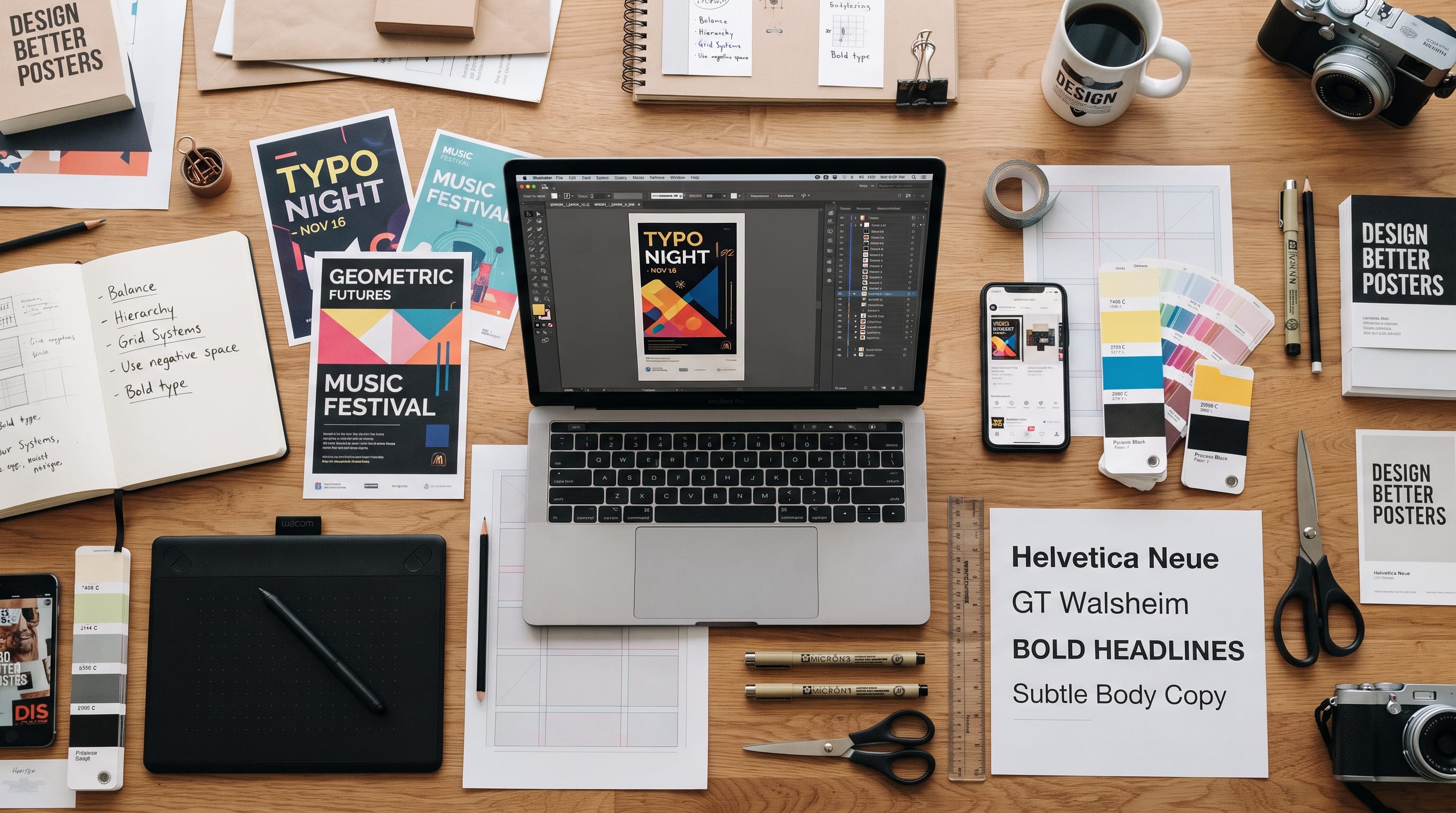
Choosing the right graphic design tools for posters can make the difference between a slow, frustrating workflow and a smooth creative process. Poster design often combines typography, photography, illustration, vector shapes, color, layout, and print preparation, so no single tool is perfect for every task.
A designer creating a minimalist event poster may only need strong typography and layout tools. Another designer working on a complex collage may need image editing, masking, textures, and layered effects. A third designer may use AI to generate visual concepts before refining the final artwork manually.
The best approach is to choose tools based on the type of poster you want to create, the level of control you need, and whether the final design will be printed, published digitally, or adapted for social media.
This guide explains how to evaluate graphic design tools for posters and build a practical toolkit for different poster workflows.
Start With the Type of Poster You Want to Create
Before choosing software, define the project.
Poster styles can include:
- Minimalist
- Typographic
- Photographic
- Collage
- Illustrated
- Retro
- Maximalist
- Corporate
- Editorial
- AI-assisted
Different styles need different tools.
For example:
- A typographic poster benefits from software with precise type controls.
- A collage poster needs strong image editing and masking.
- An illustrated poster may require vector drawing or digital painting.
A professional workflow often combines several tools instead of depending on one program for everything.
What Makes Good Graphic Design Tools for Posters?
Useful graphic design tools for posters should help you control the most important parts of the design process.
Look for features such as:
- Accurate typography
- Grid and alignment tools
- Layer management
- Vector drawing
- Image editing
- Color control
- Export options
- Print support
Not every project requires all of these.
The goal is to find tools that fit your actual workflow instead of collecting software you rarely use.
Choose Tools With Strong Typography Controls
Typography is often the main element in poster design.
Good poster software should make it easy to control:
- Font size
- Tracking
- Kerning
- Line spacing
- Alignment
- Paragraph styles
- Text boxes
Typography-focused posters may use:
- Oversized headlines
- Condensed type
- Repeated words
- Vertical text
- Rotated text
- Layered lettering
Precise type control is therefore essential.
If your software makes typography difficult, it may not be the best primary tool for poster work.
Adobe Illustrator for Vector Poster Design
Adobe Illustrator is one of the most established graphic design tools for posters when the project relies heavily on vector graphics and typography.
It works well for:
- Logos
- Geometric shapes
- Vector illustrations
- Type-based layouts
- Icons
- Flat-color poster designs
Vector artwork remains sharp at different sizes.
This makes Illustrator especially useful when a poster may need to scale from a small digital graphic to a large printed format.
Best for
- Typographic posters
- Geometric design
- Vector illustration
- Brand campaigns
- Print graphics
Designers can also create custom letterforms, manipulate paths, and build precise grids.
Adobe Photoshop for Photographic Posters
Photoshop is more appropriate when photography and raster imagery dominate the design.
Use it for:
- Photo manipulation
- Compositing
- Masking
- Texture
- Lighting effects
- Collage
A music poster, for example, might combine:
- Artist portrait
- Grain
- Colored lighting
- Abstract texture
- Typography
Photoshop gives designers detailed control over each visual layer.
Best for
- Photographic posters
- Collage
- Surreal compositions
- Textured artwork
- Image-heavy designs
For final typography, some designers still prefer to move the artwork into Illustrator or another layout tool.
Adobe InDesign for Text-Heavy Poster Layouts
InDesign is often associated with books and magazines, but it can also be useful for posters that require strong typographic systems.
It works well when posters contain:
- Event schedules
- Long descriptions
- Multiple information blocks
- Complex text hierarchy
InDesign offers strong control over:
- Paragraph styles
- Character styles
- Grids
- Text alignment
This makes it useful for:
- Conference posters
- Exhibition posters
- Informational posters
It is less focused on complex image manipulation than Photoshop.
Affinity Designer as an Alternative
Affinity Designer can be a useful option for designers who want vector and raster capabilities without relying entirely on a subscription-based workflow.
It can handle:
- Vector shapes
- Typography
- Illustrations
- Effects
- Print layouts
It is especially useful for independent designers who need a professional desktop tool.
When choosing graphic design tools for posters, budget matters.
The best software is the one that gives you enough control without creating unnecessary costs.
Canva for Fast Poster Design
Canva is useful when speed and simplicity matter more than deep manual control.
It provides:
- Templates
- Typography
- Stock photography
- Icons
- Simple effects
- Quick resizing
This makes Canva suitable for:
- Event posters
- Promotional posters
- Classroom posters
- Social posters
- Small business graphics
Canva is particularly useful for non-designers and content creators who need professional-looking graphics quickly.
However, advanced designers may prefer more precise tools for complex typography and print production.
Figma for Digital Poster Layouts
Figma is primarily known for interface design, but it can also be used for:
- Digital posters
- Social graphics
- Presentation graphics
- Campaign concepts
Its strengths include:
- Grids
- Auto layout
- Components
- Collaboration
- Cloud-based workflow
For teams creating posters as part of a wider digital campaign, Figma can be convenient.
It is especially useful when multiple people need to review and edit the same design.
Procreate for Illustrated Posters
Illustrators and lettering artists may prefer Procreate for creating expressive poster artwork.
It is useful for:
- Hand lettering
- Illustration
- Brush textures
- Painted effects
- Sketching
A designer might create the main illustration in Procreate and then move it into Illustrator or Photoshop for final typography and layout.
This is a good example of how graphic design tools for posters can work together.
Each tool handles a different stage.
Use AI Tools for Poster Ideation
AI can be useful during concept development.
Instead of immediately designing the final poster, use AI to explore:
- Visual themes
- Color directions
- Compositions
- Photography concepts
- Background imagery
For example:
“Generate five visual concepts for a modern electronic music festival poster using abstract light, strong typography, and dark urban energy.”
AI can help you explore several directions quickly.
However, the final design should still be refined manually.
AI-generated layouts may not handle:
- Typography
- Spacing
- Hierarchy
- Brand consistency
with enough precision for professional poster work.
Also Read: AI Graphic Design Tools Every Designer Should Try in 2026
Use AI Image Generation for Poster Visuals
AI image tools can create:
- Portraits
- Surreal imagery
- Landscapes
- Textures
- Abstract compositions
A useful prompt structure is:
Subject + Composition + Lighting + Color + Mood + Negative Space
For example:
“Editorial portrait of a futuristic dancer, deep blue background, dramatic side lighting, centered subject, large negative space above for poster typography.”
The negative-space instruction is important.
Generated images often become too detailed for typography.
Use AI for Background Expansion
Sometimes the image is good but the composition does not fit the poster.
AI editing can help expand:
- Backgrounds
- Skies
- Walls
- Abstract textures
This can create extra room for:
- Headline
- Date
- Venue
- CTA
These features make AI useful as one of several supporting graphic design tools for posters rather than a complete replacement for layout software.
Choose Tools for Vector Illustration
Some posters rely more heavily on illustration than photography.
Vector tools are useful for:
- Flat illustration
- Icons
- Geometric objects
- Logo-style graphics
Vector artwork offers several benefits.
It is:
- Scalable
- Easy to recolor
- Sharp in print
Illustrator and Affinity Designer are common choices.
For hand-drawn vectors, designers can sketch manually and then trace or rebuild the artwork digitally.
Choose Image Editing Tools Carefully
If your poster uses photography, image editing quality matters.
Look for tools that can manage:
- Masks
- Color correction
- Layers
- Blending modes
- Retouching
- Selection
Photoshop remains a powerful option, but other image editors can also work depending on project complexity.
Simple posters may not need advanced retouching.
Do not choose complicated software if the only task is cropping a photograph.
Use Typography Tools Beyond the Main Software
Some designers use additional resources to improve typography.
Useful tools include:
- Font managers
- Type specimen websites
- Font pairing tools
- Glyph viewers
These can help designers compare several fonts before placing them into the poster.
When choosing typography, consider:
- Readability
- Personality
- Weight
- Width
- Language support
A beautiful font is not useful if it becomes unreadable from several meters away.
Use Grid Tools for Better Poster Layout
Strong poster design benefits from structure.
Use:
- Column grids
- Modular grids
- Baseline grids
A simple six-column grid can help organize:
- Headline
- Image
- Date
- Supporting information
You can break the grid later.
But starting with structure makes experimental layouts easier to control.
Most professional graphic design tools for posters provide some form of guides or grid system.
Use them.
Consider Color Management
Color becomes especially important when the poster will be printed.
Digital screens generally display RGB colors.
Commercial printing often uses CMYK or another production process.
This means highly saturated colors may shift in print.
Choose software that allows you to:
- Preview print colors
- Manage color profiles
- Export correctly
Ask the printer for their requirements.
Do not assume that a bright screen color will reproduce exactly the same way on paper.
Choose Tools Based on Print Requirements
Print posters need more technical preparation than purely digital graphics.
Your software should support:
- Correct dimensions
- Bleed
- Crop marks
- High-resolution images
- Print-ready PDF
If your poster has edge-to-edge imagery, extend the artwork beyond the final trim size according to the printer’s bleed requirements.
Keep important text inside a safe area.
Always check printer specifications before exporting.
Check Image Resolution
Large posters need adequate image quality.
A low-resolution photo may look fine on Instagram but become visibly pixelated when printed large.
Before finalizing:
- Check image dimensions
- View artwork at print size
- Inspect important details
Avoid enlarging tiny images dramatically.
If necessary, use a higher-resolution source or appropriate upscaling tools.
Graphic Design Tools for Posters and Social Media
Many posters are also adapted for digital marketing.
One campaign may require:
Choose tools that make adaptation efficient.
Canva and Figma can be convenient for quick format variations.
Illustrator and Photoshop offer more precise control when layouts need substantial redesign.
Do not simply crop the print poster for every platform.
Rebuild the hierarchy for each format.
Use Templates Carefully
Templates can accelerate design.
However, they can also make posters look generic.
Use templates for:
- Structure
- Inspiration
- Fast client drafts
Then customize:
- Typography
- Colors
- Images
- Spacing
- Graphic elements
Do not only replace the text.
A professional poster should feel appropriate for the specific project.
Also Read: Graphic Design Typography for Better Branding and Identity
Choose Tools Based on Your Design Style
Different poster styles benefit from different tool combinations.
Minimal Poster
Illustrator or Figma
Photography Poster
Collage Poster
Illustrated Poster
Fast Social Poster
Text-Heavy Event Poster
AI-Assisted Poster
AI image generator + Photoshop or Illustrator
Instead of looking for one perfect application, build a workflow that suits your work.
Poster Tool Combination Example for Music Event
A music poster workflow might be:
- Use AI for visual concept exploration.
- Generate or photograph the main image.
- Edit it in Photoshop.
- Build typography in Illustrator.
- Export the final print PDF.
This workflow allows each tool to do what it handles best.
Poster Tool Combination Example for Illustrated Event
Another workflow:
- Sketch concepts in Procreate.
- Create final illustration.
- Move artwork to Illustrator.
- Add headline and information.
- Prepare the print file.
Again, the tools complement each other.
Do You Need Expensive Graphic Design Tools for Posters?
Not necessarily.
Professional software can provide deeper control, but beginners can start with more affordable tools.
The most important skills are still:
- Typography
- Hierarchy
- Composition
- Color
- Concept
Expensive software cannot automatically create a strong poster.
A skilled designer can create a powerful poster with simple tools.
Start with software you can learn deeply.
Upgrade when project requirements justify it.
Free vs. Paid Poster Design Tools
Free tools can work well for:
- Learning
- Personal projects
- Simple digital posters
Paid tools become more valuable when you need:
- Advanced typography
- Professional print output
- Complex image editing
- Client workflows
Before subscribing, ask:
Will this feature improve my work enough to justify the cost?
Avoid paying for several tools that perform nearly identical tasks.
Build a Simple Poster Design Toolkit
Beginners do not need ten applications.
A practical starter toolkit might include:
Layout and Vector
Illustrator, Affinity Designer, or similar
Image Editing
Photoshop or another raster editor
Illustration
Procreate if needed
Quick Content
AI Support
AI image or ideation tools
Add software only when there is a clear workflow need.
Learn Keyboard Shortcuts
Efficiency is not only about software choice.
Learning shortcuts for common actions can save significant time.
Focus on shortcuts for:
- Selection
- Alignment
- Zoom
- Layers
- Type
- Undo
- Export
The more comfortable you become with your primary software, the less time you spend searching menus.
Mastery often creates more speed than constantly switching to new tools.
Build Reusable Poster Templates
If you regularly create posters for the same client or event series, create reusable systems.
Save:
- Grids
- Text styles
- Color swatches
- Logo placement
- Export settings
This is especially useful for:
- Weekly events
- Social campaigns
- Concert series
- Promotions
Templates reduce repetitive setup without forcing every poster to look identical.
Organize Your Files
Poster projects can become messy quickly.
A simple folder structure can include:
- References
- Images
- Design Files
- Fonts
- Exports
Use clear file names.
For example:
festival-poster-v03.ai
is much easier to manage than:
final-new-final2.ai
Good organization becomes more important when several tools are used in one project.
Common Graphic Design Tools for Posters Mistakes
Using One Tool for Everything
Combine tools when necessary.
Choosing Software Only Because It Is Popular
Match it to your workflow.
Ignoring Typography Features
Poster design depends heavily on type.
Using Low-Resolution Images
Check print quality.
Forgetting Bleed
Prepare the file for production.
Designing Only for Screens
Test physical print scale.
Using Too Many AI Effects
Maintain a clear concept.
Depending Too Much on Templates
Customize the design.
Buying Too Many Tools
Master a smaller toolkit.
Ignoring File Organization
Keep projects structured.
Graphic Design Tools for Posters Checklist
Before choosing your toolkit, ask:
- What type of posters do I create?
- Do I mainly use photography or illustration?
- How much typography control do I need?
- Do I need vector drawing?
- Will the poster be printed?
- Do I need CMYK support?
- Can the software export print-ready PDFs?
- Do I create social media versions?
- Do I need collaboration features?
- Will AI meaningfully improve the workflow?
- Does the tool fit my budget?
- Can I learn it deeply?
- Does it integrate with my other software?
- Do I need advanced image editing?
- Am I paying for overlapping features?
Your answers will help identify which tools are actually necessary.
Also Read: Graphic Design Color Combinations That Look Professional
Final Thoughts on Graphic Design Tools for Posters
The best graphic design tools for posters are the ones that match your creative process.
There is no single application that every poster designer must use.
Illustrator is powerful for typography, vectors, and geometric layouts. Photoshop excels at photography, collage, texture, and image manipulation. InDesign can support information-heavy poster systems, while Procreate is useful for illustration and hand lettering.
Canva can make fast promotional design easier, while Figma can support collaborative digital poster workflows. AI tools can add value during brainstorming, image generation, background expansion, and concept exploration.
The most effective workflow may combine two or three tools rather than trying to make one application handle everything.
However, software remains only part of the process.
Strong posters still depend on:
- Concept
- Typography
- Hierarchy
- Composition
- Color
- Readability
Choose graphic design tools for posters that help you execute those fundamentals more effectively.
Start with a simple toolkit, learn your primary software deeply, and add new tools only when they solve a real problem.
When the tools support the creative process instead of controlling it, designers can work faster, experiment more freely, and create poster designs that feel both professional and distinctive.

For high-quality fonts to boost your income, check out DM Letter Studio. Our professional fonts are perfect for branding, marketing, and content creation. So, don’t miss this opportunity.