
How to Improve Website UX Design for Better Results
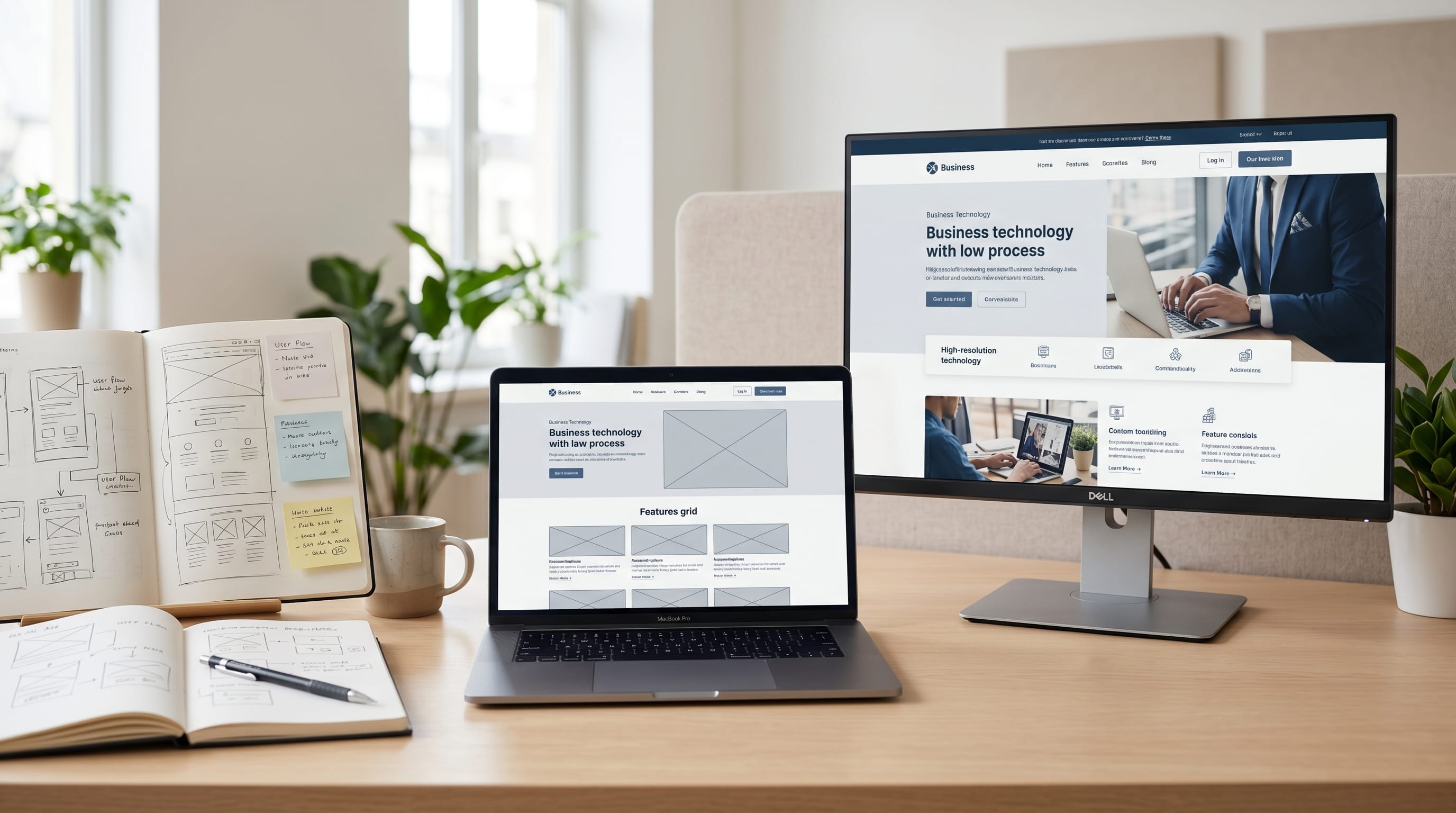
Effective website UX design plays a critical role in determining how users interact with a website. No matter how attractive a website looks, poor user experience can lead to frustration, high bounce rates, and lost opportunities. Modern users expect websites to be fast, intuitive, accessible, and easy to navigate.
Strong website UX design focuses on creating positive experiences that help visitors achieve their goals with minimal effort. Whether running an ecommerce store, business website, SaaS platform, portfolio, or blog, improving user experience can increase engagement, improve conversions, and strengthen customer trust.
The best website UX design combines usability principles, visual hierarchy, accessibility, responsive layouts, and user-centered thinking. In this guide, you will learn practical techniques and proven strategies that help improve website UX design for better results.
Why Website UX Design Matters
User experience directly influences website performance.
Good website UX design helps:
- Improve engagement
- Reduce bounce rates
- Increase conversions
- Build trust
- Improve accessibility
- Enhance customer satisfaction
- Support business growth
Users are more likely to stay when websites feel easy to use.
Understanding Website UX Design Fundamentals
User experience involves every interaction a visitor has with a website.
What Is Website UX Design?
Website UX design focuses on:
- Usability
- Accessibility
- Navigation
- Information architecture
- User satisfaction
The goal is to create seamless experiences.
User-Centered Design Principles
Successful UX designers focus on:
- User needs
- User goals
- User behaviors
- User expectations
User-centered thinking improves decision-making.
Improve Website UX Design with Better Navigation
Navigation is one of the most important usability factors.
Create Clear Navigation Menus
Navigation should be:
- Simple
- Predictable
- Consistent
Visitors should find information quickly.
Use Logical Menu Structures
Group content into clear categories.
Examples include:
- Products
- Services
- Resources
- Contact
Logical organization improves usability.
Website UX Design and Visual Hierarchy
Visual hierarchy guides attention.
Prioritize Important Information
Users should immediately notice:
- Headlines
- Calls to action
- Key messages
Hierarchy improves communication.
Use Typography Effectively
Good typography improves:
- Readability
- Accessibility
- User engagement
Maintain consistent typography throughout the website.
Website UX Design for Faster Loading Speed
Performance affects user satisfaction.
Optimize Images
Reduce file sizes by:
- Compressing images
- Using modern formats
- Eliminating unnecessary assets
Fast-loading websites improve user experiences.
Reduce Unnecessary Scripts
Too many scripts can slow websites.
Focus on:
- Essential plugins
- Efficient code
- Lightweight design systems
Performance optimization supports strong website UX design.
Also Read: Website Design Tutorial for Better Navigation and UX
Website UX Design for Mobile Users
Mobile traffic continues growing worldwide.
Responsive Design Best Practices
Ensure layouts adapt to:
- Smartphones
- Tablets
- Desktop devices
Responsive experiences improve accessibility.
Mobile-Friendly Navigation
Mobile navigation should:
- Be easy to access
- Use clear icons
- Support touch interactions
Mobile optimization is essential.
Improve Website UX Design with Better Accessibility
Accessibility helps all users.
Accessibility Essentials
Focus on:
- Keyboard navigation
- Alternative text
- Color contrast
- Clear labels
Accessible websites serve broader audiences.
Readable Content Design
Improve readability through:
- Short paragraphs
- Clear headings
- Simple language
Readable content supports usability.
Website UX Design for Better Conversion Rates
UX and conversion optimization often work together.
Strong Call-to-Action Design
Effective CTAs should:
- Stand out visually
- Use clear language
- Appear in logical locations
Good CTAs improve conversions.
Reduce User Friction
Remove unnecessary obstacles such as:
- Long forms
- Confusing layouts
- Excessive steps
Simplified experiences encourage action.
Website UX Design Through Better Content Structure
Content organization improves user experiences.
Use Clear Heading Hierarchies
Structure content with:
- H1 headings
- H2 sections
- H3 subsections
Hierarchy improves navigation and readability.
Improve Scannability
Users often scan before reading.
Use:
- Bullet points
- Lists
- White space
- Visual separation
Scannable content improves engagement.
Website UX Design and User Trust
Trust influences user behavior.
Consistent Branding
Maintain consistency across:
- Colors
- Typography
- Visual elements
Consistency builds credibility.
Display Trust Signals
Examples include:
- Testimonials
- Reviews
- Security badges
- Case studies
Trust signals improve confidence.
Also Read: Minimal Mobile UX for Designers Who Want Better Results
Website UX Design for Ecommerce Websites
Online stores require specialized UX strategies.
Improve Product Pages
Include:
- Clear images
- Product descriptions
- Pricing information
- Reviews
Good product pages support conversions.
Simplify Checkout Processes
Reduce checkout friction by:
- Minimizing steps
- Offering guest checkout
- Providing multiple payment methods
Simplified checkouts improve sales performance.
Best Tools for Website UX Design
Professional tools help designers improve workflows.
1. Figma
Best for:
- Wireframes
- Prototypes
- Design systems
Benefits include:
- Collaboration
- Reusable components
- Faster workflows
Figma is widely used among UX designers.
2. Adobe XD
Best for:
- Interface design
- User flows
- Interactive prototypes
Adobe XD supports UX planning.
3. Hotjar
Best for:
- Heatmaps
- Session recordings
- User behavior analysis
Hotjar provides valuable user insights.
4. Google Analytics
Best for:
- Traffic analysis
- User behavior tracking
- Conversion monitoring
Analytics data supports UX improvements.
5. ChatGPT
Best for:
- UX research summaries
- Content organization
- User journey planning
- Interface recommendations
AI tools can support design decision-making.
Recommended Workflow for Website UX Design
1. Understand User Needs
Research:
- User goals
- Pain points
- Behaviors
Understanding users is the foundation of UX.
2. Create User Flows
Map the path users take through the website.
Identify:
- Entry points
- Key actions
- Conversion goals
3. Build Wireframes
Wireframes help define:
- Layouts
- Navigation
- Content placement
Early planning reduces future problems.
4. Create Prototypes
Interactive prototypes allow teams to test ideas before development.
5. Conduct User Testing
Gather feedback on:
- Usability
- Navigation
- Content structure
Testing reveals improvement opportunities.
6. Measure and Optimize
Continuously monitor:
- Bounce rates
- Conversion rates
- User engagement
Ongoing optimization strengthens website UX design.
Common Website UX Design Mistakes
1. Overcomplicated Navigation
Too many menu options create confusion.
Keep navigation simple.
2. Ignoring Mobile Experiences
Mobile users represent a significant portion of website traffic.
Mobile optimization is essential.
3. Poor Content Organization
Disorganized content increases cognitive load.
Clear structure improves usability.
4. Slow Website Performance
Speed remains a critical ranking and usability factor.
Optimize performance regularly.
Future Trends in Website UX Design
Several trends continue shaping digital experiences.
1. AI-Powered Personalization
Websites increasingly adapt based on:
- User behavior
- Preferences
- Interests
Personalization improves engagement.
2. Voice User Interfaces
Voice interactions continue growing.
UX designers must consider voice experiences.
3. Advanced Accessibility Standards
Accessibility will remain a major priority for digital products.
Inclusive design benefits everyone.
Benefits of Strong Website UX Design
Organizations that invest in website UX design often achieve:
- Better user satisfaction
- Higher conversion rates
- Increased engagement
- Improved accessibility
- Stronger customer loyalty
- Better business performance
User experience remains a key competitive advantage.
Also Read: UI/UX with AI: What Teams Should Know Now
Conclusion
Strong website UX design helps create intuitive, accessible, and enjoyable experiences that benefit both users and businesses. By improving navigation, visual hierarchy, accessibility, mobile responsiveness, performance, and content structure, organizations can significantly enhance user satisfaction and website effectiveness.
Whether designing a business website, ecommerce store, SaaS platform, or content-driven site, investing in website UX design is one of the most effective ways to improve engagement, conversions, and long-term success.

For high-quality fonts to boost your income, check out DM Letter Studio. Our professional fonts are perfect for branding, marketing, and content creation. So, don’t miss this opportunity.