
Modern Digital Technology Examples You See Every Day
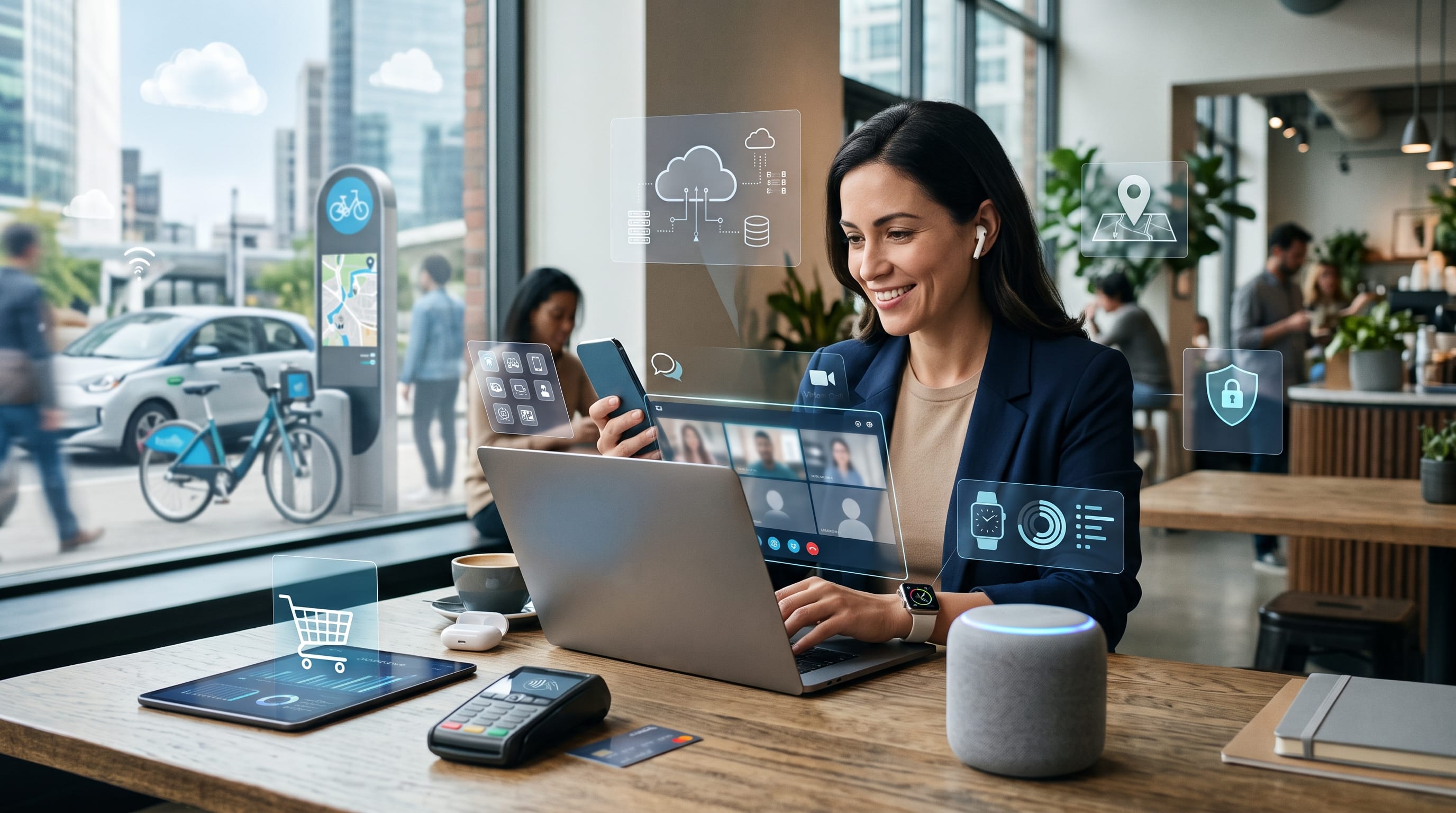
Modern digital technology examples are present in nearly every part of daily life, from the smartphone used to send messages to the digital payment system used at a store. Many people interact with advanced technology without stopping to consider how it works or how much it has changed communication, education, transportation, entertainment, healthcare, and business.
Digital technology uses electronic systems to create, store, process, and share information. Unlike traditional analog systems, digital devices represent information using data that computers can understand. This allows text, photographs, audio, video, and other content to be copied, edited, transmitted, and analyzed quickly.
Students encounter digital systems at home, in classrooms, while traveling, and during entertainment. Online learning platforms provide lessons, navigation applications suggest routes, and streaming services recommend music or videos. Even ordinary activities such as ordering food or scanning a QR code depend on connected technologies.
This guide explains practical modern digital technology examples, how they work, where they are used, and why understanding them is important for students.
What Is Modern Digital Technology?
Modern digital technology refers to electronic tools and systems that process information through digital data.
Examples include:
- Computers
- Smartphones
- Mobile applications
- Websites
- Artificial intelligence
- Cloud storage
- Digital cameras
- Smart home devices
- Online payment systems
- Navigation platforms
These technologies often work together.
For example, a food-delivery application uses a smartphone, internet connection, digital map, online payment system, restaurant database, and notification platform. The customer experiences one simple service, but several digital systems operate behind it.
The most useful modern digital technology examples solve a clear problem, make information easier to access, or improve how people complete daily tasks.
Why Modern Digital Technology Examples Matter for Students
Understanding digital technology can help students become more confident and responsible users.
It can also help them:
- Improve digital literacy
- Protect personal information
- Evaluate online information
- Understand future career opportunities
- Use educational tools effectively
- Recognize how technology affects society
- Create digital projects
- Solve practical problems
- Communicate more clearly
- Adapt to new systems
Students do not need to become programmers to understand digital tools. However, they should know how common technologies collect information, support decisions, and affect everyday behavior.
1. Smartphones
Smartphones are among the most familiar modern digital technology examples because they combine many tools inside one portable device.
A smartphone may function as:
- Telephone
- Camera
- Calculator
- Music player
- Navigation device
- Web browser
- Payment tool
- Gaming system
- Learning platform
- Personal organizer
Smartphones use applications to perform different tasks. These applications may communicate with online servers, use location information, access the camera, or send notifications.
Students use smartphones to research assignments, join class discussions, scan documents, record videos, and communicate with teachers or classmates.
Responsible smartphone use includes protecting passwords, checking application permissions, and balancing screen time with offline activities.
2. Laptop and Desktop Computers
Computers remain essential for education, business, design, research, and creative work.
They are used for:
- Writing documents
- Creating presentations
- Editing photographs
- Producing music
- Designing graphics
- Programming
- Managing spreadsheets
- Attending online classes
- Conducting research
- Playing games
A computer includes physical hardware and software. Hardware refers to components such as the processor, screen, keyboard, and storage drive. Software refers to the programs and operating systems that help users complete tasks.
Compared with smartphones, computers usually provide larger screens, more precise controls, and greater power for complex activities.
3. Internet Search Engines
Search engines help people locate information across the internet.
A user enters keywords or a question, and the search engine analyzes available web pages to identify relevant results.
Search engines may consider:
- Keywords
- Page quality
- Topic relevance
- Website authority
- Location
- Language
- Freshness
- User intent
Search results are not automatically correct. Students should compare information from multiple reliable sources instead of trusting the first page they find.
Evaluating authors, publication dates, evidence, and website reputation is an important part of digital literacy.
4. Social Media Platforms
Social media platforms allow users to create, publish, and interact with digital content.
Common social media activities include:
- Sharing photographs
- Publishing videos
- Sending messages
- Following news
- Joining communities
- Promoting businesses
- Watching live streams
- Learning new skills
Social platforms use recommendation systems to decide which content appears in a user’s feed.
These systems may consider past activity, watch time, likes, comments, searches, and followed accounts.
Social media is one of the most influential modern digital technology examples, but users should understand that algorithms can shape what they see.
5. Video Calling Technology
Video calling allows people in different locations to communicate using live audio and video.
It is commonly used for:
- Online classes
- Business meetings
- Family conversations
- Medical consultations
- Job interviews
- Remote teamwork
- Virtual events
Video platforms compress audio and visual information so it can travel efficiently through the internet.
The quality of a call depends on connection speed, device performance, camera quality, and background activity.
Video calling has made distance less limiting, although reliable internet access is still not available equally everywhere.
6. Cloud Storage
Cloud storage allows users to save files on remote servers instead of keeping everything on one device.
Files may include:
- Documents
- Photographs
- Videos
- Presentations
- Spreadsheets
- Project folders
Users can often access these files from multiple devices.
Cloud storage is useful for students because assignments can be opened at school, at home, or on a mobile device. It can also support collaboration when several people need to work on the same project.
However, users should protect their accounts with strong passwords and avoid sharing private files through public links.
Cloud services are important modern digital technology examples because they have changed how information is stored and shared.
7. Online Learning Platforms
Online learning platforms provide digital lessons, assignments, videos, quizzes, and communication tools.
They may support:
- School courses
- Professional training
- Language learning
- Creative tutorials
- Test preparation
- University classes
- Independent study
Students can often learn at their own pace and review difficult topics more than once.
Some platforms track progress and recommend lessons based on previous performance.
Online learning expands access to educational materials, but students still need self-discipline, reliable information, and opportunities to ask questions.
8. Digital Classrooms
A digital classroom combines several tools for teaching and communication.
Teachers may use it to:
- Share assignments
- Post announcements
- Collect homework
- Grade work
- Provide feedback
- Organize learning materials
- Host discussions
- Schedule lessons
Students can check deadlines and access resources from one central location.
A well-organized digital classroom can reduce lost paperwork and improve communication. However, schools should also support students who have limited access to devices or internet connections.
9. Artificial Intelligence Assistants
Artificial intelligence assistants can respond to questions, organize information, generate ideas, translate content, and help users complete tasks.
AI systems may be used for:
- Writing support
- Customer service
- Language practice
- Scheduling
- Search
- Data analysis
- Creative brainstorming
- Accessibility
These systems analyze patterns in large amounts of data to generate useful outputs.
AI assistants are important modern digital technology examples, but they can make mistakes. Students should verify important information, protect private data, and avoid presenting AI-generated work as entirely their own when school rules require original work.
AI should support learning rather than replace thinking.
10. Recommendation Systems
Recommendation systems suggest content or products based on user behavior and other information.
They appear on:
- Video platforms
- Music applications
- Online stores
- News websites
- Social media
- Learning platforms
- Streaming services
A recommendation system may analyze:
- Previous views
- Search history
- Ratings
- Purchases
- Time spent on content
- Similar user behavior
Recommendations can make services more convenient, but they may also repeatedly show similar content.
Students should explore beyond automated suggestions to avoid seeing only a narrow range of ideas.
11. Digital Payment Systems
Digital payment systems allow people to pay without using physical cash.
Examples include:
- Mobile wallets
- Bank transfers
- Payment cards
- QR payments
- Contactless payments
- Online checkout systems
When a digital payment is made, encrypted information is transmitted between the customer, business, payment provider, and financial institution.
Digital payments are convenient and often faster than cash transactions. They also create electronic records that can help users track spending.
Security habits include verifying the payment recipient, avoiding unknown links, and never sharing verification codes.
12. Online Banking
Online banking lets customers manage financial accounts through websites or mobile applications.
Users may be able to:
- Check balances
- Transfer money
- Pay bills
- Review transactions
- Manage cards
- Set savings goals
- Receive security alerts
Online banking reduces the need to visit a physical branch for everyday tasks.
It is one of the most widely used modern digital technology examples, but it also requires careful security.
Users should avoid logging in through public devices and should confirm that notifications genuinely come from their bank.
13. QR Codes
A QR code is a square digital pattern that stores information.
Scanning a QR code may open:
- Website
- Menu
- Payment page
- Contact information
- Event ticket
- Product instructions
- Application download
- Online form
QR codes connect physical objects with digital information.
Restaurants may use them for menus, teachers may include them in worksheets, and businesses may place them on packaging.
Users should be careful when scanning unfamiliar QR codes because they may lead to unsafe websites.
Also Read: Robotics Technology: The Future of Intelligent Automation
14. GPS Navigation
Global Positioning System technology uses signals from satellites to help devices determine location.
Navigation applications combine GPS with:
- Digital maps
- Traffic information
- Road databases
- User reports
- Route calculations
They can estimate arrival time and suggest alternative routes.
GPS is used in smartphones, vehicles, delivery services, emergency response, aviation, agriculture, and outdoor activities.
These modern digital technology examples have made navigation easier, but users should still pay attention to road signs and their surroundings.
15. Ride-Sharing Applications
Ride-sharing platforms connect passengers with nearby drivers through a mobile application.
The system may use:
- GPS
- Digital maps
- Online payments
- Driver profiles
- Ratings
- Route tracking
- Notifications
The application estimates the journey cost and tracks the trip.
Similar systems may also support motorcycle taxis, carpooling, bicycles, or scooters.
Ride-sharing demonstrates how several digital technologies can combine into one service.
16. Food-Delivery Applications
Food-delivery applications connect customers, restaurants, drivers, digital maps, and payment systems.
Customers can:
- Browse menus
- Compare prices
- Place orders
- Pay digitally
- Track delivery
- Review the service
The platform processes information from multiple users at the same time.
Restaurants receive the order, drivers receive route instructions, and customers receive status notifications.
This is one of the clearest modern digital technology examples because it shows how software coordinates real-world activity.
17. Ecommerce Websites
Ecommerce websites allow customers to purchase products online.
Important features may include:
- Search
- Product filters
- Shopping carts
- Customer accounts
- Secure payments
- Delivery tracking
- Reviews
- Recommendations
Online stores use databases to manage products, prices, customer information, and inventory.
They may also use analytics to understand which products visitors view and where they leave the purchasing process.
Customers should review return policies, seller information, and website security before purchasing.
18. Digital Advertising
Digital advertising appears on websites, search engines, applications, videos, and social media.
It may be selected according to:
- Search terms
- Location
- Website content
- Past activity
- General interests
- Device type
Businesses use digital advertising to reach specific audiences and measure results such as clicks, views, and purchases.
Users should recognize sponsored content and understand that advertisements may be personalized.
Digital advertising is one of the most commercially important modern digital technology examples.
19. Streaming Services
Streaming services deliver music, films, television programs, podcasts, and live events through the internet.
Unlike traditional downloads, streaming begins playing content while data continues to arrive.
Streaming platforms may provide:
- Personalized recommendations
- Watch histories
- Playlists
- Subtitles
- Multiple user profiles
- Offline downloads
- Parental controls
The quality of streaming depends on internet speed and service settings.
High-resolution video can use significant amounts of data and electricity, so users may adjust quality when necessary.
20. Digital Cameras
Digital cameras capture images using electronic sensors instead of film.
They are found in:
- Smartphones
- Security systems
- Professional cameras
- Vehicles
- Medical equipment
- Drones
- Laptops
After an image is captured, software processes color, brightness, focus, and other details.
Digital photographs can be copied, edited, uploaded, and shared quickly.
Students may use cameras for school projects, documentation, creative work, and communication.
21. Photo and Video Editing Applications
Editing applications allow users to modify digital media.
Common functions include:
- Cropping
- Color correction
- Retouching
- Adding text
- Combining clips
- Adjusting audio
- Creating transitions
- Exporting different formats
These tools support social content, films, advertising, school presentations, and personal projects.
Modern applications may include automatic background removal, object detection, or AI-assisted editing.
Students should use editing responsibly and avoid creating misleading content about other people.
22. Smart Televisions
Smart televisions connect to the internet and run digital applications.
Users may access:
- Streaming services
- Video platforms
- Games
- Music
- Web browsers
- Screen sharing
- Voice assistants
A smart television combines traditional broadcasting with online services.
Like other connected devices, it may collect usage information. Users should review privacy settings and install software updates when available.
23. Smart Speakers and Voice Assistants
Smart speakers respond to spoken commands.
They may help users:
- Play music
- Set alarms
- Check weather
- Control lights
- Create reminders
- Ask questions
- Manage shopping lists
Voice assistants convert speech into digital information, identify the request, and return a response.
They can improve accessibility for people who find touchscreens difficult to use.
Users should understand when the microphone is active and review stored voice activity when appropriate.
24. Smart Home Lighting
Smart lights can be controlled through applications, voice commands, schedules, or sensors.
Users may:
- Adjust brightness
- Change color
- Create schedules
- Turn lights off remotely
- Connect lights to motion sensors
Smart lighting can improve convenience and reduce electricity use when it prevents lights from remaining on unnecessarily.
However, the system should still work safely if the internet connection fails.
Smart lighting is one of the simplest modern digital technology examples used in connected homes.
25. Smart Thermostats
Smart thermostats manage heating or cooling based on schedules, occupancy, and temperature.
They may learn when people are normally home and adjust energy use accordingly.
Users can often control them remotely and view energy reports.
A well-configured thermostat can improve comfort and reduce unnecessary consumption.
However, automatic settings should remain easy to understand and override.
26. Wearable Fitness Trackers
Fitness trackers collect information about physical activity.
They may measure:
- Steps
- Heart rate
- Sleep patterns
- Exercise duration
- Distance
- Estimated energy use
The device sends this information to an application where users can review trends.
Fitness trackers may encourage healthy habits, but the measurements are not always perfectly accurate and should not replace professional medical evaluation.
Users should also understand how health-related data is stored and shared.
27. Smartwatches
Smartwatches combine timekeeping with communication, health, navigation, and application features.
They may display:
- Messages
- Calls
- Calendar events
- Maps
- Payment tools
- Fitness data
- Weather
- Music controls
A smartwatch allows users to access information without taking out a phone.
It is another example of how digital technology is becoming smaller, more portable, and more connected.
28. Telemedicine
Telemedicine allows patients to speak with healthcare professionals through digital communication.
It may include:
- Video consultations
- Digital prescriptions
- Appointment booking
- Remote monitoring
- Medical messaging
- Test-result portals
Telemedicine can improve access for people who live far from healthcare facilities or have difficulty traveling.
However, not every condition can be diagnosed remotely. Emergency symptoms and physical examinations may still require in-person care.
Telemedicine is among the most valuable modern digital technology examples because it connects digital communication with essential services.
Also Read: Best Technology for Remote Work to Boost Productivity
29. Electronic Health Records
Electronic health records store patient information digitally.
They may include:
- Medical history
- Test results
- Prescriptions
- Allergies
- Appointments
- Treatment notes
Authorized healthcare workers can access relevant information more quickly than with paper records.
Digital records may reduce repeated paperwork and improve coordination between departments.
Because medical information is highly sensitive, strong security and access controls are essential.
30. Digital Maps
Digital maps provide more than basic directions.
They may show:
- Businesses
- Public transportation
- Traffic
- Terrain
- Building information
- Reviews
- Street images
- Cycling routes
Maps are continuously updated using satellite data, public information, business listings, and user reports.
Students may use digital maps for geography projects, travel planning, and understanding local communities.
31. Biometric Security
Biometric systems use physical or behavioral characteristics to identify a user.
Examples include:
- Fingerprint scanning
- Facial recognition
- Voice recognition
- Iris scanning
Smartphones commonly use fingerprints or facial recognition to unlock devices.
Biometric security can be convenient, but it raises privacy concerns because biometric traits cannot be changed as easily as passwords.
Organizations should collect and store biometric data only when necessary and protect it carefully.
32. Digital Tickets
Digital tickets are used for:
- Flights
- Trains
- Concerts
- Cinemas
- Sports events
- Museums
A ticket may appear as a barcode or QR code on a phone.
Digital ticketing can reduce printing and make bookings easier to manage. It may also provide automatic updates when times or locations change.
Users should save important tickets offline in case the internet connection is unavailable.
33. Contactless Access Systems
Contactless systems allow people to enter buildings, hotel rooms, transportation, or restricted areas using cards, phones, or digital passes.
The system checks whether the user has permission and records the access attempt.
These systems are used in:
- Schools
- Offices
- Apartments
- Public transit
- Events
- Hotels
Access technology can improve convenience and security, but organizations should avoid collecting more movement data than necessary.
34. Online Collaboration Tools
Online collaboration platforms help teams work together from different locations.
They may support:
- Messaging
- Video meetings
- File sharing
- Task management
- Shared documents
- Digital whiteboards
- Calendars
Students can use collaboration tools for group projects, research, and presentations.
Clear roles and organized communication are still necessary. Technology cannot automatically make a team cooperate effectively.
35. Real-Time Shared Documents
Shared documents allow several users to edit the same file.
Changes can appear almost immediately.
These tools are useful for:
- Group assignments
- Meeting notes
- Reports
- Planning
- Peer review
- Brainstorming
Version histories may show who made changes and allow earlier versions to be restored.
This is one of the most practical modern digital technology examples for students because it reduces the need to exchange multiple file copies.
36. Digital Calendars
Digital calendars help users organize events, assignments, meetings, and reminders.
Features may include:
- Repeating events
- Notifications
- Shared schedules
- Time-zone support
- Video-meeting links
- Color coding
- Task integration
Students can use digital calendars to plan study sessions and track deadlines.
A calendar becomes most helpful when it is reviewed regularly rather than filled with reminders that are ignored.
37. Password Managers
Password managers store login credentials in an encrypted system.
They help users create strong, unique passwords for different accounts.
This reduces the risk of using the same password everywhere.
A password manager may also:
- Generate passwords
- Fill login forms
- Store secure notes
- Warn about repeated passwords
- Support multiple devices
The user still needs a strong main password and should enable additional security when available.
38. Two-Factor Authentication
Two-factor authentication adds another security step after entering a password.
The second factor may be:
- Authentication application code
- Physical security key
- Device notification
- Biometric check
- Text message
This makes it harder for an attacker to enter an account using only a stolen password.
Two-factor authentication is an important example of digital technology used to protect online identity.
39. Chatbots
Chatbots provide automated responses through websites and applications.
They may help users:
- Find information
- Track orders
- Reset passwords
- Book appointments
- Answer common questions
- Connect with support staff
Simple chatbots follow predefined rules, while more advanced systems use artificial intelligence to interpret requests.
A well-designed chatbot should make it easy to contact a human when the automated system cannot solve the problem.
40. Drones
Drones are remotely controlled or partly automated flying devices.
They are used for:
- Photography
- Filmmaking
- Agriculture
- Mapping
- Building inspection
- Emergency response
- Environmental monitoring
- Delivery experiments
Drones combine cameras, sensors, navigation, wireless communication, and software.
They are exciting modern digital technology examples, but their use requires attention to safety, privacy, and local regulations.
Benefits of Modern Digital Technology
Digital technology can offer several advantages.
1. Faster Communication
Messages, files, and video calls can connect people across long distances.
2. Better Access to Information
Students can find educational resources, digital libraries, and expert explanations.
3. Greater Convenience
Digital payments, navigation, online shopping, and booking systems can save time.
4. Collaboration
Shared documents and communication platforms support group work.
5. More Personalized Services
Applications can adjust recommendations and settings according to user needs.
6. Increased Creativity
Digital tools make photography, music, animation, writing, and design more accessible.
Challenges of Modern Digital Technology
Digital technology also creates challenges.
1. Privacy
Applications and websites may collect information about location, habits, searches, and purchases.
2. Security
Weak passwords, scams, unsafe downloads, and outdated software can expose users to risk.
3. Misinformation
False or misleading content can spread quickly online.
4. Unequal Access
Not every student has reliable devices, electricity, or internet access.
5. Screen Dependence
Excessive use may affect sleep, attention, and offline relationships.
6. Electronic Waste
Devices require materials and eventually need responsible disposal.
Understanding both advantages and risks helps students use modern digital technology examples more responsibly.
How Students Can Use Digital Technology Safely
Follow these practical habits:
- Use strong and unique passwords.
- Enable two-factor authentication.
- Avoid sharing personal information publicly.
- Check links before opening them.
- Keep devices and applications updated.
- Verify information using reliable sources.
- Review application permissions.
- Back up important school files.
- Report suspicious messages.
- Balance digital activities with offline time.
Digital literacy is not only knowing how to use devices. It also involves making informed and responsible decisions.
How to Identify Modern Digital Technology Examples
When studying a digital system, ask:
- What problem does it solve?
- What information does it collect?
- How does it process that information?
- Does it connect to the internet?
- Who controls the system?
- What are the benefits?
- What risks does it create?
- What happens when it fails?
- Is it accessible to everyone?
- How might it change in the future?
These questions can turn an everyday device into an educational case study.
Also Read: Technology Tools for Students to Learn More Efficiently
Final Thoughts on Modern Digital Technology Examples
Modern digital technology examples are present throughout communication, education, transportation, finance, healthcare, entertainment, shopping, and home life. Smartphones, computers, cloud storage, GPS, digital payments, artificial intelligence, and smart devices all depend on systems that process and exchange digital information.
These tools can save time, improve access, and support creativity. However, they also create important questions about privacy, security, misinformation, equality, and environmental impact.
Students should learn how these technologies function rather than treating them as invisible parts of everyday life. Understanding the basic systems behind applications and devices makes it easier to use them safely and evaluate their effects.
The most valuable modern digital technology examples are not simply the newest inventions. They are tools that solve real problems, remain accessible, protect users, and support responsible decisions.
By studying the technology already around them, students can develop stronger digital literacy and become better prepared to create, improve, and manage the technologies of the future.

For high-quality fonts to boost your income, check out DM Letter Studio. Our professional fonts are perfect for branding, marketing, and content creation. So, don’t miss this opportunity.