
Packaging Design Prompts: How to Get Consistent Results
If you’ve tried AI for packaging, you already know the problem. You type a good prompt, and the output still feels random. Fonts drift, layout changes, colors shift, and the brand vibe disappears between versions. That’s why packaging design prompts need more than “make a label design.” To get consistent results, you need a simple system, like lock the style, lock the layout, define materials, and guide the camera and lighting for mockups.
In this guide, you’ll learn how to write packaging design prompts that produce repeatable results for packaging designers and brand designers. You’ll also get prompt formulas and copy-paste examples you can reuse.
Why Consistency is Hard (And Totally Fixable)
AI is great at variety. Packaging work needs repeatability.
Here’s what usually breaks consistency:
- vague style words (“modern, premium”) with no specifics
- no layout constraints (so the model invents new compositions)
- missing print details (label size, margins, dieline behavior)
- no brand rules (colors, tone, icon style, typography direction)
- mockup prompts without camera and lighting control
When you fix these, your packaging design prompts become predictable.
The “Style Lock” Framework for Packaging Design Prompts
Use this framework whenever you want outputs that match across variations.
1. Lock the brand style
Define the look like a design brief:
- brand personality (clean, playful, luxury, organic)
- design era (Swiss, 90s, retro, modern minimal)
- illustration style (line art, flat vector, watercolor, photo)
- texture level (none, subtle paper grain, embossed)
2. Lock the layout structure
Pick one structure and repeat it:
- top brand bar + centered product name + bottom info row
- left-aligned grid + icon column + ingredient panel
- hero illustration in center + badge + flavor strip
- minimalist text-first label with small icon mark
3. Lock the packaging format
Be specific:
- stand-up pouch / bottle / jar / box / can / carton
- matte or glossy finish
- label shape (wrap label, front label, neck label)
- cap style or closure details
4. Lock the output rules
This is where consistency lives, keep:
- logo position fixed
- typography style consistent
- color palette within 2-4 colors
- icon style consistent
- margins and whitespace similar
This “lock” approach is the easiest way to level up packaging design prompts.
Packaging Design Prompts Formula (Copy/Paste Template)
Use this as your base prompt template:
Prompt template:
“Design a (packaging format) for (product). Brand name: (name). Style: (style keywords + era). Color palette: (colors). Layout: (layout rules). Typography: (type direction). Graphics: (illustration/photo style). Material/finish: (matte/glossy/foil/emboss). Print realism: (label edges, die-cut, barcode, nutrition panel). Mockup scene: (background + lighting + camera). Keep the same layout and style across variations.”
If you reuse one template, your packaging design prompts stay consistent across projects.
Also Read: Branding Typography: How to Make Your Brand Look Premium
The Words that Create Consistency
Here are phrases that reliably “tighten” results:
1. Layout control phrases
- “use a strict grid layout”
- “center-aligned typography system”
- “keep logo top-center, product name center, details bottom”
- “consistent margins, clean whitespace”
- “same composition across all variations”
2. Style control phrases
- “consistent illustration style”
- “flat vector shapes, minimal shading”
- “Swiss-inspired typography and spacing”
- “minimal modern, no decorative flourishes”
- “premium, restrained, editorial layout”
3. Print realism phrases
- “print-ready label layout”
- “realistic label edges and adhesive seam”
- “include barcode and nutrition panel placeholders”
- “spot UV on logo, subtle foil accent”
- “matte laminate with soft highlights”
These phrases make packaging design prompts behave like a design spec.
Packaging Design Prompts by Category
1. Packaging design prompts for minimal modern labels
Example prompt:
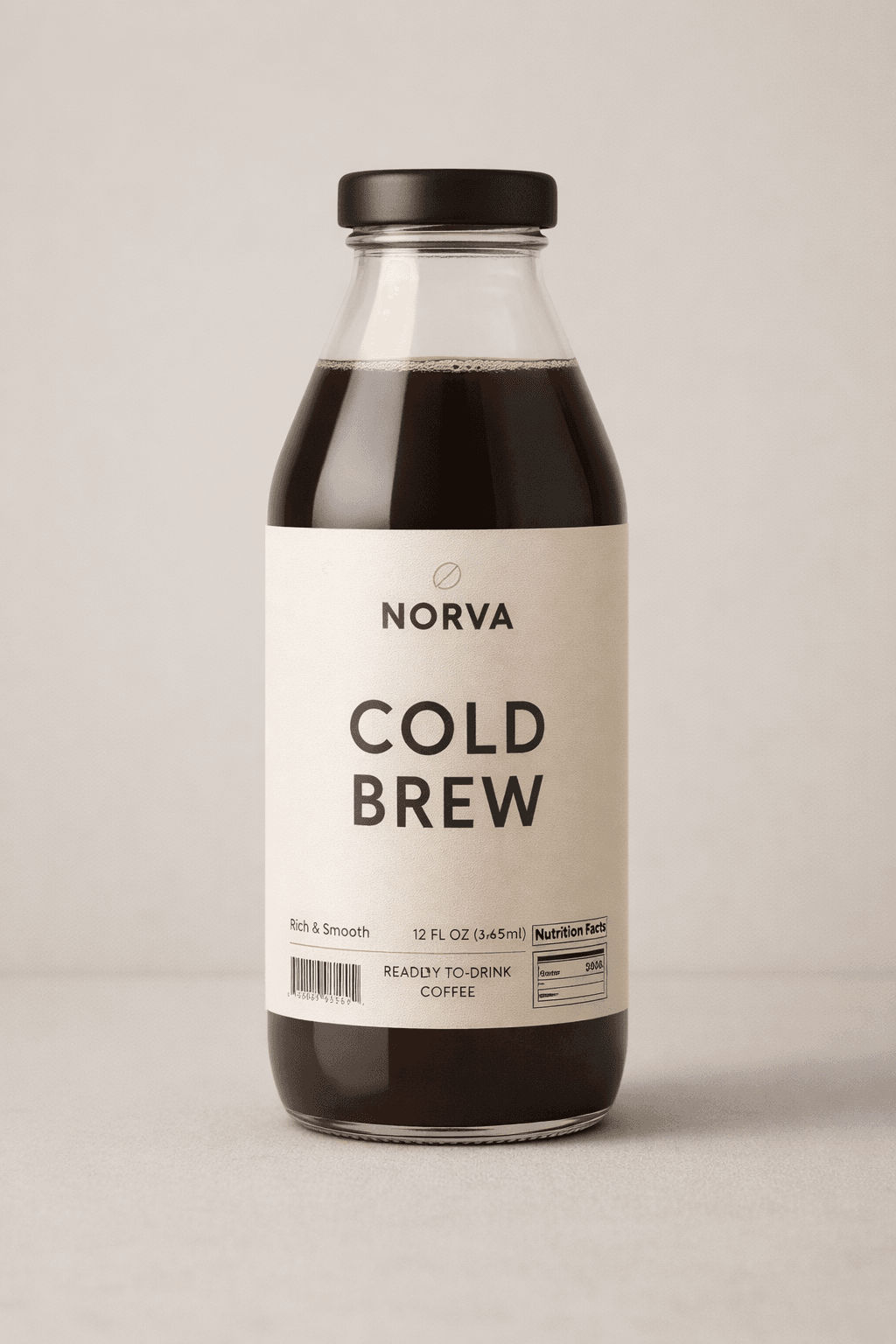
“Minimal modern label design for a glass bottle of cold brew coffee. Brand name: NORVA. Style: clean, Scandinavian minimal, high whitespace. Color palette: black, warm white, muted tan. Layout: logo top-center, product name large center, details in small text bottom. Typography: geometric sans for name, neutral sans for details. Graphics: tiny line icon of coffee bean, no illustration. Finish: matte label, subtle emboss on logo. Print realism: include barcode and nutrition panel placeholders. Mockup: soft daylight, neutral background, 3/4 angle, sharp focus.”
2. Packaging design prompts for organic and natural products
Example prompt:
“Stand-up pouch design for organic granola. Brand name: FIELD & OAT. Style: natural, friendly, modern farmhouse. Color palette: sage green, cream, warm brown. Layout: top brand band, centered product name, clear flavor badge, ingredient list panel. Typography: humanist sans for readability, serif accent for headline. Graphics: hand-drawn line illustrations of oats and leaves. Finish: matte pouch with kraft texture. Print realism: seam, zipper line, barcode placeholder. Mockup: kitchen countertop, soft morning light.”

3. Packaging design prompts for premium and luxury packaging
Example prompt:
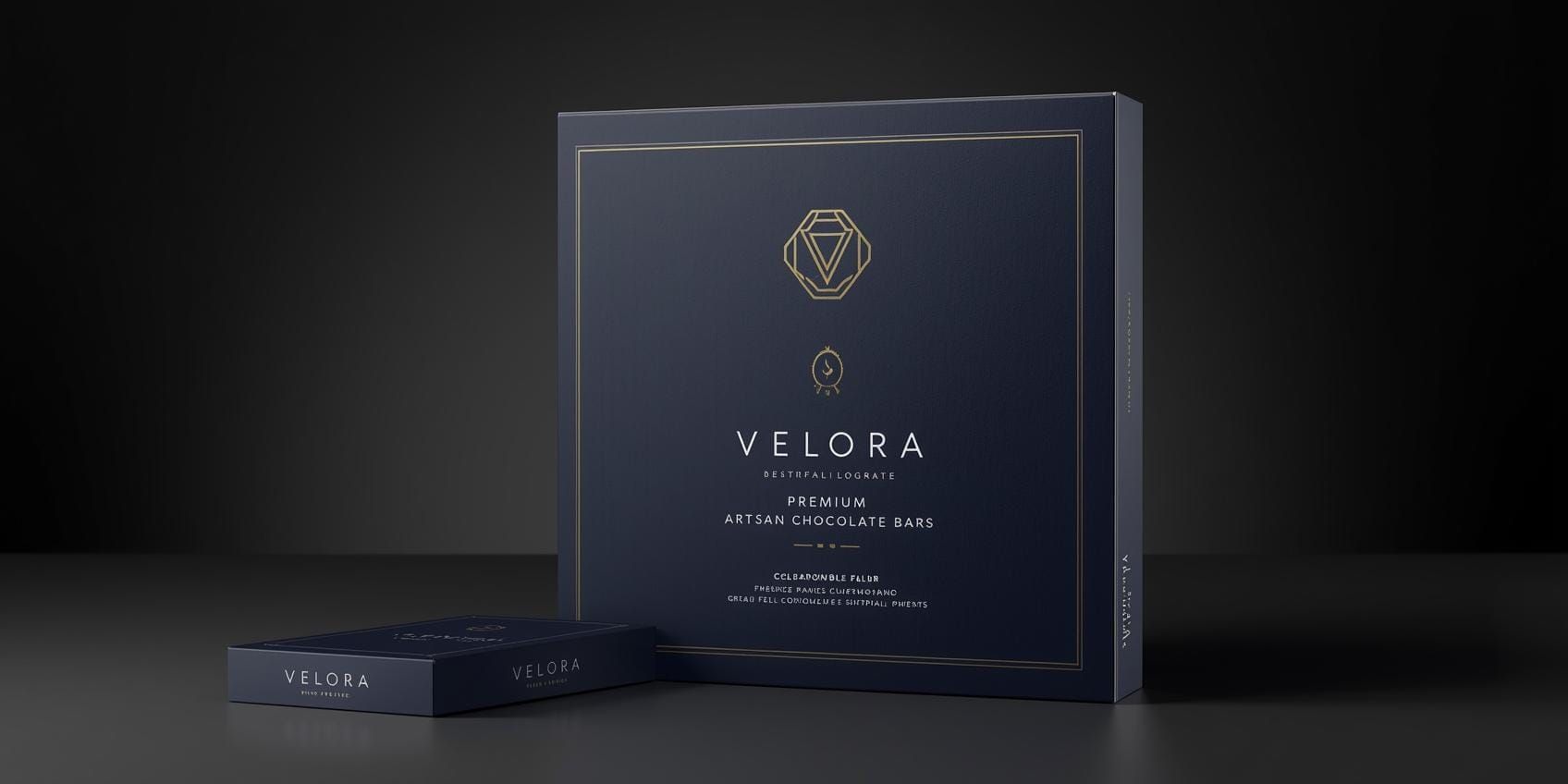
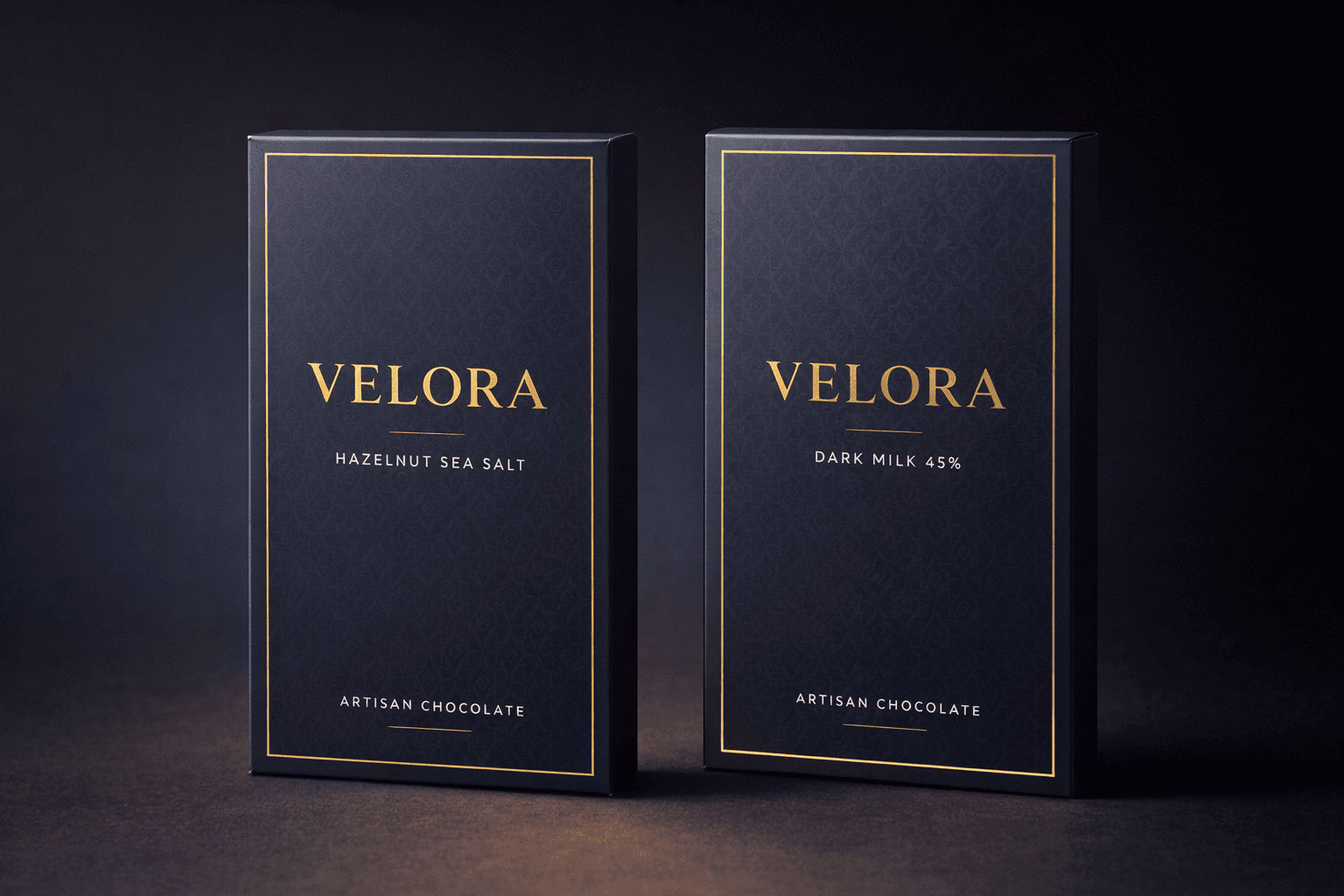
“Luxury rigid box packaging for artisan chocolate bars. Brand name: VELORA. Style: premium, minimal, editorial. Color palette: deep navy, gold foil accent, warm white. Layout: centered wordmark, thin border, small flavor line. Typography: elegant serif for brand, clean sans for details. Graphics: no illustration, use subtle geometric pattern tone-on-tone. Finish: soft-touch matte with gold foil logo. Print realism: foil reflection, crisp edges. Mockup: studio lighting, dark gradient background, product staged neatly.”
4. Packaging design prompts for playful, bold CPG brands
Example prompt:
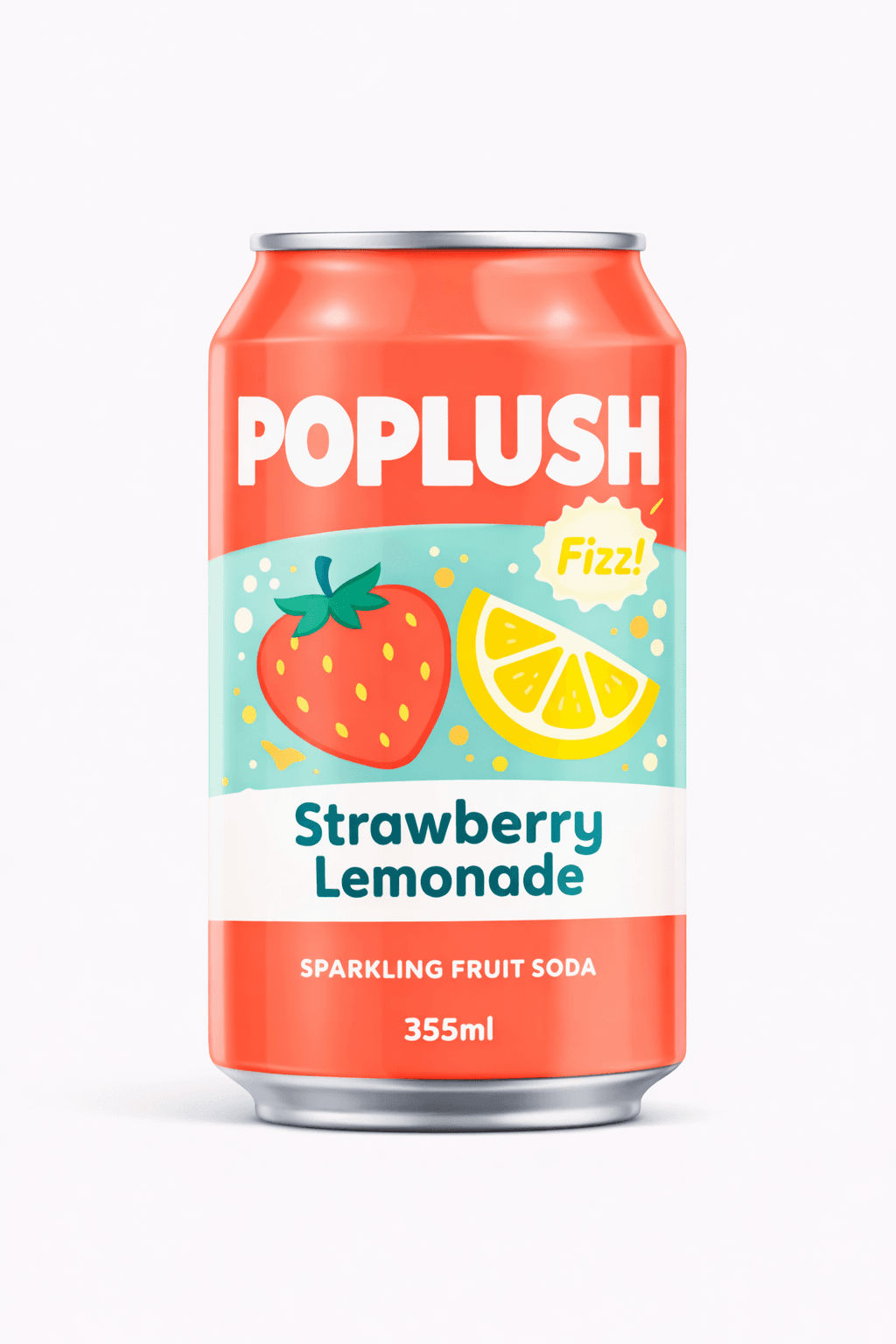
“Colorful can label for sparkling fruit soda. Brand name: POPLUSH. Style: playful, bold, modern pop. Color palette: bright coral, aqua, lemon yellow, white. Layout: big product name, flavor stripe, large fruit icon, fun badge. Typography: chunky sans display for name, rounded sans for details. Graphics: flat vector fruit illustrations, consistent line weight. Finish: glossy can with realistic highlights. Mockup: bright studio setup, clean background, slight shadow.”
Packaging Design Prompts for Mockups
A lot of “randomness” comes from mockup prompts, not label prompts.
Mockup control checklist
- camera angle: front, 3/4, top-down
- lens feel: “50mm look” or “product photography”
- lighting: soft daylight, studio softbox, dramatic rim light
- background: seamless paper, countertop, shelf scene
- depth: “shallow depth of field” or “sharp focus”
Mockup prompt add-on:
“Photorealistic packaging mockup, 3/4 angle, studio softbox lighting, neutral seamless background, sharp focus, minimal props, clean shadow.”
When you append this, your packaging design prompts become more consistent visually.
Also Read: AI Prompts for Packaging Designers: Luxury to Eco
How to Create Variations without Losing Style
Here’s the trick, change only one variable at a time.
1. Safe variables to change
- flavor name
- accent color (keep palette rules)
- hero icon (same style)
- secondary pattern (same geometry)
2. Variables that break consistency
Changing:
- style keywords
- layout structure
- typography direction
- lighting and camera in mockups
If you want a “series” look, your packaging design prompts must keep most variables fixed.
A Simple Workflow for Consistent Packaging Design Prompts
Use this 5-step workflow to avoid chaos:
- Write one “master prompt” (style + layout + format locked)
- Generate 3-6 options and pick one direction
- Create “variation prompts” by changing only flavor/SKU details
- Run a mockup prompt with the same camera and lighting
- Export the best for refinement in Illustrator/Figma
This is the real-world way designers use packaging design prompts without losing control.
Common Mistakes to Avoid
- using too many style words at once
- asking for “logo design” inside packaging prompts (separate tasks)
- forgetting print realism details
- skipping layout rules
- changing mockup scenes every time
Fix these and your packaging design prompts will look like a consistent product line.
Also Read: Top 200 AI Logo Prompts 2026 to Your Try Now
Conclusion
Consistent results come from constraints. Strong packaging design prompts lock the style, layout, format, and mockup conditions, then allow only controlled variation. Start with one master prompt, keep the structure stable, and iterate one variable at a time. That’s how you get packaging outputs you can actually refine and present to clients.

For high-quality fonts to boost your income, check out DM Letter Studio. Our professional fonts are perfect for branding, marketing, and content creation. So, don’t miss this opportunity.