
AI in Branding for Better Ideas, Strategy, and Visual Identity
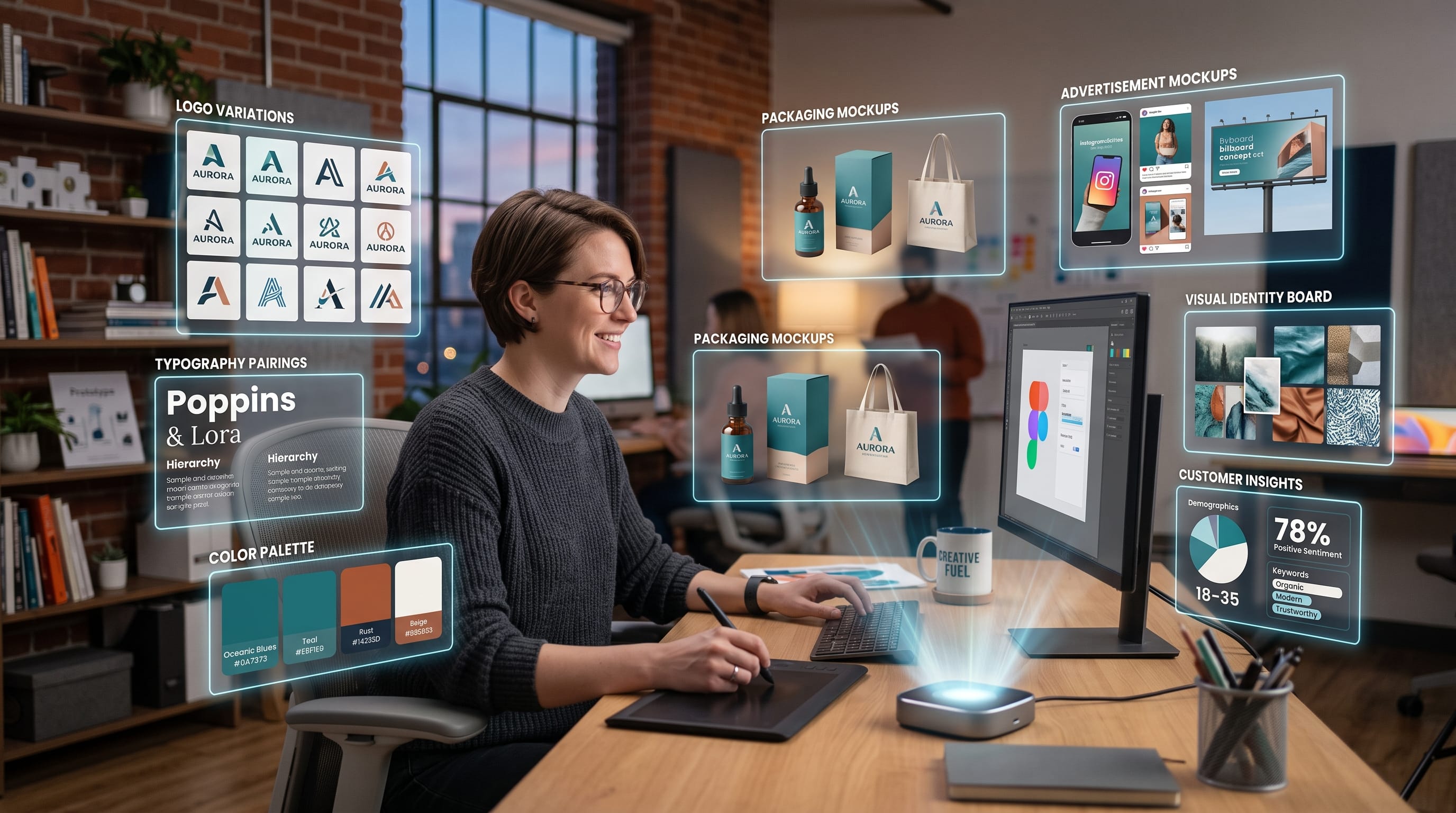
AI in branding is changing how designers, founders, and marketing teams develop ideas, explore visual directions, organize brand strategy, and create content. Instead of starting every project from a blank page, creative teams can now use AI to generate early concepts, analyze positioning options, produce visual references, test messaging, and build variations much faster.
The biggest opportunity is not to let AI create an entire brand automatically. Strong branding still depends on understanding the audience, defining meaningful positioning, making clear strategic choices, and developing a visual identity that feels distinctive.
AI works best when it supports those decisions.
Current creative platforms are moving in that direction. Canva AI 2.0 can apply fonts, colors, and brand styles to generated work through Brand Intelligence, while Adobe Firefly Custom Models can generate visual variations trained around a specific brand aesthetic. Figma is also expanding AI-assisted tools for building structured brand systems and guidelines.
For brand designers and founders, this creates a new workflow:
AI for exploration. Human judgment for direction.
The following guide explains how to use AI in branding for better ideas, stronger strategy, more consistent visual identity, and more efficient creative production.
Why AI in Branding Matters
Brand development contains many stages.
A typical project may include:
- Audience research
- Competitor analysis
- Positioning
- Brand personality
- Naming
- Messaging
- Moodboards
- Logo exploration
- Color development
- Typography
- Photography direction
- Guidelines
- Campaign content
Many of these stages involve exploring several possibilities before choosing one.
That is where AI becomes useful.
Instead of spending hours creating ten rough directions manually, designers can use AI to accelerate the early exploration phase.
However, speed should not replace thinking.
The strongest AI in branding workflow uses technology to create more options while keeping final decisions strategic and intentional.
1. Use AI for Brand Research
Branding should begin with understanding the market.
AI can help organize research related to:
- Audience needs
- Competitor messaging
- Market categories
- Customer pain points
- Brand perceptions
- Common visual patterns
For example, a designer working on a wellness brand could ask:
“List common positioning themes used by premium wellness brands and identify areas that may feel overused.”
The output can become a starting point for deeper research.
Do not treat AI-generated research as automatically accurate.
Verify important facts and compare them with:
- Competitor websites
- Customer reviews
- Industry reports
- Interviews
- Analytics
AI can organize information quickly, but strategy should still be based on reliable evidence.
2. Use AI in Branding for Positioning Ideas
Positioning defines where a brand fits in the market.
A useful positioning statement often clarifies:
- Target customer
- Category
- Main benefit
- Differentiation
- Reason to believe
AI can generate multiple versions.
For example:
“Create five positioning directions for a premium sustainable coffee brand aimed at urban professionals. Avoid generic eco-friendly language.”
Possible directions might focus on:
- Origin transparency
- Craft quality
- Convenience
- Ethical sourcing
- Modern ritual
The designer or founder can then evaluate which direction feels most relevant.
This is more useful than asking AI to decide the brand position automatically.
3. Develop Brand Personality With AI
Brand personality influences how the business speaks and looks.
Possible traits include:
- Sophisticated
- Friendly
- Bold
- Innovative
- Calm
- Playful
- Authoritative
- Minimal
AI can help turn broad ideas into more specific personality systems.
For example:
Premium + approachable
could become:
- Confident, not arrogant
- Elegant, not formal
- Warm, not casual
- Modern, not trendy
This kind of contrast helps make brand personality more actionable.
A strong AI in branding workflow turns abstract words into practical design and communication rules.
4. Use AI for Brand Naming Ideas
Naming is one of the most common uses of AI.
AI can help generate:
- One-word names
- Compound names
- Descriptive names
- Abstract names
- Premium names
- Technology names
The prompt should include constraints.
For example:
“Generate 30 one-word brand names for a premium home fragrance company. The names should sound elegant, be easy to pronounce, and avoid obvious words such as aroma, scent, or luxury.”
This produces more focused ideas.
However, generated names still need to be checked for:
- Trademark conflicts
- Domain availability
- Cultural meaning
- Pronunciation
- Existing companies
AI can accelerate ideation, but legal and business validation remain essential.
5. Create Better Brand Messaging With AI
AI can help develop messaging variations.
Examples include:
- Taglines
- Value propositions
- Homepage headlines
- Product descriptions
- Campaign messages
Suppose the positioning is:
Premium skincare with simple science-backed formulas.
You could ask AI to generate ten homepage headlines with different tones.
Possible directions might include:
Clinical
Simple formulas. Proven performance.
Emotional
Skincare that feels easier.
Premium
Refined care for modern skin.
Then compare the options against the brand personality.
The best message is not necessarily the most clever.
It is the one that communicates the brand clearly.
6. Use AI in Branding for Moodboard Development
Moodboards help translate strategy into visual direction.
AI can help brainstorm:
- Photography styles
- Materials
- Color themes
- Typography categories
- Layout references
- Art direction
For example:
“Create a visual direction for a premium botanical skincare brand using quiet luxury, natural materials, soft editorial photography, and restrained typography.”
AI-generated imagery can also help visualize early concepts.
However, a moodboard should not consist entirely of generated images.
Combine AI concepts with:
- Real photography
- Design references
- Materials
- Typography
- Cultural references
This creates a richer and more credible visual direction.
7. Explore Logo Concepts With AI
AI can help generate conceptual directions for logos.
For example:
“Generate ten logo concepts for a boutique architecture firm without using buildings, roofs, or generic house icons.”
Possible ideas may include:
- Monogram
- Abstract grid
- Structural line system
- Negative space
- Geometric symbol
These concepts can help break predictable thinking.
However, AI-generated logos should usually be treated as sketches.
Final logo design still requires:
- Vector construction
- Optical correction
- Typography refinement
- Scalability testing
- Trademark review
A finished brand mark needs much more control than a generated image.
8. Use AI for Logo Variation Exploration
Once a basic direction exists, AI can help explore variations.
For example:
Concept: geometric letter A
Ask for variations that feel:
- More premium
- More minimal
- More architectural
- Softer
- More technological
This helps designers compare possibilities quickly.
The best AI in branding process treats these outputs as creative exploration rather than final assets.
9. Use AI for Color Palette Ideas
AI can help translate brand personality into color directions.
For example:
“Suggest five color palettes for a modern luxury travel brand. Avoid standard black-and-gold combinations.”
Possible ideas might include:
- Navy + sand + champagne
- Forest green + cream + bronze
- Burgundy + stone + ivory
- Charcoal + pale blue + silver
Then designers can test each palette in real applications.
Consider:
- Contrast
- Accessibility
- Competitor colors
- Photography
- Print production
AI can suggest colors, but designers should test them within the actual visual system.
Also Read: Best AI Prompts for Social Media Content Creation
10. Use AI for Typography Direction
Typography is central to brand identity.
AI can help suggest categories such as:
Luxury
High-contrast serif + clean sans serif
Technology
Geometric sans serif + mono accent
Friendly
Rounded sans serif + handwritten accent
Editorial
Elegant serif + neutral grotesk
This can speed up the early selection process.
However, the designer still needs to evaluate:
- Character shapes
- Readability
- Language support
- Licensing
- Weight range
- Digital performance
Typography is too important to choose only from an AI recommendation.
11. Build Visual Identity Concepts Faster
A complete visual identity can include:
- Logo
- Color
- Typography
- Patterns
- Illustration
- Photography
- Icons
- Layout rules
AI can help designers test combinations quickly.
For example:
Quiet Luxury
Cream background
Refined serif
Soft photography
Thin line graphics
Bold Contemporary
Bright cobalt
Large sans serif
Strong geometric shapes
High-contrast imagery
Natural Modern
Sage green
Warm neutral typography
Organic photography
Hand-drawn accents
This allows designers to compare full brand territories before developing one direction deeply.
12. AI in Branding for Brand Guidelines
Brand guidelines explain how a visual identity should be used.
AI can help structure sections such as:
- Logo usage
- Color rules
- Typography
- Photography
- Iconography
- Tone of voice
- Layout principles
Figma now promotes AI-assisted brand guideline workflows that can transform brand inputs into structured rules for color, type, layout, imagery, and voice, while still allowing designers to refine the results manually.
This can save time during documentation.
However, designers should review every rule.
Guidelines should describe how the actual brand works, not generic best practices.
13. Use AI for Brand Voice Development
Brand voice should remain recognizable across:
- Website
- Social media
- Advertising
- Customer support
AI can help define tone rules.
For example:
We Are
Clear
Optimistic
Knowledgeable
Warm
We Are Not
Corporate
Overly technical
Aggressive
Overly casual
Then provide examples.
Instead of:
“Our innovative solutions maximize your potential.”
Use:
“Simple tools that help your team work faster.”
This gives AI and human writers clearer boundaries.
14. Create Brand Content Faster With AI
Once the identity is established, AI becomes useful for content production.
It can help create:
- Social captions
- Blog outlines
- Email drafts
- Ad copy
- Campaign concepts
- Product descriptions
The key is to provide the brand system first.
Give AI:
- Audience
- Voice
- Keywords
- Tone
- Product benefits
- Words to avoid
Better input produces more consistent output.
15. Use AI for Brand-Consistent Visual Content
Visual consistency is one of the biggest challenges with generative AI.
Random prompts may create:
- Different lighting
- Different styles
- Different colors
- Different characters
Current tools are addressing this.
Adobe Firefly Custom Models can be trained on brand assets or a specific visual style to generate new images that remain closer to that brand aesthetic. Adobe says custom models can maintain qualities such as color palettes, photographic treatment, characters, and illustration style across generations.
This is useful for:
- Campaign images
- Character systems
- Product backgrounds
- Illustrations
- Lifestyle photography
It makes AI in branding more practical for ongoing content production rather than only isolated experiments.
16. Canva AI for Brand Consistency
Canva AI 2.0 includes Brand Intelligence, which can automatically apply brand fonts, colors, and styles to generated designs.
It also generates layered, editable outputs, so designers can refine individual components after generation.
This can be useful for teams creating:
- Social media
- Presentations
- Campaign graphics
- Marketing assets
For example, a marketing team could generate a product-launch campaign across several formats while keeping the main visual identity consistent.
This reduces repetitive production while preserving recognizable branding.
17. AI in Branding for Campaign Ideas
AI can help expand a brand campaign from one concept into multiple touchpoints.
Start with:
Core idea: Small rituals, better mornings.
Then ask AI to generate:
- Social concepts
- Poster headlines
- Email ideas
- Short-video scripts
- Landing page themes
The designer can then select the strongest ideas and build a connected campaign.
This is often more effective than generating unrelated content individually.
18. Create More Visual Variations Without Losing Direction
One advantage of AI in branding is the ability to create many variations quickly.
However, more options can create more confusion.
Set constraints.
For example:
Keep:
- Same palette
- Same typography
- Same photography style
Change:
- Composition
- Headline
- Product position
This produces useful variations rather than random creative directions.
Also Read: 35 Product Poster Prompts for Professional Advertising Image
19. Use AI to Scale Social Media Branding
Brands often need dozens of social graphics.
AI can help create:
- Quote graphics
- Product posts
- Promotional variations
- Campaign adaptations
The important rule is to maintain a recognizable design system.
Keep:
- Font hierarchy
- Color roles
- Image treatment
- Logo placement
- Grid
Canva’s current Brand Intelligence and Adobe’s custom model approach show how major platforms are increasingly focusing on brand consistency rather than one-off generation.
20. Use AI for Brand Presentation Development
Presenting a brand concept can take significant time.
AI can help organize:
- Strategy summaries
- Moodboard explanations
- Logo rationale
- Color descriptions
- Tone-of-voice examples
However, avoid generic explanations such as:
“Blue represents trust.”
Explain the specific reasoning.
For example:
“The muted blue creates a calm visual foundation that supports the brand’s professional positioning without feeling clinical.”
Strategic explanation makes presentations more convincing.
AI in Branding Examples
Here are several practical examples of how AI can fit into real workflows.
Boutique Coffee Brand
AI supports:
- Competitor research
- Naming ideas
- Packaging moodboards
- Campaign copy
Designer controls:
- Positioning
- Logo
- Typography
- Packaging system
SaaS Startup
AI supports:
- Positioning options
- Landing page copy
- UI illustration concepts
- Social variations
Designer controls:
- Design system
- Brand voice
- Visual hierarchy
- Final messaging
Luxury Travel Company
AI supports:
- Photography concepts
- Campaign ideas
- Social captions
- Destination imagery
Designer controls:
- Art direction
- Logo
- Typography
- Premium positioning
These examples show that AI in branding works best when the responsibilities are divided intentionally.
Benefits of AI in Branding
Faster Exploration
Generate more ideas before committing.
More Variations
Test several directions.
Better Productivity
Reduce repetitive production.
Faster Documentation
Organize guidelines and strategy.
Scalable Content
Produce more campaign assets.
Easier Collaboration
Turn rough ideas into visible concepts quickly.
The main benefit is speed.
But faster work is valuable only if quality remains high.
Risks of AI in Branding
AI also creates challenges.
Generic Results
AI tends to repeat familiar visual patterns.
Inconsistent Identity
Uncontrolled generation can weaken recognition.
Factual Errors
Research and claims still require verification.
Trademark Problems
Generated names or symbols may already exist.
Copyright and Usage Questions
Always review platform terms and project requirements.
Loss of Originality
Too much reliance on AI can make brands feel similar.
The designer’s role becomes increasingly important because someone must decide what is distinctive and appropriate.
Do Not Use AI as the Brand Strategist
AI can suggest positioning.
It should not make the final strategic decision.
The brand team knows:
- Business goals
- Customer relationships
- Market context
- Company history
- Internal capabilities
AI only knows the information provided to it.
Human conversations, customer interviews, and founder insight remain essential.
Do Not Let AI Replace Original Design Thinking
AI is very good at combining patterns it has encountered.
That makes it useful for exploration.
However, branding often becomes memorable because someone makes an unexpected decision.
Maybe the best identity:
- Avoids category colors
- Uses unusual typography
- Rejects conventional symbols
- Introduces a new visual language
Those choices require creative confidence.
Use AI to explore the obvious possibilities faster so you have more time to find the less obvious ones.
A Practical AI Branding Workflow
1. Define the Brief
Understand the business and audience.
2. Research
Use AI to organize information, then verify it.
3. Develop Positioning
Generate alternatives and choose strategically.
4. Define Personality
Create specific traits and boundaries.
5. Explore Naming and Messaging
Generate options and validate them.
6. Create Visual Territories
Use AI for moodboards and concept imagery.
7. Design the Identity
Build logos, typography, color, and graphics manually.
8. Create Guidelines
Use AI to help organize documentation.
9. Build Content Systems
Train or configure tools with brand rules.
10. Review Everything
Human approval remains essential.
This keeps AI in branding integrated without making the process dependent on automation.
AI in Branding Checklist
Before using AI-generated work, ask:
- Does it support the positioning?
- Is it distinctive?
- Does it fit the target audience?
- Does it match the brand personality?
- Is the message accurate?
- Has competitor overlap been checked?
- Is the logo original?
- Is typography licensed correctly?
- Is color accessible?
- Are generated visuals consistent?
- Does the output follow brand rules?
- Has important research been verified?
- Can the identity scale?
- Does the brand still feel human?
- Has a designer reviewed the final result?
AI should improve the process without weakening these fundamentals.
Also Read: AI Assistants for Better Productivity and Time Management
Final Thoughts on AI in Branding
The future of AI in branding is not simply about generating logos faster.
The bigger opportunity is using AI throughout the brand-building process.
AI can help organize research, generate positioning ideas, develop names, explore messaging, create moodboards, test visual directions, generate content, and scale campaigns.
Current tools are also becoming more brand-aware.
Canva AI 2.0 can apply established fonts, colors, and styles to new designs, while Adobe Firefly Custom Models can generate imagery around a trained visual aesthetic. Figma is also exploring AI-assisted systems for turning brand ideas into structured visual guidelines.
These developments make AI increasingly useful for professional brand teams.
However, they do not remove the need for designers.
Branding still requires judgment.
A designer must decide which idea is meaningful, which visual system is distinctive, which message feels authentic, and which direction can remain relevant over time.
The strongest AI in branding workflow therefore combines speed with intention.
Let AI generate possibilities.
Let people make decisions.
Use AI for research assistance, concept expansion, variation, and repetitive production. Keep strategy, originality, art direction, and final quality under human control.
When that balance is maintained, AI in branding can help designers and founders build stronger ideas, clearer strategies, more consistent visual identities, and more efficient creative systems without losing the human thinking that makes a brand memorable.

For high-quality fonts to boost your income, check out DM Letter Studio. Our professional fonts are perfect for branding, marketing, and content creation. So, don’t miss this opportunity.