
Dark Mode UX Trends You Should Follow for Better Results
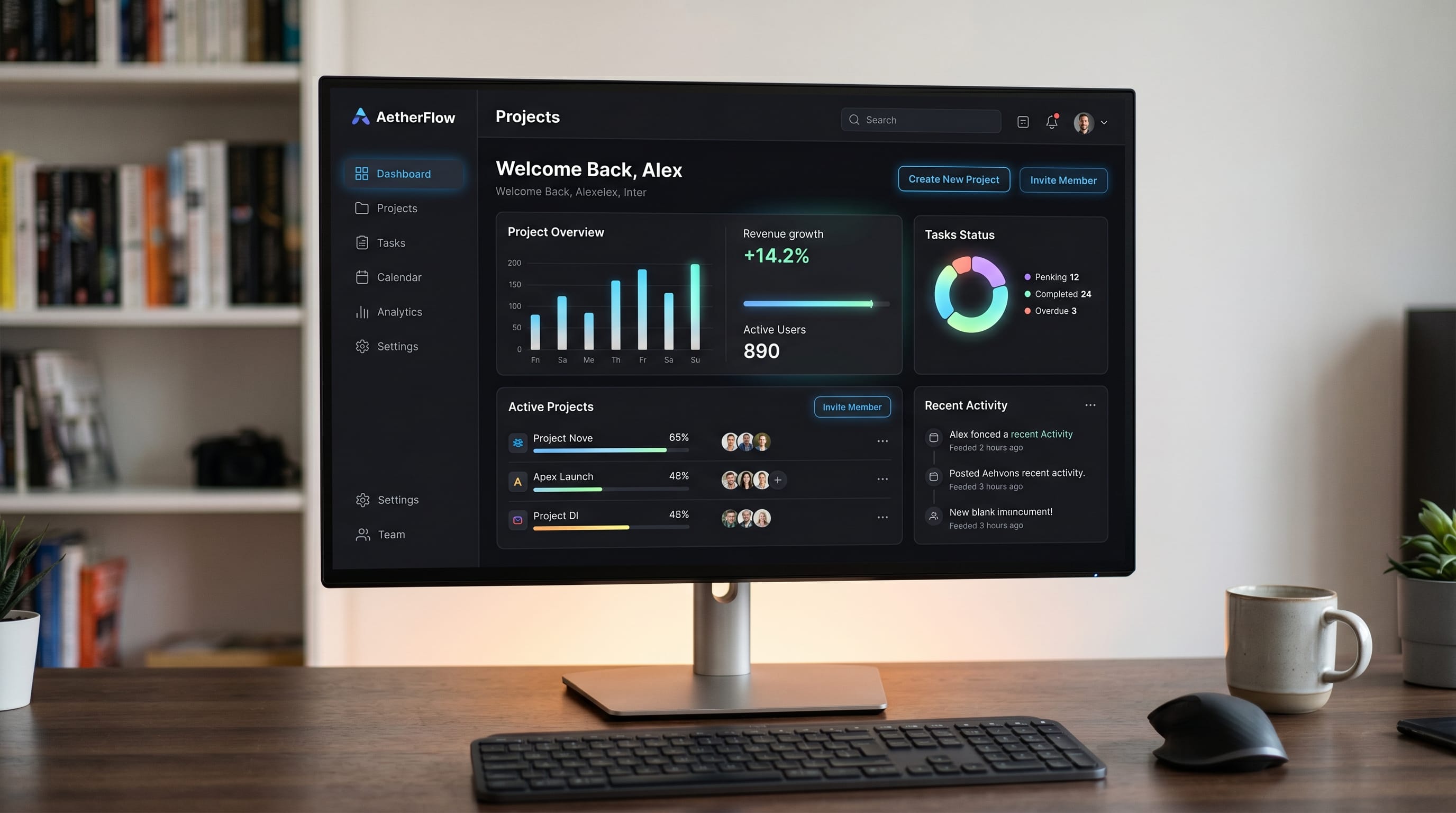
If you want to design modern interfaces, understanding dark mode UX is essential. Many designers adopt dark mode without fully considering usability and readability. A well-executed dark mode UX approach helps create visually appealing interfaces while improving user comfort and engagement.
In this guide, you’ll explore the most effective dark mode UX trends, along with practical tips to apply them in your projects. Whether you are designing apps or websites, mastering dark theme UX will help you achieve better results.
Why Dark Mode UX Matters for Modern Interfaces
Using dark mode correctly improves user experience.
Benefits include:
- Reduced eye strain
- Better readability in low light
- Modern visual appearance
A strong dark theme UX strategy enhances both aesthetics and usability.
Color Contrast in Dark Mode UX Trends
Contrast plays a key role in dark mode.
1. Use Soft Dark Backgrounds
Avoid pure black to reduce eye fatigue.
2. Ensure Text Readability
Use light text with proper contrast ratios.
3. Highlight Important Elements
Use accent colors carefully.
Balanced contrast improves your dark theme UX design.
Typography in Dark Mode UX Design
Typography is critical in dark mode.
1. Choose Readable Fonts
Avoid overly thin or decorative fonts.
2. Adjust Font Weight
Increase weight slightly for better visibility.
3. Optimize Line Spacing
Improve readability with proper spacing.
Good typography strengthens your dark theme UX.
Minimalist Layout in Dark Mode UX Trends
Minimalism works well in dark mode.
1. Reduce Visual Clutter
Focus on essential elements.
2. Use Clean Layouts
Keep interfaces simple and organized.
3. Apply Consistent Spacing
Maintain visual balance.
Minimalist design enhances your dark theme UX.
Also Read: Dark Mode UX Best Practices for Better Usability and Design
Accent Colors in Dark Mode UX Trends
Accent colors bring life to dark theme UX.
1. Use Vibrant Highlights
Make buttons and links stand out.
2. Avoid Overuse
Too many colors can be distracting.
3. Maintain Consistency
Use a limited palette.
Smart color usage improves your dark theme UX.
Accessibility in Dark Mode UX Design
Accessibility is essential in dark theme UX.
1. Test Contrast Ratios
Ensure compliance with accessibility standards.
2. Support Color Blind Users
Avoid relying only on color.
3. Provide Light Mode Option
Give users flexibility.
Accessible design makes your dark theme UX more inclusive.
Common Mistakes in Dark Mode UX
Avoid these mistakes:
- Using pure black backgrounds
- Poor contrast levels
- Overusing bright colors
- Ignoring readability
Fixing these issues improves your dark theme UX results.
Also Read: UX Writing Guide for Designers Who Want Better Results
Tools to Design Better Dark Mode UX
Using the right tools helps improve your dark theme UX workflow.
Popular tools include:
These tools support your dark theme UX process.
How to Apply Dark Mode UX Trends Effectively
To get better results with dark theme UX:
- Focus on readability
- Keep layouts simple
- Test designs in real conditions
- Use consistent color systems
This approach ensures your dark theme UX performs well.
How Dark Mode UX Improves User Engagement
A well-designed dark theme UX helps you:
- Improve user comfort
- Increase engagement
- Create modern interfaces
Designers who understand dark mode can build better user experiences.
Also Read: Best UI/UX Tools 2026: New Tools Worth Trying
Final Thoughts
Mastering dark mode UX is essential for creating modern and user-friendly interfaces. By focusing on contrast, typography, and accessibility, you can design experiences that are both functional and visually appealing.
Start applying these dark theme UX trends in your projects. With the right approach, you can create interfaces that look great and perform even better.

For high-quality fonts to boost your income, check out DM Letter Studio. Our professional fonts are perfect for branding, marketing, and content creation. So, don’t miss this opportunity.