
Dashboard UI Design You Should Follow for Better Results
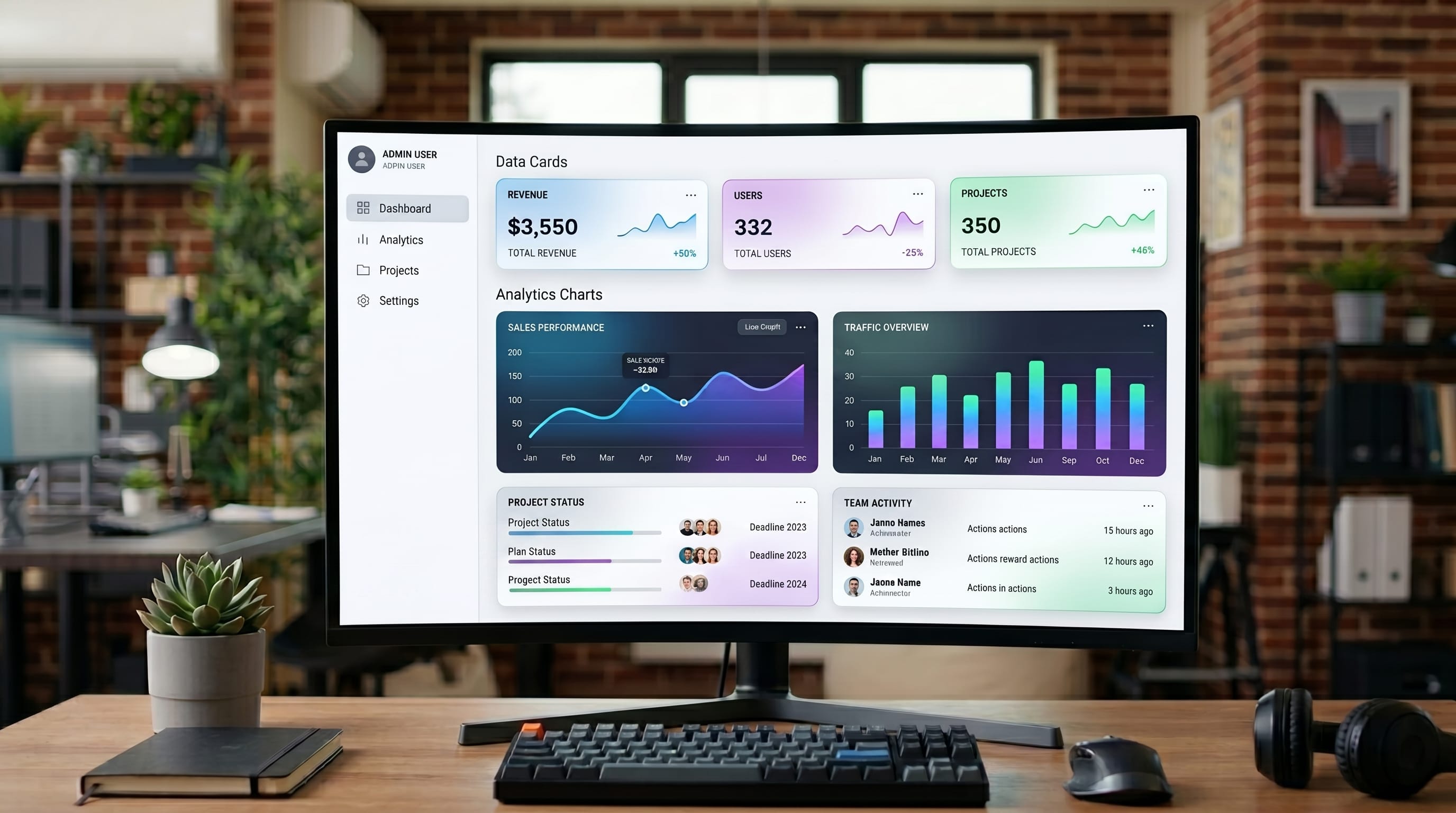
dashboard UI design plays a major role in how users interact with SaaS products, analytics platforms, and business applications. A poorly designed dashboard can confuse users, reduce productivity, and make data difficult to understand. Strong dashboard UI design helps users navigate information quickly while improving workflow, clarity, and overall user experience.
In this guide, you’ll discover practical dashboard UI design strategies for layouts, navigation, typography, data visualization, and usability. Whether you are a SaaS designer, product designer, or UI specialist, these dashboard UI design techniques can help you achieve better results.
Why Dashboard UI Design Matters
Good dashboard interface design improves usability and decision-making.
Benefits include:
- Better navigation experience
- Improved data readability
- Faster workflow efficiency
- Stronger visual hierarchy
Professional dashboard interface design helps users understand information more effectively.
Layout Structure in Dashboard UI Design
Layout is one of the most important parts of dashboard interface design.
1. Use Grid Systems
Grids help organize content consistently.
2. Prioritize Important Data
Place key metrics at the top of the dashboard.
3. Maintain Consistent Spacing
Balanced spacing improves readability and clarity.
Strong layout structure improves your dashboard interface design workflow.
Navigation Systems in Dashboard UI Design
Clear navigation improves user experience significantly.
1. Sidebar Navigation
Popular for SaaS dashboards and analytics platforms.
2. Top Navigation Bars
Useful for simpler interfaces.
3. Breadcrumb Navigation
Helps users understand page hierarchy.
Navigation-focused dashboard interface design improves usability and workflow.
Data Visualization in Dashboard UI Design
Visual clarity is essential in modern dashboard interface design.
1. Use Simple Charts
Avoid overly complex visualizations.
2. Choose Clear Colors
Use color strategically for readability.
3. Highlight Important Metrics
Make key information visually noticeable.
These data visualization techniques strengthen your dashboard interface design strategy.
Typography Hierarchy in Dashboard UI Design
Typography helps users scan dashboard information quickly.
1. Use Readable Sans Serif Fonts
Clean fonts improve interface clarity.
2. Create Strong Visual Hierarchy
Different font sizes guide user attention.
3. Limit Typography Styles
Too many fonts reduce consistency.
Typography-focused dashboard interface design improves readability and user flow.
Also Read: UX Research 2026: What Startups Must Do Now
Color Systems in Dashboard UI Design
Color is essential in modern dashboard interface design.
1. Neutral Backgrounds
Dark gray, white, and soft blue improve focus.
2. Accent Colors for Metrics
Highlight important information strategically.
3. Consistent UI Color Palette
Maintain visual consistency across the interface.
Well-balanced colors improve your dashboard interface design experience.
Dashboard UI Design for SaaS Platforms
SaaS products require efficient and scalable interfaces.
1. Quick Access Navigation
Users should reach important sections easily.
2. Customizable Widgets
Flexible dashboards improve usability.
3. Responsive Layouts
Dashboards should work well on all devices.
SaaS-focused dashboard interface design improves product usability.
Minimal Dashboard UI Design Trends
Minimalism continues influencing modern dashboard interface design.
1. Clean Layouts
Reduce unnecessary visual clutter.
2. Simple Icon Systems
Improve navigation clarity.
3. Focused Information Display
Prioritize only the most useful data.
Minimal dashboard interface design creates cleaner user experiences.
Responsive Dashboard UI Design Techniques
Responsive interfaces are essential in modern products.
1. Flexible Grid Layouts
Adapt dashboards to different screen sizes.
2. Scalable Typography
Maintain readability on mobile devices.
3. Optimized Navigation
Simplify menus for smaller screens.
Responsive-focused dashboard interface design improves accessibility.
Also Read: UX Writing Guide for Better Labels, CTAs, and Navigation
Common Mistakes in Dashboard UI Design
Avoid these mistakes:
- Overloading dashboards with data
- Poor navigation structure
- Weak typography hierarchy
- Excessive use of colors
Avoiding these issues improves your dashboard interface design quality.
Tips to Improve Dashboard UI Design Workflow
To create better dashboards:
- Focus on usability first
- Prioritize important information
- Use consistent design systems
- Test layouts with real users
These tips strengthen your dashboard interface design process.
Tools That Support Dashboard UI Design
Using the right tools improves dashboard workflow.
1. Figma
Popular for interface design and collaboration.
2. Adobe XD
Useful for prototyping dashboard layouts.
3. Framer
Supports interactive UI experiences.
These tools support your dashboard interface design strategy.
How Dashboard UI Design Improves User Experience
Professional dashboard interface design helps users:
- Understand data faster
- Navigate interfaces more easily
- Improve productivity and workflow
Good design improves both functionality and visual experience.
Also Read: Dark Mode UX Best Practices for Better Usability and Design
Final Thoughts on Dashboard UI Design
Modern dashboard UI design is essential for SaaS products, analytics systems, and digital platforms that want better user experience results. By combining clean layouts, readable typography, efficient navigation, and strong data visualization, designers can create interfaces that feel both functional and visually polished.
Start applying these dashboard interface design techniques consistently and refine your workflow over time. With the right usability strategy and visual consistency, your dashboards can become more intuitive, professional, and user-friendly.

For high-quality fonts to boost your income, check out DM Letter Studio. Our professional fonts are perfect for branding, marketing, and content creation. So, don’t miss this opportunity.