
Essential Graphic Design Skills for Better Creative Work
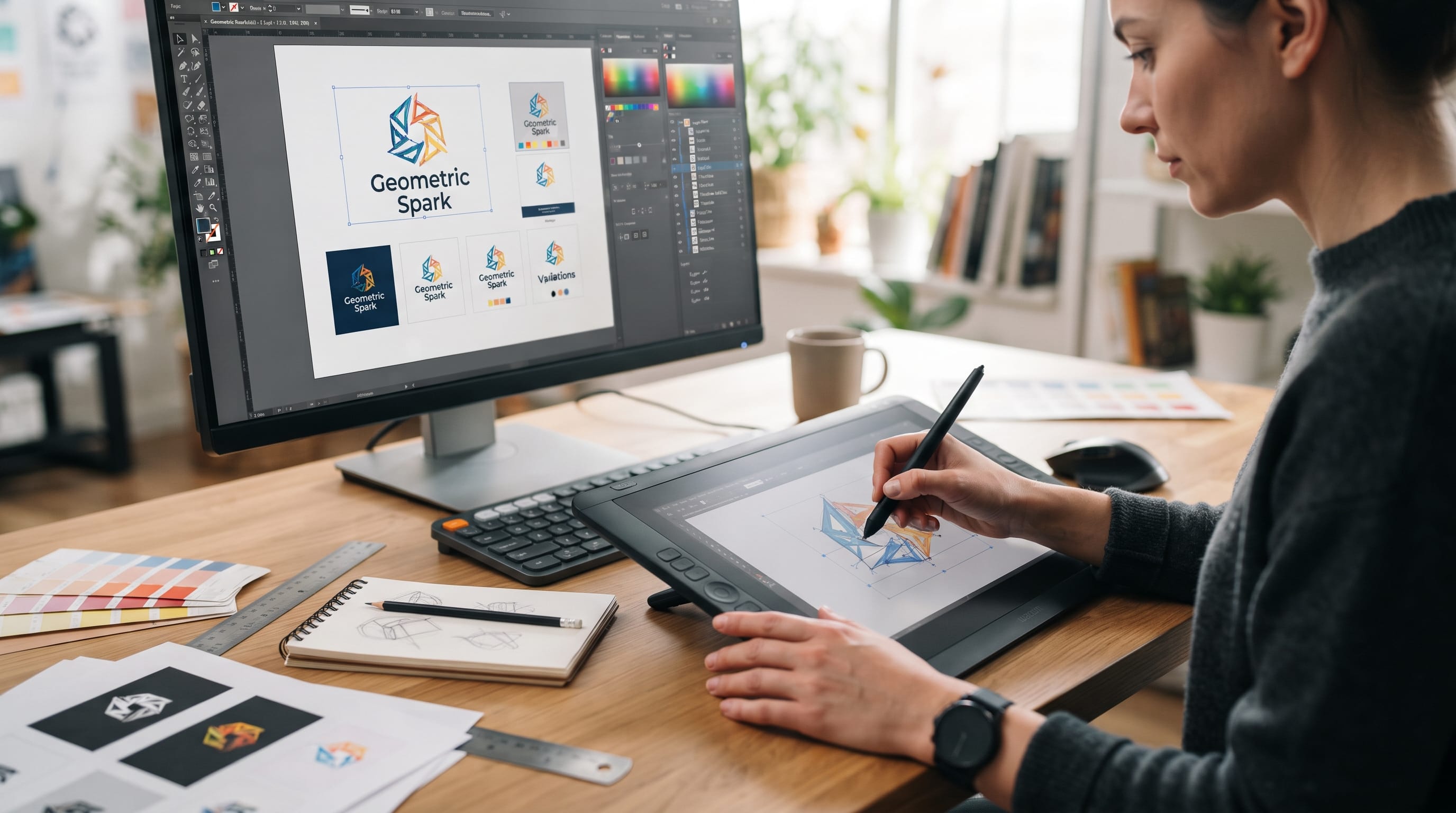
Strong graphic design skills help designers turn ideas into visual communication that is clear, attractive, and useful. Professional design is not only about knowing how to use creative software. Designers also need to understand typography, layout, color, branding, imagery, hierarchy, communication, and problem-solving. These abilities help transform a blank page into work that supports a real audience and purpose.
Software can make production faster, but tools alone do not create good design.
A designer may know every feature in a program and still struggle with weak hierarchy or confusing layouts. Another designer may use relatively simple tools but produce excellent work because the underlying decisions are thoughtful.
That is why developing fundamental graphic design skills remains important even as technology and creative workflows continue to change.
The following skills can help both beginner and experienced designers produce stronger work and become more confident when handling real projects.
Why Graphic Design Skills Matter
Designers communicate through visuals.
A successful project might need to:
- Explain information
- Attract attention
- Build recognition
- Guide users
- Create emotion
- Support a product
- Strengthen a brand
Different projects require different solutions.
A poster may rely heavily on typography and visual hierarchy, while packaging needs clarity, shelf appeal, and practical information. A website requires structure and usability.
Strong graphic design skills give designers enough flexibility to solve these different problems without depending on one visual style.
They also make it easier to explain design decisions to clients and collaborators.
Instead of saying:
“It looks better this way,”
you can explain that stronger contrast improves hierarchy or that additional spacing increases readability.
1. Typography Is One of the Most Important Graphic Design Skills
Typography appears almost everywhere in design.
Designers should understand:
- Font selection
- Hierarchy
- Weight
- Leading
- Tracking
- Kerning
- Alignment
- Line length
Choosing a font is only the beginning.
The way typography is arranged has a major impact on readability and personality.
Build Clear Typographic Hierarchy
A basic hierarchy may contain:
Headline
Large and visually dominant.
Subheading
Supports the main message.
Body Copy
Comfortable for longer reading.
Caption
Used for secondary information.
Readers should recognize these levels quickly.
Use size, weight, spacing, and color to create distinction rather than introducing too many different fonts.
Learn Font Pairing
A simple pairing could combine:
Serif + Sans Serif
or:
Display Font + Neutral Body Font
The fonts should complement each other while having clear roles.
Typography is one of the graphic design skills that improves through constant observation and practice.
2. Layout and Composition Skills
Layout determines how visual elements are organized.
A strong composition guides the viewer rather than making every element compete for attention.
Important concepts include:
- Alignment
- Balance
- Proportion
- Rhythm
- Scale
- Grid systems
- Whitespace
Before adding decorative details, establish the structure.
Use Grids to Organize Content
Grids can help align:
- Headlines
- Images
- Body copy
- Buttons
- Cards
They are especially useful for:
- Editorial design
- Websites
- Presentations
- Posters
A grid does not mean every layout has to look rigid.
Designers can intentionally break the grid after understanding the underlying structure.
3. Color Theory for Better Creative Work
Color can affect mood, contrast, readability, and recognition.
Useful color concepts include:
- Hue
- Saturation
- Value
- Temperature
- Contrast
- Harmony
Designers should learn how colors interact rather than selecting them based only on personal preference.
Build Controlled Color Palettes
A practical brand palette might include:
Primary Color
The main recognizable color.
Secondary Color
Supports the primary.
Accent Color
Highlights important information.
Neutrals
Used for backgrounds and text.
For example:
Deep navy + cream + orange
can create a professional but energetic direction.
Understanding color is one of the fundamental graphic design skills because almost every visual project requires color decisions.
4. Visual Hierarchy Skills
Visual hierarchy controls the order in which people notice information.
Designers create hierarchy using:
- Size
- Weight
- Position
- Color
- Contrast
- Space
Imagine an event poster containing:
- Event name
- Date
- Venue
- Description
- Website
If everything appears at the same size, viewers need to work harder to understand the poster.
A stronger design might make the event name dominant, followed by the date and venue, with supporting information smaller.
Good hierarchy makes information easier to scan.
5. Branding as a Core Graphic Design Skill
Branding involves creating a visual system rather than only designing one logo.
A brand identity may include:
- Logo
- Color palette
- Typography
- Photography
- Illustration
- Icons
- Layout rules
Designers need to understand how these elements work together.
Think Beyond the Logo
A logo might look excellent by itself but fail once applied to:
- Packaging
- Website
- Social media
- Business cards
- Signage
Strong graphic design skills involve thinking about the complete visual system.
A good identity should remain recognizable across many applications.
6. Image Editing and Retouching
Designers frequently work with photographs.
Useful image-editing skills include:
- Cropping
- Color correction
- Masking
- Object removal
- Background cleanup
- Basic retouching
The goal is not always to make an image perfect.
Editing should support the final composition.
Learn Better Cropping
Cropping can completely change the energy of an image.
Ask:
- Where is the focal point?
- Is there space for typography?
- Is the subject too close to the edge?
- Does the crop support the layout?
Good image editing should feel intentional rather than excessive.
7. Software Skills for Graphic Designers
Professional designers should be comfortable using tools appropriate for their type of work.
Useful software categories include:
- Vector design
- Image editing
- Page layout
- Interface design
- Illustration
- Prototyping
Do not focus only on memorizing menus.
Learn workflows.
For example, a logo designer should understand how to:
- Create vector artwork
- Organize layers
- Prepare variations
- Export correct file formats
- Deliver professional assets
Software changes over time.
Strong fundamentals make it easier to adapt to new tools.
Also Read: Graphic Design Basics and Principles for New Designers
8. Graphic Design Skills for Better Problem-Solving
Design is a form of problem-solving.
Before creating visuals, understand the problem.
Ask:
- Who is the audience?
- What should they understand?
- What action should they take?
- Where will they see the design?
- What limitations exist?
A beautiful design can still fail if it solves the wrong problem.
For example, packaging may look elegant but become unsuccessful if customers cannot identify the product quickly.
Professional graphic design skills connect aesthetics with function.
9. Communication Skills for Designers
Designers rarely work completely alone.
They may communicate with:
- Clients
- Developers
- Marketers
- Copywriters
- Printers
- Other designers
Clear communication can make projects much easier.
Designers should be able to:
- Ask good questions
- Explain decisions
- Receive feedback
- Present ideas
- Clarify requirements
Learn to Ask Better Questions
Instead of asking:
“What style do you like?”
ask:
“What should customers feel when they see this brand?”
The second question produces more useful information.
10. Client Brief Interpretation
A project brief is not always perfectly clear.
Designers need to identify:
- Goal
- Audience
- Deliverables
- Deadline
- Technical requirements
- Brand constraints
If something important is unclear, resolve it before designing.
This reduces unnecessary revisions.
A strong designer translates vague requests into clear creative objectives.
For example:
“Make it look modern”
might become:
“Use clean typography, a reduced palette, strong spacing, and simple geometric layouts.”
11. Graphic Design Skills for Presenting Ideas
Good work can be misunderstood when it is presented poorly.
Instead of simply sending a logo image, explain:
- Concept
- Typography
- Color
- Visual reasoning
- Applications
Show designs in relevant contexts.
For example, present a packaging identity on:
- Product box
- Label
- Ecommerce image
- Shipping material
This helps clients understand how the identity functions as a system.
12. Illustration and Drawing Skills
Designers do not need to become professional illustrators, but drawing can improve visual thinking.
Sketching is useful for:
- Logo concepts
- Layout ideas
- Icons
- Packaging
- Storyboards
Quick sketches allow ideas to be explored without becoming distracted by software.
Ten rough sketches can reveal stronger possibilities than immediately polishing the first digital concept.
13. Photography Awareness
Even designers who are not photographers benefit from understanding basic photography.
Learn concepts such as:
- Composition
- Lighting
- Perspective
- Depth
- Cropping
This helps when selecting stock images, directing product photography, or integrating photos into layouts.
For example, an image with negative space on the left may be more useful when the layout requires a headline in that area.
14. Print Production Skills
Designers working with physical products should understand print preparation.
Important concepts include:
- Bleed
- Safe areas
- CMYK
- Resolution
- Dielines
- Paper
- Print finishes
A design that looks perfect on screen can fail in production if technical preparation is incorrect.
For packaging, designers also need to consider folds, seams, and the physical shape of the final object.
These practical graphic design skills can prevent expensive production mistakes.
15. Digital Design and Responsive Thinking
Modern designers often create work for multiple screen sizes.
A desktop layout may need to adapt to:
- Tablet
- Mobile
- Social media
- Digital ads
Designers should understand how elements change as available space becomes smaller.
For example:
A four-column grid may become two columns on tablet and one column on mobile.
Responsive thinking is useful even when a designer is not responsible for development.
Also Read: Modern Graphic Design Layout Ideas for Better Visual Balance
16. Accessibility Awareness
Good design should remain usable for as many people as possible.
Designers should consider:
- Color contrast
- Font size
- Readability
- Clear hierarchy
- Alternative text needs
- Interaction states
For example, light gray text on a white background may look minimal but become difficult to read.
Accessibility should be considered during design rather than added at the end.
17. Graphic Design Skills for AI-Assisted Workflows
AI tools can support modern creative workflows.
Designers might use AI for:
- Brainstorming
- Research
- Image concepts
- Background generation
- Copy drafts
- Workflow automation
However, AI does not remove the need for design fundamentals.
Generated output still needs someone to evaluate:
- Hierarchy
- Composition
- Typography
- Accuracy
- Brand relevance
Treat AI as a Creative Assistant
For example, a designer could generate ten visual directions for an early mood board.
Then the designer chooses the strongest ideas and develops them manually.
Human judgment remains responsible for the final work.
18. File Organization and Workflow Skills
Professional design also requires organization.
Create clear systems for:
- Folder names
- File versions
- Asset libraries
- Exports
- Client files
For example:
01_Brief
02_Research
03_Concepts
04_Final
05_Exports
Good organization reduces errors and makes revisions easier.
It becomes especially important when several people work on the same project.
19. Time Management for Designers
Creative work can expand endlessly if limits are unclear.
Break projects into stages:
- Research
- Concepts
- Design
- Feedback
- Revision
- Delivery
Assign time to each stage.
Avoid spending hours polishing one concept before comparing alternatives.
Better time management makes graphic design skills more valuable because they can be applied efficiently.
20. Learn How to Accept Feedback
Feedback is a normal part of design.
The key is learning how to separate useful criticism from personal preference.
When someone says:
“I don’t like it,”
ask what specifically feels wrong.
Possible issues include:
- Unclear message
- Wrong tone
- Poor readability
- Weak hierarchy
- Brand mismatch
Specific feedback is easier to solve.
Designers should also be able to defend important choices when there is a clear reason behind them.
How to Improve Graphic Design Skills
Improvement usually comes from consistent practice rather than simply watching tutorials.
Try these methods.
Recreate Layouts for Practice
Study professional work and rebuild the structure without copying it for commercial use.
Notice alignment, spacing, and hierarchy.
Create Personal Projects
Design:
- Posters
- Packaging
- Brand identities
- Websites
- Editorial layouts
Self-initiated projects let you experiment freely.
Analyze Good Design
Ask why a design works.
Look at:
- Typography
- Color
- Grid
- Imagery
- Whitespace
Request Critique
Constructive feedback can reveal problems you no longer notice after working on a project for many hours.
Common Mistakes When Developing Graphic Design Skills
Avoid several habits that can slow improvement.
Learning Software Without Fundamentals
Knowing shortcuts is not the same as understanding design.
Following Trends Too Closely
Trends can provide inspiration, but fundamentals have longer value.
Using Too Many Fonts
A controlled typography system usually looks stronger.
Filling Every Empty Space
Whitespace is part of the composition.
Ignoring the Audience
Design should solve a communication problem.
Copying Inspiration
Study principles and create your own solution.
Depending Completely on AI
Use technology to support, not replace, creative judgment.
A Practical Graphic Design Skills Learning Plan
Use a simple progression.
Fundamentals
Study:
- Typography
- Color
- Layout
- Hierarchy
- Composition
Production
Practice:
- Vector drawing
- Image editing
- File preparation
Applied Design
Create:
- Branding
- Posters
- Packaging
- Digital layouts
Professional Skills
Develop:
- Client communication
- Presentation
- Time management
- Feedback handling
Modern Workflows
Add:
- AI tools
- Automation
- Responsive design
- Accessibility awareness
This approach helps build graphic design skills systematically rather than learning random techniques without a clear foundation.
Also Read: Free Graphic Design Tools for Beginners Who Want Pro Results
Final Thoughts on Essential Graphic Design Skills
Developing strong graphic design skills takes more than learning a few creative programs.
Typography helps designers organize language. Layout and hierarchy guide attention. Color creates mood and recognition, while branding connects individual designs into a consistent visual system.
Image editing, photography awareness, print knowledge, responsive thinking, and accessibility make creative work more practical.
Professional designers also need communication, problem-solving, presentation, organization, and time-management skills.
Modern AI tools can make ideation and production faster, but they do not replace the fundamentals. Designers still need to decide what is appropriate, accurate, readable, distinctive, and useful.
The strongest approach is to build traditional and modern graphic design skills together.
Practice the fundamentals consistently, apply them to real projects, learn from feedback, and use new technology where it genuinely improves the workflow.
Over time, these skills make it easier to create work that does more than look attractive. They help designers produce visual communication that feels intentional, professional, memorable, and effective.

For high-quality fonts to boost your income, check out DM Letter Studio. Our professional fonts are perfect for branding, marketing, and content creation. So, don’t miss this opportunity.