
Photoshop Text Effect Tutorial for Better Design Results
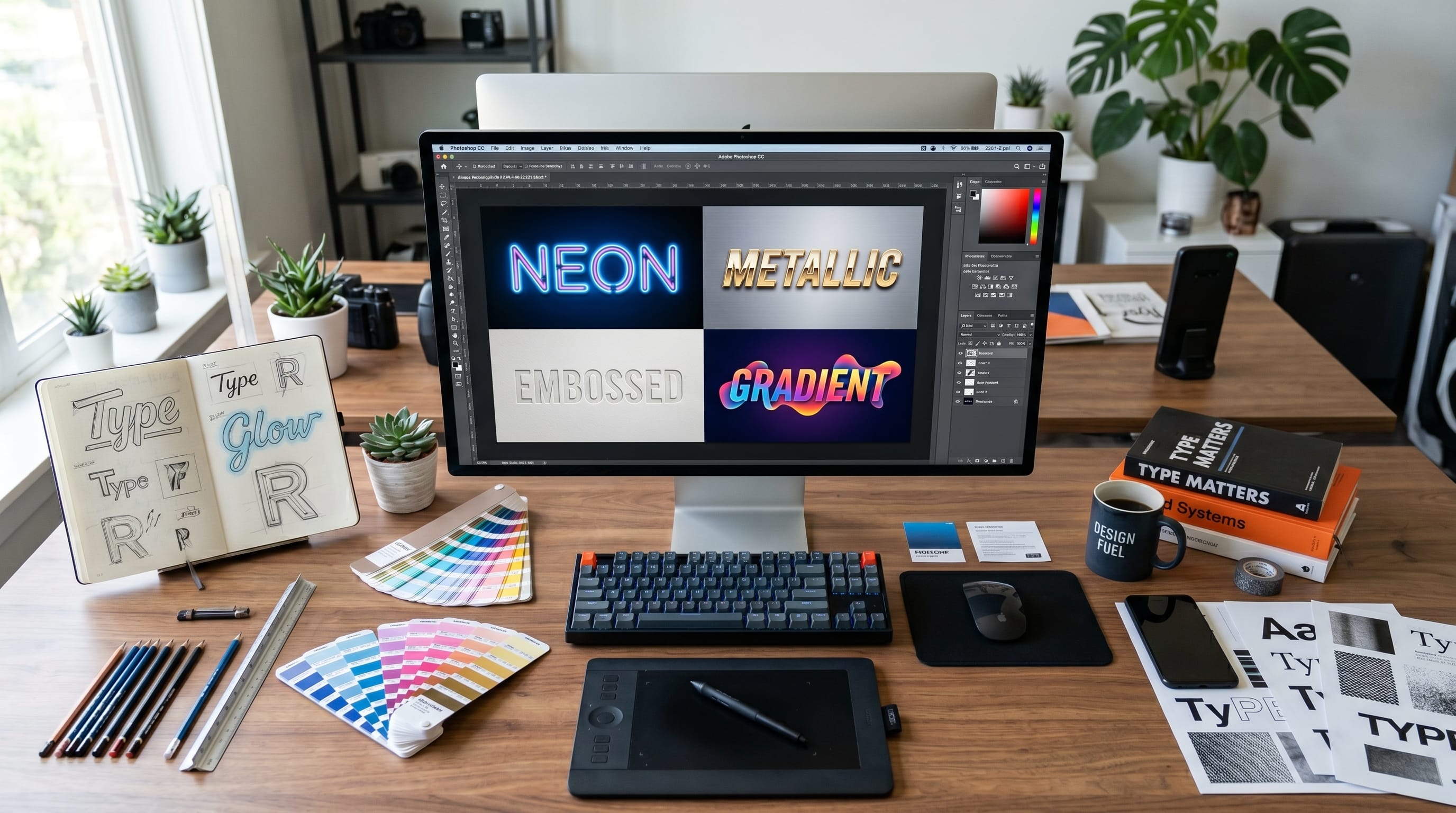
A professional Photoshop text effect tutorial can help designers transform ordinary typography into eye-catching visual elements. Whether designing posters, social media graphics, logos, advertisements, thumbnails, or branding materials, text effects play an important role in attracting attention and strengthening visual communication.
Typography is often one of the first elements people notice in a design. Strong text effects can enhance readability, create mood, establish brand identity, and improve overall design quality. This is why many designers actively search for a reliable Photoshop text effect tutorial that explains both creative techniques and practical workflows.
The best Photoshop text effect tutorial combines typography principles, layer styles, textures, blending modes, and creative experimentation. In this guide, you will learn essential Photoshop text effect techniques, practical examples, useful tools, and workflow tips that help achieve better design results.
Why Learn Photoshop Text Effects?
Typography remains a critical design skill.
A good Photoshop text effect tutorial helps designers:
- Improve visual impact
- Create unique typography
- Enhance branding projects
- Strengthen marketing materials
- Build professional portfolios
- Increase design versatility
Creative text effects often become the focal point of a design.
Understanding Typography Effects in Photoshop
Before creating effects, it helps to understand typography fundamentals.
Core Typography Elements
Good typography includes:
- Readability
- Hierarchy
- Contrast
- Spacing
- Consistency
Effects should enhance rather than reduce readability.
When to Use Text Effects
Text effects work well for:
- Posters
- Advertising campaigns
- Social media graphics
- Product packaging
- Event promotions
- YouTube thumbnails
Strategic use creates stronger visual communication.
Photoshop Text Effect Tutorial for 3D Typography
3D effects remain popular in graphic design.
Creating Basic 3D Text
Steps include:
- Create a text layer.
- Duplicate the layer.
- Offset the duplicate.
- Merge shadow layers.
- Apply gradients.
This Photoshop text effect tutorial technique creates depth and dimension.
Enhancing 3D Effects
Improve results using:
- Bevel and Emboss
- Drop Shadows
- Gradient Overlays
- Lighting effects
These enhancements create realistic typography.
Photoshop Text Effect Tutorial for Metallic Text
Metallic styles are popular for luxury branding.
Gold Text Effect
Create gold typography using:
- Gradient Overlay
- Bevel and Emboss
- Satin effects
- Highlight adjustments
Gold text often communicates luxury and sophistication.
Silver Text Effect
Silver typography works well for:
- Technology brands
- Corporate designs
- Premium packaging
Metallic styles remain versatile.
Photoshop Text Effect Tutorial for Neon Typography
Neon designs continue trending across social media.
Creating Neon Glow Effects
Steps include:
- Use bold typography.
- Apply Outer Glow.
- Add Color Overlay.
- Create duplicate glow layers.
Neon effects create strong visual energy.
Best Uses for Neon Typography
Popular applications include:
- Gaming graphics
- Music posters
- Event promotions
- Social media content
Neon text attracts attention quickly.
Also Read: Photoshop Tutorial for Professional Social Posts
Photoshop Text Effect Tutorial for Retro Typography
Vintage-inspired effects remain highly popular.
Retro Text Effect Workflow
Use:
- Warm color palettes
- Grain textures
- Vintage shadows
- Distressed effects
Retro typography creates nostalgic appeal.
Popular Retro Design Applications
Examples include:
- Festival posters
- Product packaging
- Apparel graphics
- Brand promotions
Retro styles often feel timeless.
Photoshop Text Effect Tutorial for Luxury Typography
Luxury branding often relies on refined typography.
Elegant Text Styling
Focus on:
- Minimal effects
- Premium spacing
- Metallic accents
- Sophisticated color palettes
Luxury typography emphasizes restraint and quality.
Luxury Design Examples
Applications include:
- Cosmetics packaging
- Jewelry branding
- Fashion campaigns
- Premium invitations
Elegant typography improves perceived value.
Photoshop Text Effect Tutorial for Social Media Graphics
Social media demands strong visual communication.
Instagram Typography Effects
Popular styles include:
- Bold headlines
- Gradient text
- Shadow effects
- Outline typography
These effects improve content visibility.
YouTube Thumbnail Text Effects
Successful thumbnails often use:
- Large typography
- High contrast
- Strong outlines
- Dramatic shadows
Visibility remains critical.
Photoshop Text Effect Tutorial for Poster Design
Posters often depend heavily on typography.
Event Poster Typography
Focus on:
- Strong hierarchy
- Readable headlines
- Balanced spacing
- Effective contrast
Typography should communicate information clearly.
Music Poster Text Effects
Popular effects include:
- Neon typography
- Distressed text
- 3D lettering
- Vintage styles
Music promotions often benefit from expressive typography.
Essential Photoshop Tools for Typography Effects
Understanding Photoshop tools improves efficiency.
1. Layer Styles
Popular options include:
- Drop Shadow
- Outer Glow
- Bevel and Emboss
- Color Overlay
Layer styles create most common text effects.
2. Blending Modes
Useful blending modes include:
- Overlay
- Soft Light
- Screen
- Multiply
These settings create unique visual results.
3. Smart Objects
Benefits include:
- Non-destructive editing
- Easy revisions
- Better workflow flexibility
Professional designers frequently use Smart Objects.
Also Read: Photoshop Poster Design Tips for Better Layout & Readability
Best Tools to Use Alongside Photoshop
Designers often combine multiple applications.
1. Adobe Illustrator
Best for:
- Vector typography
- Logo design
- Lettering projects
Illustrator complements Photoshop workflows.
2. Canva
Best for:
- Social media layouts
- Marketing graphics
- Quick design projects
Canva helps speed up production.
3. Adobe Fonts
Best for:
- Professional typography
- Font exploration
- Brand consistency
Typography quality directly affects final results.
4. ChatGPT
Best for:
- Design ideas
- Typography concepts
- Creative direction
- Marketing headlines
AI can accelerate brainstorming.
Recommended Photoshop Text Effect Workflow
1. Define the Design Goal
Determine:
- Audience
- Purpose
- Style direction
Clear objectives improve results.
2. Choose Appropriate Typography
Select fonts that match:
- Brand identity
- Design style
- Communication goals
Typography is the foundation.
3. Build the Base Layout
Focus on:
- Hierarchy
- Alignment
- Readability
Strong layouts support effects.
4. Apply Text Effects
Add:
- Shadows
- Gradients
- Textures
- Lighting effects
Effects should enhance communication.
5. Refine and Simplify
Remove unnecessary elements.
Clean designs often perform better.
6. Export for Final Use
Optimize exports for:
- Social media
- Websites
- Marketing materials
Proper exports ensure quality.
Common Typography Effect Mistakes
1. Overusing Effects
Too many effects can reduce readability.
Focus on clarity first.
2. Ignoring Typography Fundamentals
Effects cannot compensate for poor typography choices.
Always prioritize:
- Font selection
- Spacing
- Hierarchy
3. Poor Contrast
Low contrast reduces visibility.
Ensure text remains easy to read.
Future Trends in Photoshop Text Effects
Emerging trends include:
- AI-assisted typography
- 3D text effects
- Motion typography
- Experimental textures
- Dynamic gradients
These styles continue influencing graphic design.
Benefits of Following a Photoshop Text Effect Tutorial
Designers who master a Photoshop text effect tutorial often gain:
- Better typography skills
- Stronger portfolio projects
- Improved branding work
- Greater creative flexibility
- More professional design results
Typography remains one of the most valuable design skills.
Also Read: Photoshop Tutorial Photo Editing for Better Contrast
Conclusion
A well-structured Photoshop text effect tutorial helps designers create stronger typography, improve visual communication, and develop more engaging creative projects. Whether producing posters, social media graphics, advertisements, packaging, or branding materials, effective text effects can dramatically enhance design quality.
By mastering layer styles, textures, gradients, blending modes, and typography principles, designers can create eye-catching visuals that stand out in competitive markets. Following the techniques in this Photoshop text effect tutorial will help improve both creativity and professional design results.

For high-quality fonts to boost your income, check out DM Letter Studio. Our professional fonts are perfect for branding, marketing, and content creation. So, don’t miss this opportunity.