
How to Make Pinterest Pins That Get More Clicks and Saves
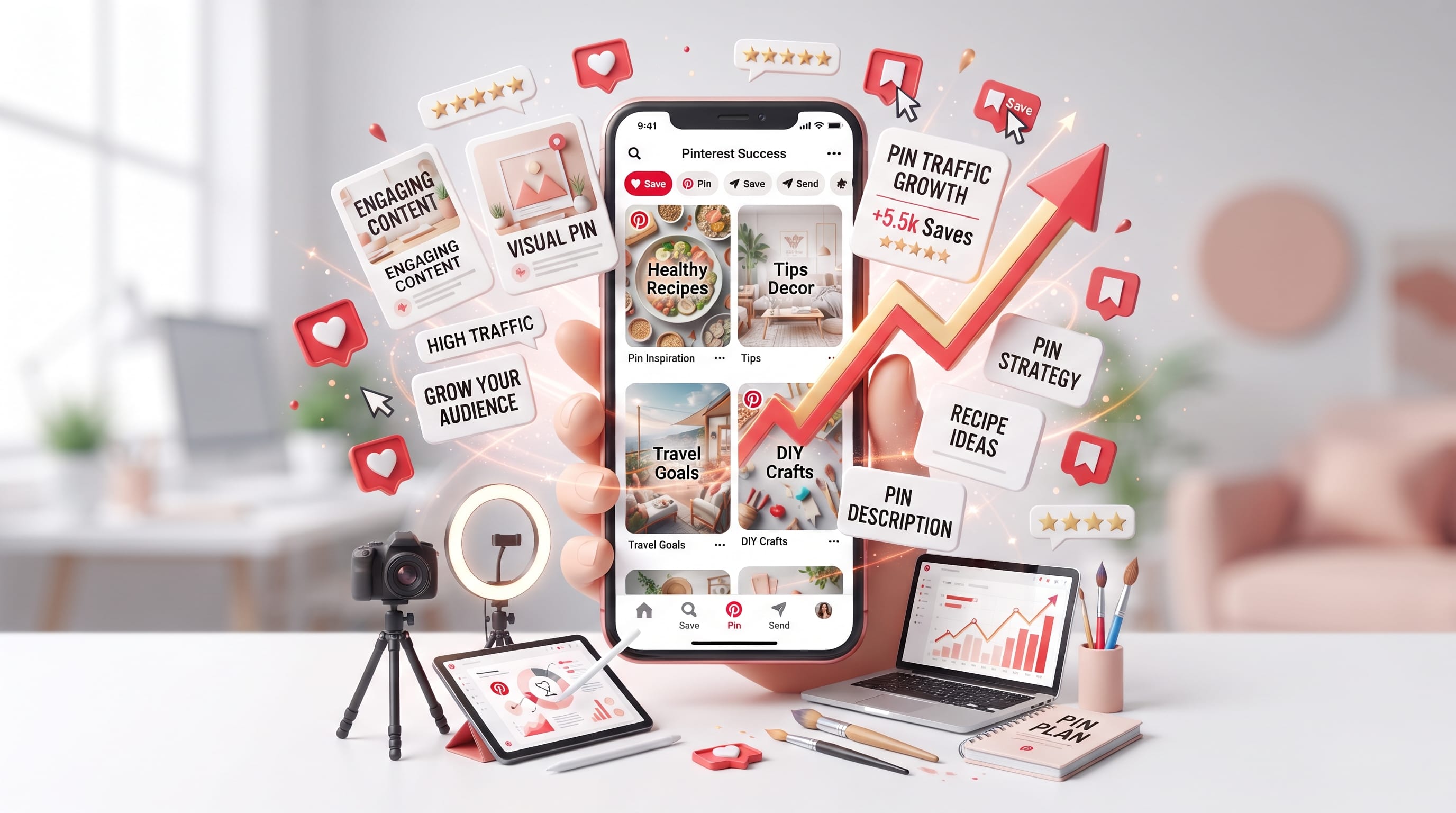
Creating effective Pinterest pins is not only about making attractive graphics. A successful Pin needs to catch attention, communicate an idea quickly, match what people are searching for, and give them a reason to save or click. For bloggers and creators, learning how these elements work together can turn Pinterest into a useful source of long-term content discovery and website traffic.
Pinterest works differently from many social platforms. People often visit it while actively searching for ideas, inspiration, products, tutorials, and solutions. Pinterest says content can be discovered through the home feed, search, related Pins, and shopping experiences.
That makes every Pin an opportunity to connect an existing piece of content with someone already interested in the subject.
Here is how to create Pinterest pins that are visually stronger, easier to understand, and more likely to generate clicks and saves.
1. Create Pinterest Pins in a Vertical Format
The first step is designing for the platform rather than simply reusing graphics from somewhere else.
Pinterest recommends a vertical 2:3 aspect ratio, with 1000 × 1500 pixels given as a recommended size for standard image creative. Taller proportions may be cut off in feeds.
A vertical format gives your content more useful space for:
- Photography
- Headlines
- Supporting text
- Branding
- Visual details
For bloggers, 1000 × 1500 pixels is a practical starting point.
You can build several reusable templates at this size and change the photo, headline, and colors for each new article.
2. Give Every Pinterest Pin One Clear Idea
A Pin should communicate its main idea within seconds.
Avoid trying to explain the entire article on the graphic.
Instead, choose one clear promise.
For example, if your article is:
25 Small Bedroom Ideas to Make Your Space Look Bigger
your Pin headline might simply say:
25 Small Bedroom Ideas
or:
Small Bedroom Ideas That Make a Room Feel Bigger
The purpose of the Pin is to create enough interest for someone to either save the idea or visit the article.
Strong Pinterest pins usually have a clear visual hierarchy rather than several competing messages.
3. Write Pin Headlines People Can Understand Quickly
Your headline is often the most important text on the design.
Make it specific.
Compare these two headlines:
Bedroom Inspiration
and:
21 Small Bedroom Ideas for a Cozy Space
The second immediately explains what the user will receive.
Useful headline structures include:
- 25 Ideas for…
- How to…
- Beginner Guide to…
- Best Ways to…
- Easy Tips for…
- 15 Examples of…
- Simple Ideas for…
- Complete Guide to…
Numbers can work well when the article genuinely contains a list.
Tutorial language can work well when the reader wants to accomplish something.
The goal is clarity before cleverness.
4. Make Pinterest Pins Easy to Read on Mobile
Pinterest says most people use the platform on mobile devices, which is one reason it recommends designing vertically.
Your typography should therefore remain readable on a small screen.
Avoid:
- Tiny headlines
- Excessively thin fonts
- Long paragraphs
- Low-contrast lettering
- Too many font styles
- Text placed over busy areas of a photo
Try using one strong headline font and one supporting font.
A simple hierarchy could be:
- Main headline: large and bold
- Supporting phrase: smaller
- Brand or website: small but readable
Before publishing, zoom the graphic down.
If the headline becomes difficult to read, make it larger or simplify it.
5. Use Images That Explain the Topic
Strong Pinterest pins often give viewers an immediate visual understanding of the topic.
For example:
- Recipe article: show the finished food.
- Bedroom article: show the bedroom.
- Gardening article: show the garden, plant, or project.
- Graphic design tutorial: show the design process or result.
- Packaging article: show the packaging.
Avoid choosing a beautiful image that has little connection with the page.
Pinterest emphasizes strong visual content and recommends making the primary product or subject prominent rather than relying on unrelated abstract imagery.
The visual should support the headline.
When both communicate the same idea, the Pin becomes easier to understand.
6. Use Contrast to Make Pinterest Pins Stand Out
Pinterest feeds contain many images competing for attention.
Contrast can help important elements become more visible.
You can create contrast through:
- Light text on a dark image
- Dark text on a light background
- Large headlines beside smaller text
- Simple backgrounds behind typography
- Different font weights
- Clear spacing
However, bright colors are not automatically better.
A neutral home decor Pin can perform visually without using neon colors if the photography is strong and the headline is easy to read.
Design for your audience and topic.
A gardening Pin may use natural greens and warm neutrals, while a technology tutorial may use a cleaner and more structured visual direction.
Also Read: WordPress Website Tutorial Step by Step for New Users
7. Add Relevant Keywords to Pinterest Pins
Pinterest is also a discovery and search platform.
Pinterest recommends adding relevant keywords to Pin titles and descriptions so its systems can better understand the content and show it in appropriate contexts.
Suppose your blog post targets:
small bedroom ideas
Related terms might include:
- small bedroom decor
- bedroom storage ideas
- small room design
- cozy bedroom ideas
- bedroom organization
Your Pin title could be:
21 Small Bedroom Ideas for a Cozy and Organized Space
Then write a natural description that explains what the reader will find.
Avoid simply repeating the same keyword many times.
Pinterest SEO works better when the text clearly describes the content.
8. Optimize Pinterest Pin Titles
Pinterest currently allows Pin titles of up to 100 characters, while its creative specifications note that the first 40 characters are most likely to appear.
That means important words should appear early.
Instead of:
Looking for Inspiration? Here Are Some Beautiful Small Bedroom Ideas
try:
Small Bedroom Ideas for a Cozy and Stylish Space
The second version puts the key topic immediately at the front.
Good Pin titles should be:
- Descriptive
- Relevant
- Easy to scan
- Naturally keyword-focused
- Closely connected to the destination page
Do not use a headline that promises something the article does not provide.
9. Write Useful Pin Descriptions
Pinterest permits descriptions of up to 500 characters for standard image Pins.
You do not necessarily need to use every character.
Instead, explain:
- What the content contains
- Who it is useful for
- What problem it helps solve
- Relevant topic keywords
For example:
Discover practical small bedroom ideas for creating a cozy, organized, and stylish space. Explore layout tips, storage solutions, colors, furniture ideas, and simple decorating inspiration for small rooms.
This is more useful than:
Check out this amazing post! Click now!
Descriptive language gives both the reader and Pinterest more context.
10. Give People a Reason to Save Your Pins
Clicks and saves represent different user intentions.
Someone may click because they want the answer immediately.
Someone may save because the idea could be useful later.
Pinterest describes saves as a signal that content is useful and inspiring and recommends encouraging saves with relevant calls to action.
Content that naturally has save potential includes:
- Recipes
- Checklists
- Tutorials
- Decorating ideas
- Quotes
- Travel plans
- Templates
- Seasonal inspiration
- DIY projects
- Reference guides
Create Pinterest pins around content people may want to return to.
You can occasionally use simple language such as:
Save for later
or:
Save these ideas
when it fits naturally.
11. Create Pinterest Pins That Encourage Clicks
If your main goal is blog traffic, give users enough information to create curiosity without putting the entire article on the Pin.
For example:
Weak:
Everything You Need to Know About Spring Decor
Stronger:
25 Spring Decor Ideas to Refresh Your Home
The second headline communicates a clear benefit while leaving the actual ideas on the website.
A blog Pin can also use phrases such as:
- Step-by-Step Guide
- See All 25 Ideas
- Complete Tutorial
- Beginner Guide
- Easy Makeover Ideas
- Before and After Ideas
Keep the promise accurate.
Clickbait may generate occasional clicks, but it can damage trust when the landing page does not match the Pin.
12. Add Your Website URL to Every Relevant Pin
Pinterest recommends adding a destination URL to make Pins actionable and send users back to your website.
For bloggers, make sure the link leads directly to the article represented by the graphic.
Do not send every Pin to the homepage.
If the Pin says:
20 Spring Bedroom Decor Ideas
the destination should be the spring bedroom decor article.
This creates a smooth path from discovery to content.
Also Read: Ecommerce Tutorial: Start a Successful Online Store
13. Keep Branding Visible but Subtle
Your Pin can also help people recognize your website over time.
Pinterest recommends making a brand name or logo visible while ensuring it does not dominate the creative.
For bloggers, this could simply mean adding:
yourwebsite.com
at the bottom of the design.
Keep the branding small and consistent.
You do not need a huge logo.
The topic and visual should remain the main focus.
14. Create Multiple Pinterest Pins for One Article
One blog article can support several Pin designs.
For example, an article called:
25 Patio Ideas to Create a Beautiful Outdoor Living Space
could generate:
- Pin 1
25 Beautiful Patio Ideas - Pin 2
Patio Ideas for a Cozy Outdoor Space - Pin 3
Outdoor Patio Ideas You’ll Want to Save - Pin 4
Simple Ways to Make Your Patio Look Better
You can also test different:
- Photos
- Headlines
- Layouts
- Typography
- Crops
This gives you more opportunities to learn which presentation attracts your audience.
Avoid making every variation nearly identical. Give each Pin a meaningful visual or messaging difference.
15. Publish Pinterest Pins Consistently
Consistency gives you more opportunities to build a useful library of discoverable content.
Pinterest‘s current business guidance recommends creating new original Pins regularly, with at least once a week given as a baseline, and also supports scheduling Pins in advance.
For an active blog, you might create several Pin variations for each new article and distribute them through an organized publishing schedule.
The exact number matters less than maintaining quality and consistency.
Do not flood Pinterest with hundreds of weak graphics simply to increase volume.
16. Organize Pinterest Pins Into Relevant Boards
Boards provide additional context for your content.
Pinterest recommends giving boards clear, descriptive names to improve discovery.
Instead of vague names such as:
My Favorites
consider:
- Small Bedroom Ideas
- Modern Home Decor
- Backyard Ideas
- Spring Decorating Ideas
- Blogging Tips
The board title should clearly communicate the subject.
Also keep Pins relevant to the board where they are saved.
17. Study Which Pinterest Pins Perform Best
Do not assume you know which design will win.
Use Pinterest Analytics to study performance.
Important signals can include:
- Impressions
- Saves
- Pin clicks
- Outbound clicks
- Engagement
If a Pin receives many impressions but very few clicks, the topic may be interesting but the headline or visual may not create enough motivation to visit the page.
If it earns many saves, the content may have strong future-use value.
Compare your strongest and weakest Pinterest pins.
Look for patterns involving:
- Headline style
- Photo
- Topic
- Color
- Layout
- Season
- Content format
Then use those patterns to improve future designs.
A Simple Pinterest Pin Formula for Bloggers
You can simplify your workflow with one basic formula:
Strong vertical image + clear headline + relevant keyword + recognizable branding + useful destination page
Then ask five questions before publishing:
- Can I understand the topic in two seconds?
- Can I read the headline on mobile?
- Does the image match the content?
- Does the Pin lead to the correct page?
- Would someone want to save or click this idea?
If all five answers are yes, the Pin is ready for testing.
Common Pinterest Pin Design Mistakes
Even attractive Pinterest pins can underperform when basic strategy is missing.
Common mistakes include:
- Using horizontal graphics
- Making text too small
- Adding too many fonts
- Writing vague headlines
- Using unrelated stock photos
- Ignoring Pinterest keywords
- Linking to the wrong page
- Overloading the design
- Publishing only one Pin per article
- Never checking analytics
- Using identical designs for every topic
You do not need complicated graphic design.
Clarity usually matters more.
Also Read: Mobile Photography Tutorial for Creators Who Want Better Photos
Final Thoughts on Creating Better Pinterest Pins
Successful Pinterest pins combine useful content, strong visuals, clear typography, relevant keywords, and a reason to take action.
Start with a vertical format and one clear idea. Write a headline that tells users exactly what they will discover. Choose imagery that supports the subject, add natural keywords to your title and description, and link directly to the relevant article.
Then create multiple thoughtful variations and track which ones earn the most saves and clicks.
Most importantly, think about what the Pinterest user wants.
They are often planning, learning, collecting ideas, or looking for inspiration. Create Pinterest pins that help them do one of those things well.
When your Pin provides immediate visual value while promising something useful on the destination page, it has a much stronger foundation for earning both saves and clicks.

For high-quality fonts to boost your income, check out DM Letter Studio. Our professional fonts are perfect for branding, marketing, and content creation. So, don’t miss this opportunity.