
Best Technology for Creators to Work Smarter and Faster
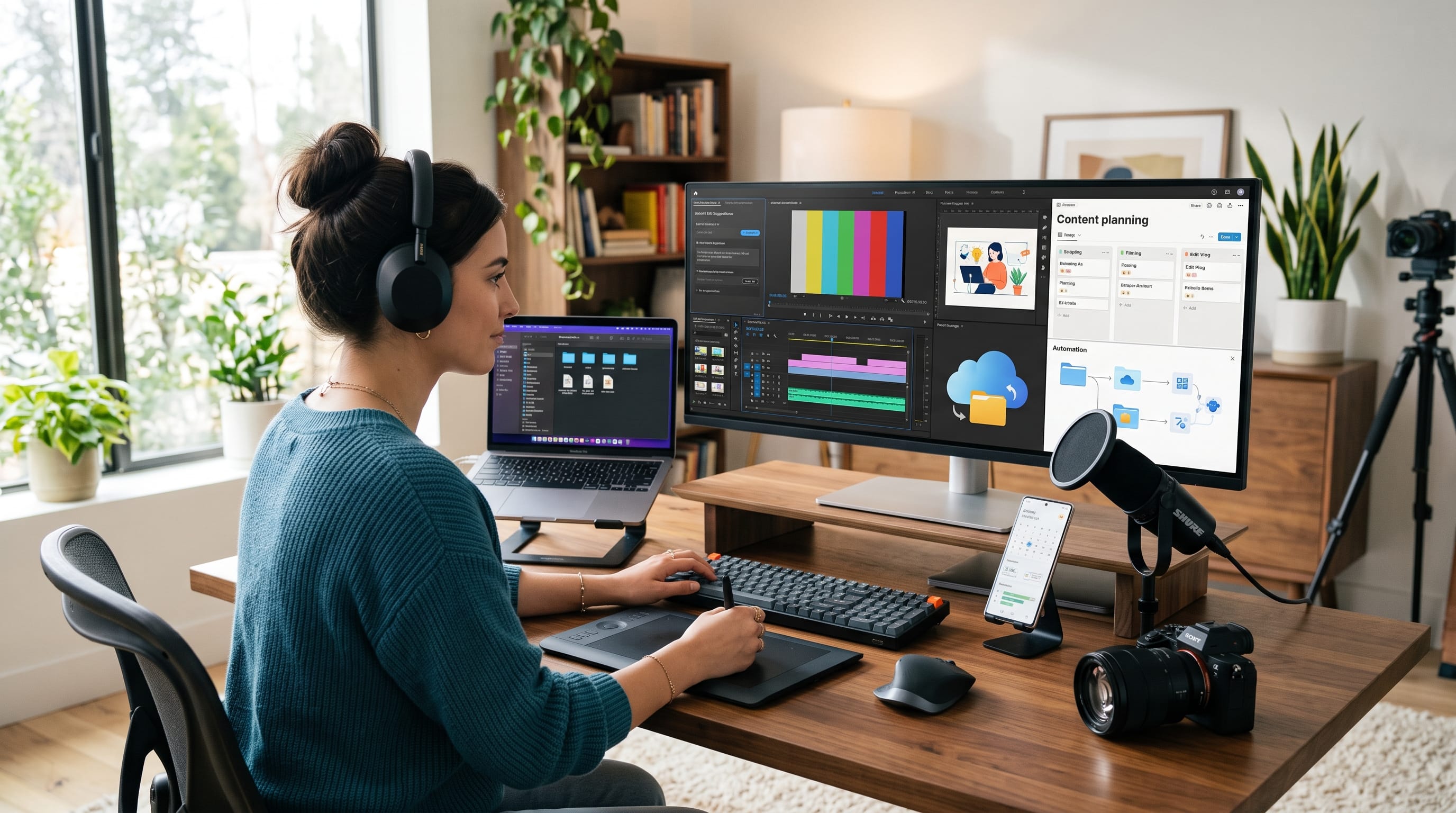
Technology for creators can make content production faster, more organized, and easier to scale. Modern creators often manage far more than the creative work itself. They may research topics, write scripts, design graphics, record video, edit audio, publish across several platforms, communicate with sponsors, track analytics, and organize future content.
The right technology can reduce the amount of repetitive work behind these tasks.
In 2026, creator tools are also becoming more integrated with artificial intelligence. Canva has introduced Canva AI 2.0 as a conversational and agentic creative environment with editable generated designs, scheduling, research, brand intelligence, and other connected workflows. Adobe has similarly expanded Firefly into a broader creative AI studio with agentic assistance and tools designed to reduce switching between applications.
However, creators do not need every new platform.
The best technology for creators solves specific workflow problems. A YouTuber may prioritize video editing and thumbnail production, while a blogger may need stronger research, writing, SEO, image creation, and scheduling tools.
This guide covers practical technology categories that can help content creators work smarter without turning their workflow into a complicated collection of subscriptions.
Why Technology for Creators Matters
Content creation involves several stages.
A typical workflow might include:
- Research
- Planning
- Writing
- Recording
- Editing
- Designing
- Publishing
- Promotion
- Analytics
Handling all of these tasks manually can become difficult as publishing volume grows.
The right technology for creators can help:
- Organize ideas
- Reduce repetitive editing
- Speed up content production
- Improve visual consistency
- Store files securely
- Schedule content
- Analyze performance
- Repurpose existing work
- Collaborate with others
Technology becomes most valuable when it removes friction from a workflow that already has a clear purpose.
1. AI Assistants for Creator Workflows
AI assistants have become useful across many parts of content creation.
Creators can use them to help with:
- Topic brainstorming
- Outlining
- Research planning
- Script development
- Caption variations
- Content repurposing
- Summaries
- Idea expansion
The key is treating AI as an assistant rather than an automatic replacement for creative judgment.
Research on AI-assisted creative workflows has repeatedly found that human review remains important because AI suggestions can contain errors or weak creative choices. One study of AI-assisted journalism found that creators benefited from AI as a creative starting point but still needed editorial judgment to refine outputs.
For practical technology for creators, AI works best when it speeds up the first draft while the creator controls the final result.
2. Canva for Fast Visual Content
Canva remains useful for creators who regularly need:
- Social posts
- Thumbnails
- Presentations
- Media kits
- Carousels
- Posters
- Brand templates
In 2026, Canva introduced Canva AI 2.0 with conversational design, editable layered outputs, scheduling, brand intelligence, web research, and other connected workflows.
This makes it useful not only as a design application but also as a broader content-production environment.
Creators who publish frequently can save time by building reusable templates rather than designing every post from scratch.
3. Adobe Firefly for AI-Assisted Creative Production
Adobe Firefly is another major example of how technology for creators is becoming more consolidated.
Adobe has expanded Firefly into an AI creative studio that brings ideation, generation, editing, and production closer together. Its 2026 updates include an AI Assistant in beta and broader agentic capabilities designed to reduce tool switching.
Creators can use tools in this category for:
- Image generation
- Concept development
- Visual experimentation
- Asset variations
- Background changes
- Creative production
This can be particularly useful for designers, marketers, photographers, and content teams already working inside the Adobe ecosystem.
4. Video Editing Technology for Creators
Video is one of the most demanding forms of content because it combines:
- Footage
- Audio
- Graphics
- Captions
- Music
- Timing
Traditional editing can take hours.
Modern video-editing tools increasingly automate parts of the workflow.
Descript, for example, allows creators to edit video and audio through a transcript-style interface. Its current editor includes text-based editing, AI tools, automated media features, and an AI-powered co-editor called Underlord.
This style of editing can be especially useful for:
- Podcasts
- Talking-head videos
- Tutorials
- Interviews
- Educational content
5. AI Video Generation and Editing
AI video tools can also help creators produce rough drafts and supporting media.
Descript’s AI Video Maker can currently generate an editable video from a prompt, script, or uploaded footage, including script, voiceover, visuals, and optional avatar elements.
Its AI visual tools can also help with:
- Automatic framing
- Eye contact correction
- Background removal
- B-roll
- Multicam switching
- Generated media
These capabilities do not eliminate the need for editing.
Instead, they can shorten the path between an idea and a first usable draft.
6. Audio Technology for Creators
Clear audio is often more important than perfect video quality.
Creators producing:
- Podcasts
- Tutorials
- Interviews
- Courses
- Voiceovers
should prioritize a reliable audio workflow.
Useful technology includes:
- USB microphones
- Audio interfaces
- Noise reduction
- Transcription
- Level normalization
- Speech enhancement
AI-based audio cleanup can help creators reduce background noise and improve recordings without extensive engineering knowledge.
However, good microphone placement and a quiet recording environment still make a major difference.
7. Smartphone Technology for Content Creation
A dedicated camera is not always necessary.
Modern smartphones can handle:
- Video recording
- Photography
- Short-form content
- Live streaming
- Voice recording
For many creators, the smartphone is already the most practical camera because it is always available.
Useful accessories may include:
- Tripod
- Small light
- External microphone
- Portable battery
- Storage adapter
This is one example of technology for creators where better accessories and workflow can matter more than buying the most expensive equipment.
8. Cloud Storage for Creator Files
Content creation produces large amounts of data.
Creators may accumulate:
- Raw video
- Edited videos
- Photographs
- Audio
- Graphics
- Thumbnails
- Brand assets
- Contracts
Cloud storage can help organize and protect these files.
A simple folder structure might look like:
- Raw
- Edit
- Thumbnail
- Published
Brand Assets
- Logo
- Fonts
- Colors
- Templates
Sponsors
- Contracts
- Campaigns
Organized storage becomes increasingly important as a creator’s library grows.
9. Backup Technology for Creators
Creators should not keep important work in only one location.
A failed drive or accidentally deleted folder can erase hours of work.
A safer system may include:
- Local working drive
- External backup
- Cloud copy
Automatic backup is especially useful.
The more valuable your content library becomes, the more seriously backups should be treated.
10. Content Planning Technology
Planning technology helps creators organize:
- Ideas
- Publishing dates
- Scripts
- Sponsors
- Campaigns
- Content series
Tools such as Notion, Trello, Asana, or similar project systems can work well.
A simple content board could use:
Ideas → Research → Drafting → Editing → Scheduled → Published
The system should be simple enough that maintaining it does not become another job.
Also Read: Technology Tools for Students to Learn More Efficiently
11. Calendar Technology for Creators
A publishing calendar helps creators avoid producing everything at the last minute.
Use a calendar to schedule:
- Recording days
- Editing sessions
- Sponsorship deadlines
- Social posts
- Blog publishing
- Product launches
Creators working across several channels can also use color-coded calendars for different platforms.
Consistent scheduling makes technology for creators more useful because tools become part of an organized process rather than isolated applications.
12. Social Media Scheduling Tools
Scheduling platforms can reduce the need to manually publish every post.
They may support:
- Content queues
- Scheduled publishing
- Calendar views
- Platform previews
- Analytics
Some platforms also provide native scheduling.
Choose the simplest system that supports your actual channels.
A creator publishing on two platforms may not need an enterprise social-media management suite.
13. Thumbnail Design Technology
Thumbnails can strongly influence whether viewers notice video content.
Creators need tools that allow them to quickly combine:
- Photography
- Large typography
- Background removal
- Color adjustments
- Graphic elements
Reusable thumbnail templates can speed up production while preserving channel consistency.
For example, create three repeatable layouts:
- Face + headline
- Product + comparison text
- Large visual + short title
This reduces design decisions for every new video.
14. Photo Editing Technology for Creators
Photo-editing tools remain important for:
Creators may need:
- Exposure correction
- Cropping
- Color grading
- Object removal
- Background cleanup
AI can speed up technical edits, but maintaining a consistent visual style is still a creative decision.
Create reusable presets or editing guidelines to keep content recognizable.
15. Screen Recording Technology
Tutorial creators often need to record:
- Software walkthroughs
- Design tutorials
- Presentations
- Website demonstrations
Screen-recording tools can capture the display while recording voice narration.
Useful features include:
- Webcam overlay
- Cursor highlighting
- Audio recording
- Resolution controls
- Easy trimming
This category of technology for creators is especially important for educators and software-focused channels.
16. Live Streaming Technology for Creators
Live streaming can help creators interact directly with their audience.
A basic setup may include:
- Computer
- Camera
- Microphone
- Lighting
- Streaming software
- Reliable internet
Do not overbuild the setup initially.
Audio quality and connection stability usually matter more than complicated animated overlays.
17. Email Marketing Technology
Creators should consider building an audience they can communicate with directly.
An email list can support:
- New content
- Product launches
- Courses
- Newsletters
- Sponsorships
- Promotions
Unlike social followers, email subscribers are not completely dependent on one platform’s recommendation algorithm.
This makes email technology particularly valuable for creators building long-term businesses.
18. Website Technology for Creators
A personal website can become a central home for a creator’s work.
It may include:
- Portfolio
- Blog
- About page
- Contact form
- Media kit
- Products
- Newsletter
Platforms such as WordPress and hosted website builders can make creation easier without requiring advanced development knowledge.
Creators should prioritize:
- Mobile speed
- Clear navigation
- Professional branding
- Easy contact options
19. Analytics Technology for Creators
Analytics can help creators understand which content deserves more attention.
Useful metrics include:
- Views
- Watch time
- Click-through rate
- Engagement
- Traffic sources
- Conversion
- Subscriber growth
Do not chase every number.
A creator selling digital products may care more about conversions than total views.
The right technology for creators helps identify business outcomes rather than simply producing dashboards.
20. Automation Technology for Creators
Automation becomes useful when the same process happens repeatedly.
For example:
When a blog post publishes:
- Add it to a content database.
- Create a social task.
- Notify the team.
- Add the URL to a tracking sheet.
Automation platforms and built-in app integrations can handle workflows like this.
Start with repetitive administrative tasks rather than important creative decisions.
Also Read: Ecommerce Technology Trends Every Small Business Should Know
21. Digital Product Technology
Creators can also use technology to sell:
- Templates
- Fonts
- Presets
- Courses
- Ebooks
- Printables
- Digital art
Useful technology may include:
- Ecommerce platforms
- Digital delivery
- Payment processing
- License management
- Email automation
Digital products can help creators diversify beyond advertising and sponsorship income.
22. Collaboration Technology for Creator Teams
As creators grow, they may work with:
- Editors
- Designers
- Writers
- Managers
- Virtual assistants
Collaboration tools can reduce confusion around:
- File versions
- Deadlines
- Feedback
- Approvals
Use one primary project system and one clear communication channel.
Too many collaboration applications can slow a small team down.
23. Brand Asset Management
Creators who publish frequently should maintain a basic brand library.
Store:
- Logos
- Fonts
- Colors
- Thumbnail templates
- Social templates
- Intro graphics
- Sponsor assets
This helps preserve consistency when another designer or editor joins the workflow.
It also reduces time spent searching for the correct files.
24. Creator Hardware That Actually Matters
Software receives most of the attention, but hardware still matters.
A practical creator setup may include:
- Reliable laptop or desktop
- Smartphone or camera
- Microphone
- External storage
- Lighting
- Headphones
Upgrade equipment based on workflow limitations.
If your computer already edits video smoothly, buying another camera may provide more value than replacing the computer.
Avoid upgrading simply because a new device has launched.
How to Choose Technology for Creators
Before paying for another tool, ask:
What Problem Does It Solve?
For example:
“Editing captions takes too long.”
How Often Will I Use It?
Daily tools can justify higher costs than applications used twice a year.
Does It Replace Another Tool?
Consolidation can reduce subscription costs.
Does It Fit My Existing Workflow?
Changing tools constantly can reduce productivity.
Will It Save Meaningful Time?
Measure the actual benefit.
The best technology for creators makes the workflow simpler rather than adding another dashboard.
Build a Simple Creator Technology Stack
A solo creator may start with a relatively small stack.
Planning
Notion, Trello, or another simple project system
Writing and Research
AI assistant + document editor
Visual Design
Video
Descript or traditional editing software
Storage
Cloud storage + backup
Publishing
Native platform tools or scheduler
Analytics
Platform analytics + website analytics
You do not need three tools performing the same job.
AI Technology for Creators Still Needs Human Review
AI is becoming more capable, but creative judgment remains essential.
Creators should review:
- Facts
- Tone
- Brand consistency
- Visual quality
- Copyright issues
- Audience relevance
Academic research on generative AI use by content creators shows that AI has increasingly become part of workflows across YouTube, TikTok, Instagram, and blogging, while its applications span images, videos, text, and other content types.
The strongest workflow is usually:
Human idea → AI assistance → human editing → publication
rather than fully automated creation.
Avoid Creator Technology Subscription Overload
A creator might subscribe to:
- Writing AI
- Image AI
- Video AI
- Scheduler
- SEO software
- Storage
- Editing
- Analytics
- Email marketing
Individually, each may seem affordable.
Together, the monthly cost can become substantial.
Every few months, review:
- What did I actually use?
- Which tool saved the most time?
- Which features overlap?
- Could one platform replace two others?
As platforms become more integrated, consolidation may become increasingly practical.
Protect Your Creator Accounts
Creator accounts can become valuable business assets.
Protect:
- YouTube
- Social accounts
- Websites
- Ecommerce accounts
- Cloud storage
Use:
- Unique passwords
- Password manager
- Multi-factor authentication
- Backup recovery methods
Avoid sharing passwords directly with contractors.
Use role-based account access whenever platforms support it.
Common Technology for Creators Mistakes
Buying Every New Tool
New does not automatically mean useful.
Automating Creativity Too Much
Audiences often follow creators for individual personality and perspective.
Ignoring File Organization
A chaotic content library wastes time.
Using Too Many Platforms
Focus on channels you can maintain properly.
Neglecting Backups
Protect your creative archive.
Ignoring Security
Creator accounts can have significant financial and audience value.
Obsessing Over Equipment
Better ideas and consistent publishing often matter more than expensive hardware.
Failing to Measure Results
Technology should produce a clear benefit.
Technology for Creators Checklist
Before adding technology to your workflow, ask:
- Does it solve a real problem?
- Will I use it regularly?
- Does it reduce repetitive work?
- Does it improve content quality?
- Is the price sustainable?
- Does it integrate with existing tools?
- Is my data protected?
- Does it replace another subscription?
- Is learning the software worth the time?
- Can I measure the benefit?
If the answer to most of these questions is unclear, you may not need the tool yet.
Also Read: Best Cybersecurity Technology Solutions for Small Businesses
Final Thoughts on Technology for Creators
The best technology for creators helps turn ideas into finished work with less friction.
In 2026, creative platforms are increasingly moving toward connected AI-assisted environments. Canva AI 2.0 now combines conversational creation with editable layered design and connected workflows, while Adobe is building Firefly into a broader AI studio designed to bring more of the creative process into one environment. Descript continues the same general direction in video by combining text-based editing with automated AI production tools.
However, creators should resist the urge to build an unnecessarily complicated technology stack.
Start with the workflow.
Identify where time is being lost, then choose tools that remove those specific bottlenecks.
Use AI for research support, brainstorming, drafts, repurposing, and repetitive production work. Use design technology to maintain visual consistency. Use automation for predictable administrative tasks. Protect valuable content through reliable storage, backups, and strong account security.
Most importantly, remember that technology for creators should support creativity rather than dictate it.
When tools handle repetitive production work effectively, creators gain more time for the work technology cannot easily replace, developing original ideas, understanding audiences, building trust, creating distinctive perspectives, and deciding what is worth publishing in the first place.

For high-quality fonts to boost your income, check out DM Letter Studio. Our professional fonts are perfect for branding, marketing, and content creation. So, don’t miss this opportunity.