
How to Design a WordPress Blog That Looks Professional
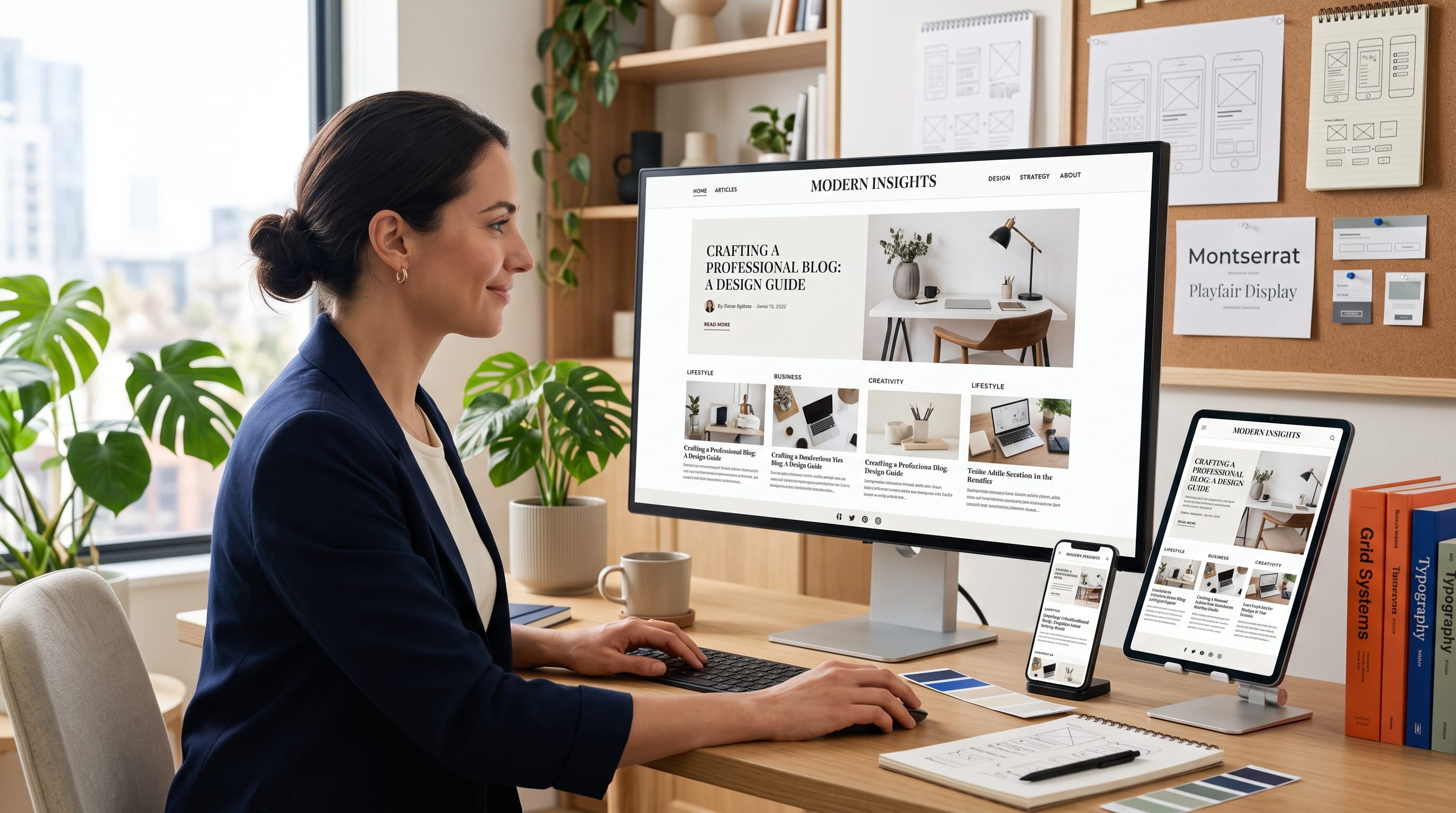
Learning how to design a WordPress blog professionally can help you build credibility, improve readability, and encourage visitors to explore more of your content. WordPress provides themes, blocks, templates, plugins, and visual editing tools, but installing these tools alone does not guarantee a polished website.
A professional blog needs a clear structure, consistent branding, readable typography, purposeful images, intuitive navigation, and a layout that works across desktop and mobile screens. Every design decision should support the content instead of distracting readers from it.
Beginners often focus heavily on decorative features, animations, and homepage sections. However, professional blog design usually depends more on simplicity, spacing, consistency, and usability. Readers should be able to identify the blog’s topic, locate articles, understand the navigation, and read comfortably without unnecessary confusion.
This guide explains how to design a WordPress blog step by step, from defining the visual direction and choosing a theme to improving article layouts, categories, performance, and mobile usability.
Why Professional WordPress Blog Design Matters
Your blog design creates an impression before visitors begin reading.
A professional layout can help you:
- Establish credibility
- Communicate the blog topic
- Improve content readability
- Strengthen brand recognition
- Increase page exploration
- Support search visibility
- Encourage newsletter signups
- Improve advertising placement
- Create a better mobile experience
- Prepare the website for long-term growth
An outdated, crowded, or confusing design may cause visitors to leave even when the content is useful.
Professional design does not mean the website needs expensive animation or custom development. It means every visual and functional element feels intentional.
When you design a WordPress blog, prioritize the reader’s experience before adding decorative features.
1. Define the Blog’s Purpose and Audience
Begin by defining what the blog covers and who it serves.
Possible blog topics include:
- Technology
- Business
- Home décor
- Food
- Travel
- Pets
- Personal finance
- Graphic design
- Marketing
- Lifestyle
A technology blog may need a clean, structured, and modern layout. A home décor blog may use warm photography, elegant typography, and soft natural colors. A business publication may benefit from strong headings, clear data visuals, and professional navigation.
Ask these questions:
- What topics will the blog publish?
- Who is the ideal reader?
- What information are they looking for?
- Should the brand feel formal, friendly, creative, or premium?
- Will the blog earn through advertising, affiliate links, products, or services?
- What action should readers take after finishing an article?
These answers will guide the design direction.
2. Choose a Lightweight WordPress Theme
The theme controls much of the blog’s layout and visual appearance.
Choose a theme that offers:
- Responsive design
- Readable typography
- Flexible colors
- Blog archive layouts
- Customizable headers
- Footer options
- Fast performance
- Compatibility with the block editor
- Regular updates
- Reliable support
Avoid choosing a theme only because its demo looks impressive. Demo websites often use carefully selected images and content that may not match your blog.
Review how the theme handles:
- Homepage
- Category archives
- Individual articles
- Search results
- Author pages
- Mobile menus
- Comments
- Footer widgets
A theme should provide a strong foundation without forcing you to install many additional plugins.
One of the most important steps when you design a WordPress blog is selecting a theme that remains simple to manage.
3. Create a Clear Brand Identity
A professional blog needs a consistent visual identity.
Define:
- Logo
- Primary color
- Secondary color
- Accent color
- Heading font
- Body font
- Button style
- Image style
- Icon style
Avoid selecting colors and fonts separately for every page.
A practical color system may include:
- One primary brand color
- One supporting color
- One call-to-action color
- One dark text color
- One or two neutral backgrounds
For example, a home and lifestyle blog could use cream, sage green, warm brown, and charcoal. A technology blog might use navy, bright blue, white, and light gray.
Consistency makes the blog easier to recognize across articles, social media graphics, email newsletters, and advertisements.
4. Use a Simple and Recognizable Logo
The logo should remain readable inside the website header and on mobile screens.
A blog logo may use:
- Wordmark
- Monogram
- Symbol and text
- Simple editorial masthead
- Creator name
Avoid logos with extremely thin details, long taglines, or complicated decorative elements.
Prepare several logo versions:
- Horizontal logo for the header
- Compact logo for mobile
- Square mark for social media
- Favicon for browser tabs
- White version for dark backgrounds
Make sure the logo has enough empty space around it and is not displayed too large.
The content should remain the main focus of the blog.
5. Build a Professional Header
The header is one of the most visible parts of a WordPress blog.
It commonly includes:
- Logo
- Main navigation
- Search button
- Social icons
- Newsletter or contact button
- Mobile menu
Keep the header clean and easy to understand.
A practical navigation menu might contain:
- Home
- Categories
- About
- Contact
- Guest Post
- Search
Blogs with several categories may use a dropdown menu or a separate category page.
Avoid placing too many links in the main navigation. Secondary pages such as Privacy Policy, Terms, Disclaimer, and Sitemap can appear in the footer.
When you design a WordPress blog, test whether the header remains usable on small screens.
6. Organize Blog Categories Carefully
Categories help readers browse related content.
Choose categories that represent the main topics of the blog.
For example, a creative business blog might use:
- Branding
- Graphic Design
- Marketing
- Technology
- Tutorials
- Business
Avoid creating a new category for every article. Too many categories can make the website look disorganized and create thin archive pages.
Each category should have enough potential topics to support long-term publishing.
Use clear names that readers immediately understand. Avoid clever labels that hide the subject.
You can also create a professional category page with:
- Category title
- Short introduction
- Featured articles
- Latest posts
- Subcategory links
- Clean article grid
7. Design a Focused Homepage
The homepage should introduce the blog and guide visitors toward useful content.
A professional blog homepage may include:
Hero Section
Show the blog’s main topic through a clear headline, short description, and featured content.
Featured Articles
Highlight important or high-quality posts.
Latest Posts
Help returning readers discover recently published content.
Category Sections
Display articles grouped by major topics.
Editor’s Picks
Feature evergreen or especially useful guides.
About Preview
Briefly introduce the publisher or editorial mission.
Newsletter Call to Action
Invite visitors to subscribe when email marketing is part of the strategy.
Avoid adding every available widget to the homepage. Too many grids, sliders, advertisements, and promotional sections can overwhelm visitors.
A focused homepage is easier to scan and often performs better on mobile devices.
8. Create a Strong Article Card Design
Article cards appear on the homepage, category pages, and search results.
A card may include:
- Featured image
- Category
- Article title
- Excerpt
- Author
- Publication date
- Reading time
Keep the title readable and avoid placing too much text on each card.
Use consistent image dimensions so article grids remain aligned. For example, choose one standard landscape ratio for all featured images.
The card should clearly look clickable. Use spacing, hover behavior, or a simple “Read More” link to guide interaction.
Consistent cards help design a WordPress blog that feels organized and editorial.
Also Read: WordPress Website Tutorial Step by Step for New Users
9. Improve the Single-Post Layout
The individual article page is one of the most important parts of a blog.
A professional post layout may include:
- Category label
- H1 title
- Short excerpt
- Author name
- Publication or updated date
- Featured image
- Article content
- Related posts
- Author box
- Comments, when appropriate
Keep the reading area focused.
Avoid placing wide sidebars, aggressive popups, or too many advertisements beside the first paragraph. These elements can make the article feel crowded.
Use a comfortable maximum width for the text column. Extremely wide paragraphs are difficult to read on desktop screens.
10. Use Readable Typography
Typography has a major effect on whether readers continue through an article.
Choose fonts that remain clear at different sizes.
Use:
- One font for headings
- One font for body text
- Consistent font weights
- Comfortable line height
- Strong text contrast
Body text should not be too small. Increase line spacing so paragraphs do not feel compressed.
Create a clear heading hierarchy:
- H1 for the article title
- H2 for major sections
- H3 for supporting sections
- Body text for explanations
- Lists for scannable information
Avoid writing every heading in uppercase. Large blocks of uppercase text are harder to read.
Readable typography is essential when you design a WordPress blog for long-form content.
11. Keep Paragraphs Short
Online readers often scan before reading in detail.
Use paragraphs of approximately two to four sentences when possible.
Break longer explanations with:
- H2 headings
- H3 subheadings
- Bullet points
- Numbered steps
- Images
- Tables
- Quotes
- Callout boxes
Do not create a new heading after every sentence. The structure should still feel natural.
Shorter paragraphs create more visual breathing room and improve mobile readability.
12. Use Featured Images Consistently
Featured images help articles stand out on archives and social platforms.
Choose a consistent style, such as:
- Editorial photography
- Clean illustrations
- Branded graphics
- Product images
- Minimal conceptual designs
- Lifestyle photography
Use the same aspect ratio and quality standard across the blog.
Avoid adding too much text inside featured images because it may become unreadable on small cards. The article title already appears beside or below the image.
Compress image files before uploading. Large images can slow the website and affect user experience.
Add relevant alternative text when the image contributes meaningful information.
13. Create a Professional Sidebar
A sidebar can provide useful navigation, but it should not distract from the article.
Possible sidebar elements include:
- Search
- Popular posts
- Categories
- Author introduction
- Newsletter form
- Selected advertisements
Avoid adding long lists of tags, social feeds, calendars, banners, and unrelated widgets.
Some modern blogs remove the sidebar entirely to create a wider, more focused reading experience.
Decide based on the content and monetization strategy.
A sidebar may work well for desktop visitors, but it usually moves below the article on mobile screens.
14. Design a Minimalist Footer
The footer helps visitors find important pages after reaching the end of the website.
It may include:
- Logo and short description
- Category links
- Resource links
- About
- Contact
- Privacy Policy
- Terms of Service
- Disclaimer
- Cookie Policy
- Sitemap
- Social media links
- Copyright notice
Organize the footer into a few clear columns.
Do not repeat the entire main menu or fill the footer with unnecessary links.
Use a clear visual boundary between the content and footer through background color, spacing, or a subtle border.
15. Create Essential Trust Pages
A professional WordPress blog should include supporting pages that establish transparency.
Important pages may include:
About Page
Explain the website’s mission, topics, publishing approach, and team.
Contact Page
Provide a working form and relevant contact details.
Privacy Policy
Explain how information and tracking technologies are handled.
Terms of Service
Describe general rules for using the website.
Disclaimer
Clarify limitations, affiliate relationships, or general informational purposes where applicable.
Guest Post Guidelines
Explain submission requirements when external contributors are accepted.
Sitemap
Help visitors browse the main website structure.
These pages also make the blog feel more complete to readers, advertisers, and potential partners.
16. Add a Professional Author Box
An author box helps readers understand who created the article.
It can include:
- Author photograph
- Name
- Short biography
- Expertise
- Social or profile link
- Link to other articles
Use a professional and consistent profile image.
Avoid generic text such as “Admin” or “Website Team” when a real author can be shown.
For multi-author blogs, create dedicated author archive pages with biographies and published articles.
Author transparency can strengthen trust, especially for educational, financial, health, business, and technology content.
17. Improve Internal Navigation
Readers should have several natural ways to find more content.
Use:
- Internal links
- Related posts
- Category links
- Breadcrumbs
- Popular article sections
- “Also Read” recommendations
- Search
Internal links should appear naturally inside the article.
For example, an article about WordPress design can link to related tutorials about website speed, color schemes, or mobile optimization.
Breadcrumbs help visitors understand where the article sits within the site structure.
Good navigation encourages readers to explore without creating aggressive popups or forced redirects.
Also Read: Ecommerce Website Tutorial That Makes Online Selling Simple
18. Design the Blog for Mobile Devices
A large percentage of visitors may read the blog on smartphones.
Test:
- Header
- Menu
- Article title
- Body font
- Featured images
- Buttons
- Forms
- Tables
- Advertisements
- Footer
- Related posts
Avoid text that becomes too small or images that crop important subjects.
Buttons and menu links should be easy to tap. Leave enough space between interactive elements.
Remove unnecessary decorative features from mobile layouts if they slow the page or reduce readability.
A professional mobile experience is essential when you design a WordPress blog for modern readers.
19. Improve WordPress Blog Speed
Page speed influences both user experience and search performance.
Common causes of slow WordPress blogs include:
- Large image files
- Too many plugins
- Heavy themes
- Video backgrounds
- Unoptimized fonts
- Excessive advertising scripts
- Poor hosting
- No caching
Improve performance by:
- Compressing images
- Using modern image formats
- Enabling caching
- Removing unused plugins
- Limiting external scripts
- Choosing reliable hosting
- Loading images only when needed
- Using a lightweight theme
Do not install multiple plugins that perform the same function.
Test the website after every major design or plugin change.
20. Use Plugins Carefully
Plugins add features to WordPress, but too many can create security, compatibility, and performance problems.
Common plugin categories include:
- SEO
- Caching
- Security
- Forms
- Backups
- Image optimization
- Analytics
- Ecommerce
- Spam protection
Before installing a plugin, check:
- Whether the feature is already included
- Update history
- User reviews
- Compatibility
- Support
- Performance impact
Delete plugins that are inactive and no longer needed.
A professional WordPress blog should use the smallest practical set of reliable tools.
21. Improve Basic WordPress SEO
A visually attractive blog still needs clear content structure.
Basic SEO practices include:
- One primary topic per article
- Descriptive SEO titles
- Short URLs
- Meta descriptions
- Clear H1, H2, and H3 hierarchy
- Internal links
- Image alternative text
- Category organization
- Mobile usability
- Fast performance
The focus keyphrase should appear naturally in the introduction, relevant headings, and article content.
Avoid repeating the phrase in every paragraph. Search-friendly content should remain useful and natural for human readers.
Create unique category descriptions and avoid publishing empty archive pages.
22. Design Advertising Areas Carefully
Blogs that use display advertising need to balance revenue with readability.
Avoid placing advertisements where they:
- Cover content
- Push the introduction too far down
- Create accidental clicks
- Make the layout unstable
- Interrupt every short paragraph
- Slow the website significantly
Use reserved spaces so the page does not shift when ads load.
Advertisements should be clearly separated from editorial content.
Before advertising approval, remove empty advertisement placeholders and unfinished messages such as “Ad coming soon.”
A cleaner early-stage website often creates a stronger impression.
23. Test the Complete WordPress Blog
Review the website before promoting it widely.
Check:
- Logo quality
- Navigation links
- Category pages
- Article layouts
- Contact form
- Search
- Author pages
- Legal pages
- Mobile menu
- Social links
- Featured images
- Related posts
- Spelling
- Loading speed
Ask another person to browse the website.
Can they identify the blog topic immediately? Can they find categories and recent articles? Can they read comfortably on a phone?
Testing reveals problems that may not be visible while editing the site every day.
Common Design a WordPress Blog Mistakes
1. Choosing a Busy Theme
A complicated layout may distract from the articles.
2. Too Many Homepage Sections
Not every category, advertisement, post type, and widget needs to appear on the homepage.
3. Inconsistent Featured Images
Different dimensions and visual styles can make article grids look disorganized.
4. Using Too Many Fonts
Limit the website to one or two primary typefaces.
5. Hiding the Author
Clear author information helps build trust.
6. Ignoring Category Organization
Poor categories make content difficult to browse.
7. Adding Too Many Plugins
Extra plugins can slow the website and create conflicts.
8. Forgetting Mobile Testing
A layout may look professional on desktop but fail on a smartphone.
9. Leaving Placeholder Content
Remove demo articles, empty widgets, unfinished sections, and temporary messages.
10. Overcrowding the Footer
Keep legal pages and supporting navigation organized into a few clear groups.
Design a WordPress Blog Checklist
Before launching, confirm that the blog has:
- Clear logo
- Consistent color palette
- Readable typography
- Simple navigation
- Organized categories
- Professional homepage
- Clean article layout
- Mobile-friendly design
- Working search
- Author information
- About page
- Contact page
- Privacy Policy
- Terms and Disclaimer
- Optimized images
- Reliable backups
- Security protection
- Basic SEO settings
- Fast loading
- No placeholder content
This checklist can help you design a WordPress blog that feels complete and trustworthy.
Also Read: Website Design Tutorial for Better Navigation and UX
Final Thoughts on Design a WordPress Blog
You can design a WordPress blog that looks professional by focusing on clarity, consistency, readability, and usability. Begin with a lightweight theme and a simple brand system that defines the colors, typography, logo, buttons, and image style.
Build a focused homepage, organize articles into clear categories, and create an individual post layout that supports comfortable reading. Use short paragraphs, meaningful headings, consistent featured images, internal links, and transparent author information.
Pay close attention to the header, footer, mobile menu, legal pages, and contact form. These elements may appear less exciting than decorative homepage sections, but they strongly influence trust and navigation.
Performance is also part of design. Compress images, remove unnecessary plugins, use caching, and avoid features that make the website slow or unstable.
The goal is not to fill every available space. A professional blog gives content enough room to breathe and helps visitors find what they need without confusion.
By following these steps, you can design a WordPress blog that supports readers, strengthens your brand, and provides a reliable foundation for publishing and long-term growth.

For high-quality fonts to boost your income, check out DM Letter Studio. Our professional fonts are perfect for branding, marketing, and content creation. So, don’t miss this opportunity.